


AI chatbots are now essential for businesses, handling everything from customer support to automating internal tasks. In 2026, teams rely on these tools for faster responses, reduced workloads, and better customer experiences. Here’s a quick look at eight popular integration options:
- Quidget: Launch bots in minutes for customer support and sales. Works with Zendesk, WhatsApp, Slack, and more. Handles up to 80% of repetitive queries.
- Slack: Turns Slack into a task-driven workspace with AI chatbots. Summarizes conversations, automates workflows, and supports over 150 languages.
- WhatsApp: With a 98% open rate, WhatsApp bots handle queries, bookings, and payments directly in-app. Supports multilingual audiences and integrates with CRMs.
- Zendesk: Automates 80% of support tickets while connecting with help centers and CRMs. Supports 79 languages and deep customization.
- Calendly: AI-powered scheduling bots book appointments in chats or voice interactions. Syncs with calendars and CRMs for smooth workflows.
- CRM Integration: Bots integrated with CRMs like Salesforce or HubSpot automate lead management, data updates, and personalized customer interactions.
- Telegram: Affordable and privacy-focused, Telegram bots are easy to set up and ideal for global audiences with support for 100+ languages.
- Viber: Popular in Eastern Europe and Asia, Viber bots handle secure customer interactions with features like payments and file sharing.
These integrations improve response times, reduce manual work, and ensure consistent communication across platforms. Whether you need customer support, sales automation, or internal efficiency, there’s a chatbot solution to fit your needs.
Quick Comparison
| Integration | Key Features | Language Support | Setup Complexity | Popular Use Case |
|---|---|---|---|---|
| Quidget | Multi-channel support, no-code setup | 45+ languages | Low | Customer support & sales |
| Slack | Workflow automation, conversation summaries | 150+ languages | Medium | Internal team efficiency |
| Payments, multimodal processing | Auto-detect | Low | Customer engagement | |
| Zendesk | Ticket automation, API connectivity | 79 languages | Low | Streamlined support |
| Calendly | Real-time scheduling within chats | 20+ languages | Medium | Appointment booking |
| CRM | Data syncing, lead qualification | Varies by CRM | Medium | Sales & customer management |
| Telegram | Privacy-focused, interactive commands | 100+ languages | Low | Global audience engagement |
| Viber | Secure chats, payments, file sharing | Multilingual | Low | Regional customer support |
These tools cater to diverse needs and budgets, making them indispensable for modern teams.
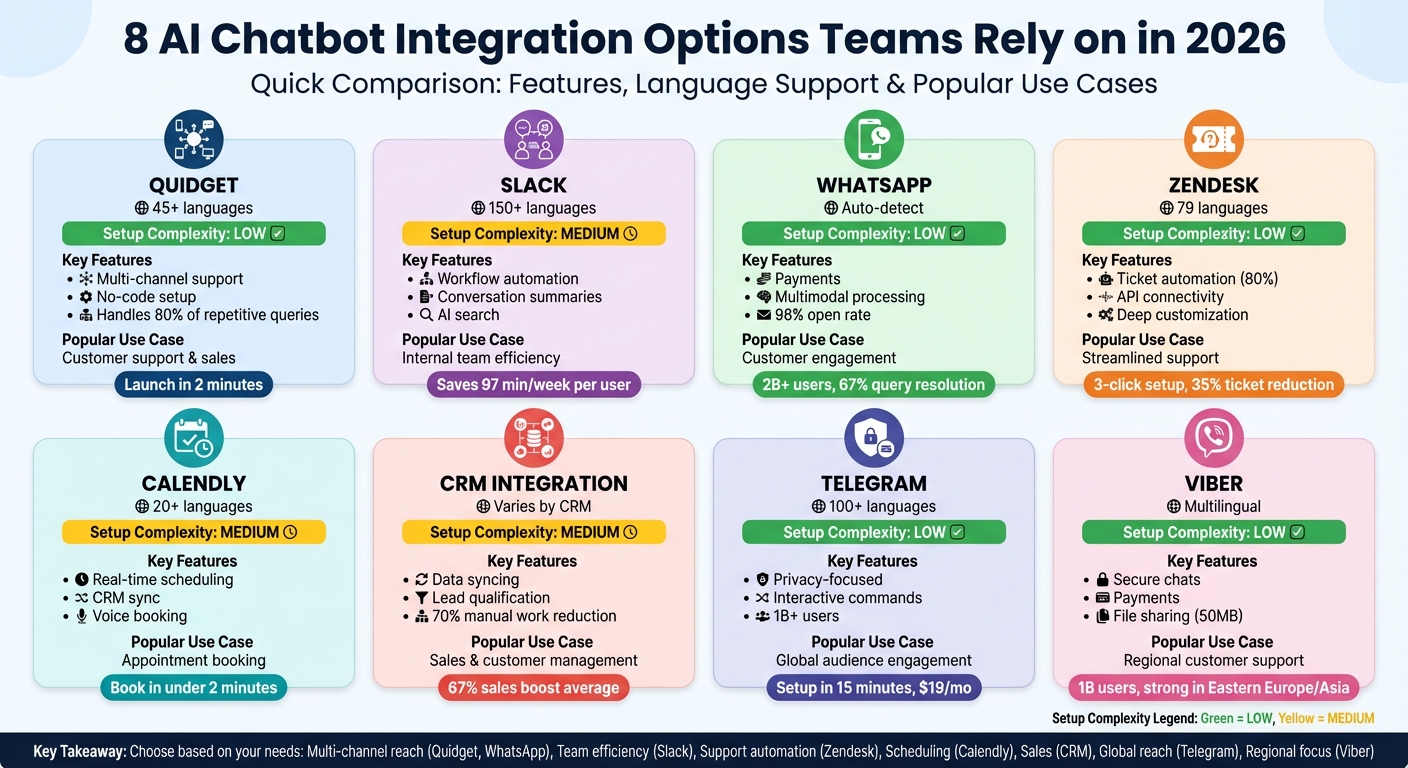
AI Chatbot Integration Options Comparison 2026: Features, Languages & Use Cases
How to Integrate an AI Chatbot with a CRM System
1. Quidget – AI Agent Builder for Customer Support & Sales
Quidget allows teams to launch AI chatbots in just two minutes – no coding required. Simply upload FAQs, link website URLs, or connect your knowledge base, and the AI uses Retrieval-Augmented Generation (RAG) to provide accurate, data-backed responses.
Easy Integration with Existing Tools
Quidget easily connects with your current tech stack. It offers native integrations with popular helpdesk tools like Zendesk, Freshdesk, Freshchat, and Intercom, as well as messaging apps such as WhatsApp, Slack, Telegram, Viber, Facebook Messenger, and Instagram. With its Web Chat API, webhooks, and logic actions, you can create custom workflows without needing to overhaul your existing systems. For instance, in 2025, Softorino adopted Quidget for Tier-1 support. The AI managed 60% of first-level responses, cutting overall support ticket volume by 35%.
Alex Novak, Customer Success Manager at Softorino, shared:
"Setting up Quidget was surprisingly quick – It now handles 60% of our first-level responses, slashing wait times and letting our team focus on real customer needs. It’s been a game-changer for us."
This robust integration framework ensures smooth multi-channel deployments.
Multi-Channel Deployment Made Easy
Quidget agents can be deployed across multiple platforms with minimal effort. Whether through a single line of embed code for websites, shared links, or integrations with mobile apps and messaging platforms, the AI ensures consistent conversation flow. For example, a customer can start a chat on your website, continue it on WhatsApp, and even switch to Slack for internal support – all while the AI keeps the context intact. This ensures uninterrupted, around-the-clock engagement without needing separate configurations.
Customization for Branding and Functionality
Quidget provides extensive customization options. You can adjust agent behavior with custom prompts, tone settings, and escalation rules that determine when to hand off chats to human agents. The chat widget can be white-labeled to match your brand’s colors and style. Additionally, logic actions, variables, and webhooks enable advanced workflows, such as scheduling appointments via Calendly or automating support ticket creation. The AI can handle up to 80% of repetitive queries while ensuring interactions align with your brand’s tone and values.
Multilingual Capabilities for Global Reach
With support for over 45 languages and automatic language detection, Quidget makes it easy to communicate with customers worldwide. The AI instantly switches to the customer’s preferred language, allowing teams to serve international audiences across time zones – no need for a round-the-clock multilingual support team.
2. Slack Integration for AI Chatbots
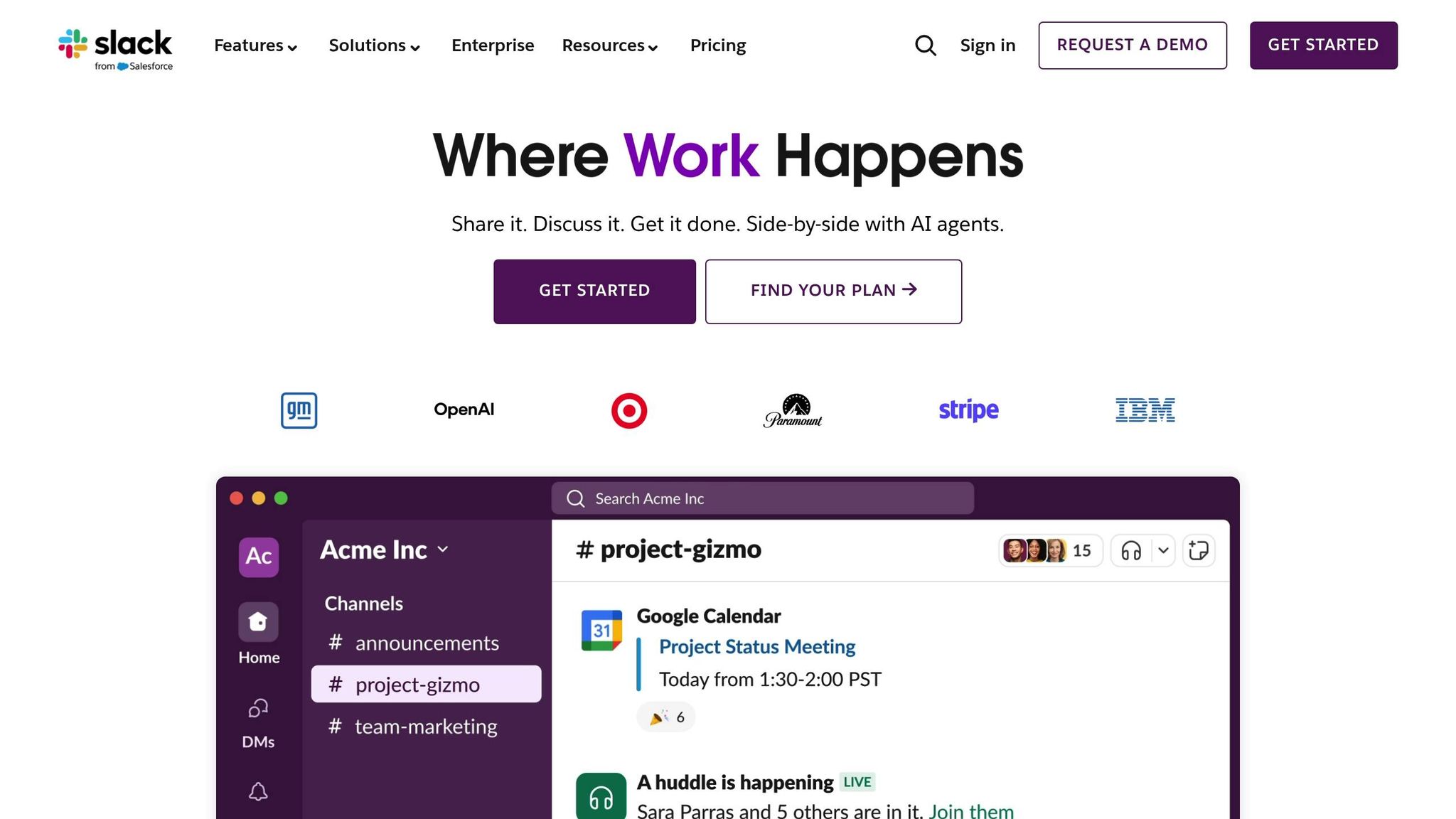
Slack has become the go-to digital hub for countless teams, bringing together communication and knowledge-sharing in one place. By integrating an AI chatbot into Slack, you can take this functionality to the next level by implementing personalized user journeys. It turns Slack into more than just a messaging app – it becomes a powerful, AI-driven workspace where employees can find answers and execute tasks without constantly switching between tools.
Simple Setup with Existing Tools
Getting an AI chatbot up and running in Slack is straightforward. Start by setting up a Slack development workspace and securing the necessary API credentials. Then, configure the app manifest to include permissions like assistant:write, chat:write, and im:history. Depending on your needs, you can choose between Socket Mode for secure or local setups, or HTTP requests for production environments. While custom builds might require additional development resources, the integration process is designed to be smooth and efficient.
Multi-Channel Functionality
Slack AI chatbots work seamlessly across public channels, private groups, and direct messages. This flexibility means team members can initiate workflows – like creating Jira tickets or deploying code – directly within Slack, saving time and reducing distractions. Features like Visible Messages allow the bot to analyze recent conversations (typically the last 5–10 messages) to provide context-aware responses. On average, users save 97 minutes per week by using tools like channel recaps, thread summaries, and AI-driven search capabilities. The bot can also summarize conversations from the past week or within a custom date range, making it easy for team members to catch up after being away.
"The real power of AI in Slack isn’t just a new chat window; it’s the ability to integrate intelligent capabilities directly into the rhythm of your workday." – Haley Elmendorf, Senior Documentation Engineer, Slack
Tailored Branding and Features
Slack’s Block Kit makes it easy to create visually engaging chatbot interfaces with buttons, menus, and date pickers – far more interactive than plain text replies. Developers can also customize the bot’s loading messages to match your brand’s personality or tone. Feedback loops, like thumbs up/down buttons within AI responses, allow teams to continually refine the chatbot’s performance. Additionally, the bot can suggest up to four prompts to guide users through conversations more effectively.
For those on paid Slack plans, advanced tools like AI search, conversation recaps, file summaries, and translation features further expand the platform’s capabilities.
Seamless Language Support
Slack’s AI tools adapt to each user’s language settings, offering one-click translation for messages in over 150 languages. This functionality ensures smooth collaboration across global teams, allowing everyone to stay on the same page regardless of their native language. By bridging language barriers, Slack solidifies its role as a workspace designed for international collaboration.
3. WhatsApp AI Chatbot Integration
With over 2 billion users and an impressive 98% open rate, WhatsApp has become a powerhouse for customer engagement. In 2026, businesses are leveraging AI chatbot integration to turn WhatsApp into a one-stop solution for customer interactions, handling everything from product discovery to payments – all without customers needing to leave the app.
Ease of Integration with Existing Tools
Setting up an AI chatbot on WhatsApp is designed to be simple. Thanks to no-code onboarding, tasks like token management and webhook setup are automated. By using the WhatsApp Cloud API, Meta’s 2026 standard, businesses can ensure scalability while avoiding maintenance headaches. These chatbots seamlessly connect to major CRM systems, syncing customer data in real time to provide personalized responses based on purchase history and preferences.
"WhatsApp is infrastructure, not a plugin. Treating WhatsApp API integration as a system, not a quick connector, prevents slow replies and broken automation as volume grows." – Ashwin
The platform supports multimodal processing, handling text, images, voice, and files. This feature is particularly useful in regions like India and Brazil, where customers often prefer voice messages or photos for inquiries. AI-powered agents now resolve 67% of routine queries, escalating only when sentiment analysis detects more complex issues. This streamlined integration enables businesses to deliver fast, tailored, and brand-consistent interactions.
Customization Options for Branding and Functionality
WhatsApp gives businesses full control over their profiles, including display names, descriptions, and profile pictures. Verified businesses can apply for an Official Business Account, complete with a green badge for added credibility. Additionally, WhatsApp Flows allow for structured interactions – like appointment booking or lead capture – reducing drop-off rates compared to redirecting users to external links.
Interactive features such as quick-reply buttons and list menus make conversations smoother and more intuitive. Starting January 15, 2026, Meta mandates that all AI chatbots on WhatsApp be task-specific – focusing on areas like support, bookings, or order updates rather than attempting to handle general queries. This ensures users receive precise, efficient assistance tailored to their needs.
Support for Multilingual Audiences
Advanced AI integrations on WhatsApp can automatically detect a user’s language from their first message and respond accordingly – no manual input required. For outbound notifications, the WhatsApp Business API uses pre-approved templates with a templateLanguage parameter, ensuring messages are delivered in the customer’s preferred language. This is crucial for reaching diverse audiences, as WhatsApp dominates messaging platforms across Latin America, Europe, the Middle East, Africa, and the Asia-Pacific region.
"Enable multilingual detection to respond instantly in your customer’s language." – CustomGPT.ai
Pricing for WhatsApp Business follows a transparent per-message model introduced in 2025. User-initiated service messages remain free and unlimited, while utility messages (like order confirmations) cost approximately $0.003 in North America. Marketing messages are billed at higher rates, but every account gets the first 1,000 conversations per month at no cost. This pricing structure ensures businesses can scale their customer communication affordably.
4. Zendesk AI Chatbot Integration
Zendesk has solidified its reputation as a top choice for teams aiming to streamline customer support through AI-driven automation. By 2026, businesses using Zendesk’s AI chatbot integration are handling over 80% of customer interactions, all while ensuring smooth transitions to human agents when needed. What sets Zendesk apart is its seamless integration within its own ecosystem, connecting tickets, help centers, and agent workflows – no need to juggle multiple tools.
Ease of Integration with Existing Tools
Getting started with Zendesk AI agents is incredibly straightforward. With just three clicks, you can automate 30% of customer requests right from the start by linking the chatbot to your help centers or Confluence. Thanks to the no-code integration builder, teams can connect AI agents to any API or data source without writing a single line of code. It also supports standard authentication methods, making it easy to connect with CRMs and other business tools.
"Access customer data effortlessly without coding." – Zendesk Team
The integration builder includes sandbox testing, so you can test connections before going live. Take Jigsaw, for example – a retail brand that deployed Zendesk AI agents in 2025. They saw a 35% reduction in ticket volume and a 20% drop in response time. James Billett, Customer Experience Manager at Jigsaw, said the agent was "up and running in no time". Similarly, Motel Rocks reduced ticket volume by 50% and boosted CSAT scores by 9.44% after implementation.
This ease of setup also allows businesses to customize the chatbot deeply, ensuring it aligns perfectly with their brand identity.
Customization Options for Branding and Functionality
Zendesk takes customization to the next level, enabling teams to fine-tune the chatbot’s behavior and appearance. The platform offers two tiers: the Essential tier for generative AI in chatbots and the Advanced tier for hybrid conversation flows. The Advanced tier includes options for customizable personas, welcome messages, data capture, and escalation rules.
For technical teams, Zendesk provides robust APIs to expand functionality and integrate with custom systems. It also supports the JSONata query language, which allows teams to transform and merge backend data directly into chat conversations. One business, led by CTO Austin Towns, used these tools to automate 66% of interactions, saving $14,000 monthly while scaling operations from 81 to 160 salons without hiring additional reception staff.
Support for Multilingual Audiences
Zendesk AI agents are designed to break down language barriers, making them ideal for businesses operating in global markets. These agents support up to 79 languages and offer automatic translation for 30 of them, ensuring smooth communication with diverse audiences. The AI detects the customer’s language from the first message and responds accordingly. If a language isn’t supported, it defaults to the account’s primary language. Teams can also replace automatic translations with custom-written responses to maintain brand tone and ensure accuracy for product names.
"Quick solutions – like answers given by the AI agent – help free up our agents to spend more time with customers that need tailored help for more in-depth queries." – Lucy Hussey, Customer Service Manager, Motel Rocks
Zendesk AI agents are versatile, working across multiple channels such as the Web Widget, mobile apps (iOS, Android, Unity), and social platforms like WhatsApp, Facebook Messenger, Slack, and Instagram. This multi-channel capability ensures businesses can engage customers wherever they prefer, all while delivering consistent multilingual support.
sbb-itb-58cc2bf
5. Calendly AI Chatbot Integration
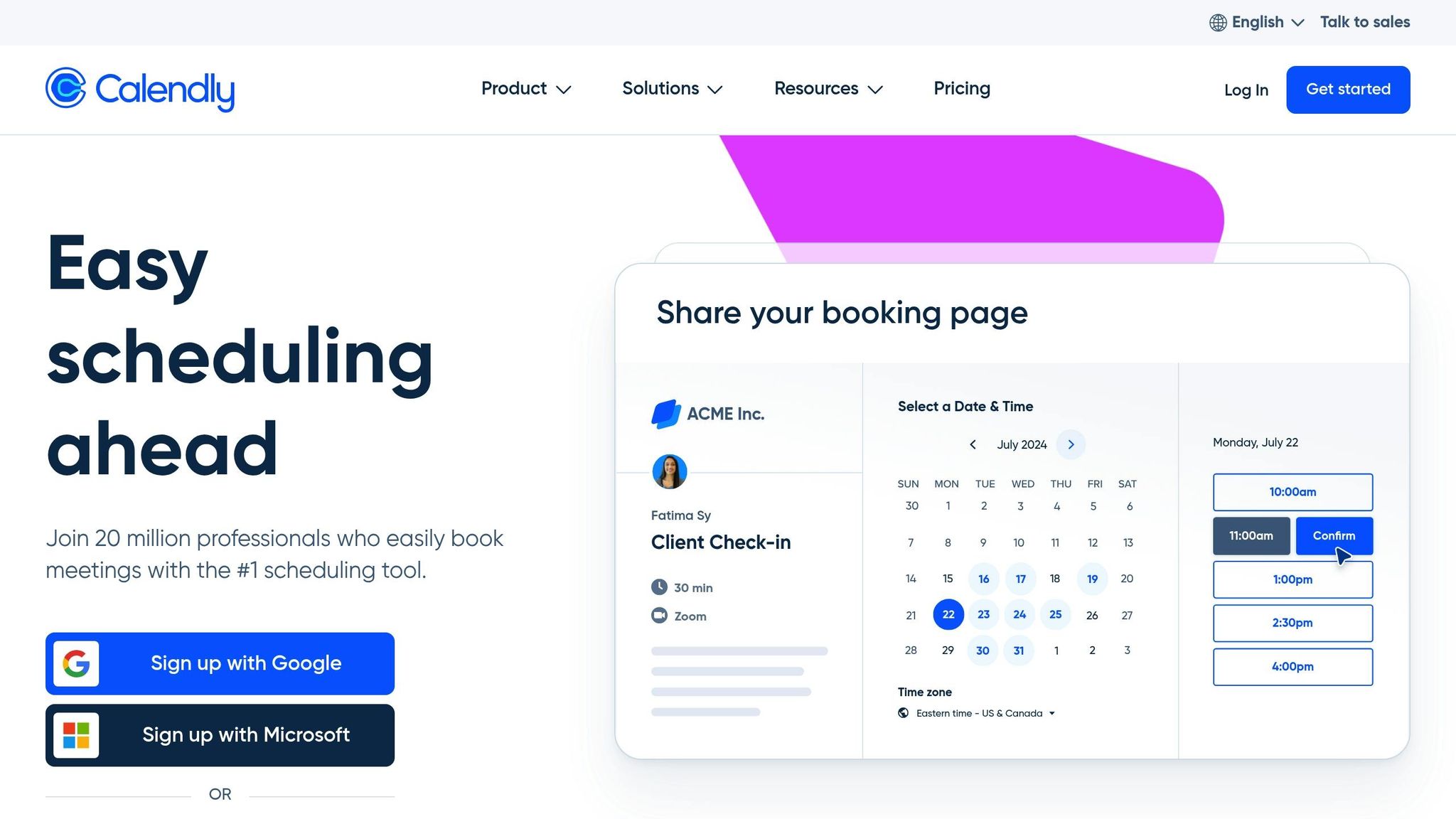
Calendly’s AI chatbot integration makes scheduling a breeze by enabling conversational booking. It identifies user intent, matches it with event types, checks real-time availability, and books meetings – all within a chat or voice interface. There’s no need to redirect users to external pages for scheduling.
Ease of Integration with Existing Tools
Calendly is designed to work seamlessly with your current tools. Its Scheduling API allows you to embed booking flows directly into website chatbots, SMS, or AI voice agents. Once a meeting is confirmed, Calendly takes care of the rest – sending calendar invites, reminders, and even CRM updates. Links for rescheduling or cancellation are also included for added convenience.
Take The University of Sydney as an example. In October 2025, they incorporated Calendly’s Scheduling API into their Student Portal. This allowed students to book appointments for academic advising, IT support, and wellbeing services in under two minutes, making the process quicker and more accessible, which helps improve chatbot ROI. Similarly, Thoughtly utilized the API to enable AI voice agents to handle booking during phone calls, helping their clients scale voice AI solutions with confidence.
"Our customers now operate with complete confidence that their AI agents will reliably book appointments during phone conversations. This reliability enables them to deploy voice AI at scale." – Carlos Parga, Product Manager, Thoughtly
This integration fits right into the broader AI-driven workflows available in 2026.
Customization Options for Branding and Functionality
Calendly doesn’t just integrate – it adapts. Teams can tailor the booking experience to match their brand, from customizing button text to tweaking the interface design. The chatbot can gather user information during the interaction and pre-fill it into Calendly, speeding up the process. Additionally, you can include custom tracking parameters, like utm_source or salesforce_uuid, to enhance CRM reporting.
For more advanced needs, Calendly lets you set up trigger logic to offer scheduling only when specific conditions are met – such as after a lead is qualified or when a user mentions a specific timeline. AI agents can even generate single-use scheduling links for high-value leads, ensuring those links aren’t shared without permission.
Support for Multilingual Audiences
Calendly’s integration also caters to a global audience. By leveraging the language capabilities of the host AI platform, it supports over 20 languages, including English, French, Spanish, German, Arabic, Chinese, Japanese, and Portuguese. Developers can configure AI agents to recognize a user’s locale and timezone, automatically normalizing timezones in IANA format (e.g., America/New_York) for accurate scheduling across different regions.
6. CRM AI Chatbot Integration
Bringing AI chatbots into your CRM can take a huge load off your team by automating tasks like data entry, lead qualification, and scheduling. In fact, it can cut manual work by as much as 70%. These chatbots directly access real-time customer data – like order history, preferences, and account details – stored in your CRM, allowing them to deliver personalized, 24/7 support.
Ease of Integration with Existing Tools
Modern CRM platforms like Salesforce, HubSpot, and Zoho make integration surprisingly simple. Thanks to no-code builders and native connectors, teams can link their chatbot to their CRM without needing any coding skills. Setting it up usually involves mapping chatbot fields – such as name, email, or inquiry type – to the corresponding CRM records. This ensures every customer interaction is automatically recorded and updated in the right profile.
AI-powered CRMs also improve data accuracy by spotting errors, filling in missing details, and keeping records up to date in real time. This means sales teams always have reliable information at their fingertips. By 2025, only 8% of sales reps reported not using AI, highlighting how essential these tools have become. With this streamlined approach, businesses can unlock advanced multi-channel capabilities and tailored functionalities.
Multi-Channel Support Capabilities
AI chatbots integrated with CRMs can seamlessly interact with customers across platforms like WhatsApp, Facebook Messenger, SMS, and Slack, while keeping all conversations tied to a single CRM record. For example, a customer might start chatting on your website but continue the conversation on WhatsApp, and the chatbot will maintain the full context by pulling data from the CRM. This matters because 82% of consumers now expect immediate responses to their questions.
This multi-channel approach isn’t just convenient – it drives results. Businesses using chatbots for sales have seen a 67% boost in sales on average. Additionally, 83% of CRM leaders say AI has made customer service faster and improved satisfaction scores. With 33% of U.S. CX leaders prioritizing chatbot-CRM integration, it’s clear that multi-channel support is now a must-have.
Beyond just multi-channel functionality, these integrations allow for deeper branding and operational customizations.
Customization Options for Branding and Functionality
CRM-integrated chatbots can be tailored to fit your brand perfectly. You can tweak visual elements like colors, logos, and themes, or even white-label the chatbot interface for enterprise use.
On the functionality side, the possibilities are extensive. Teams can set up action triggers and webhooks to automate backend tasks like tagging CRM tickets, updating lead statuses, or retrieving account details – all without manual input. Using visual builders and "Playbooks", businesses can create detailed workflows with conditional logic for tasks like lead qualification or scheduling meetings. For more complex needs, developers can dive into scripting environments to program custom business logic.
Real-time data syncing ensures the chatbot pulls live CRM details – such as customer tier, recent purchases, or subscription status – to deliver personalized responses instantly. If a situation becomes too complex, the chatbot can escalate the issue to a live agent, passing along the full conversation history for a smooth handoff. These customizations make CRM-integrated chatbots a powerful tool for enhancing customer interactions.
Support for Multilingual Audiences
AI chatbots integrated with CRMs are game-changers for businesses with global customers. They can automatically detect a user’s language and provide real-time translations, all while preserving the nuances of different industries and regions. This is critical, as 72% of consumers prefer to shop in their native language, and 40% won’t buy from websites in other languages.
The results speak for themselves – companies using multilingual AI chatbots have seen a 70% jump in international conversion rates and cut global support costs by half. Customer satisfaction among non-English speakers typically improves by 40%, and these chatbots respond three times faster than traditional translation methods.
With CRM integration, language preferences and interaction history sync seamlessly across global touchpoints. Advanced systems even handle Right-to-Left (RTL) languages like Arabic and Hebrew, and allow developers to map locale information (e.g., de_DE) directly to CRM records. This ensures the chatbot always knows the customer’s preferred regional settings. Considering only 25% of internet users are English speakers, multilingual CRM integration is essential for businesses looking to expand globally.
7. Telegram AI Chatbot Integration
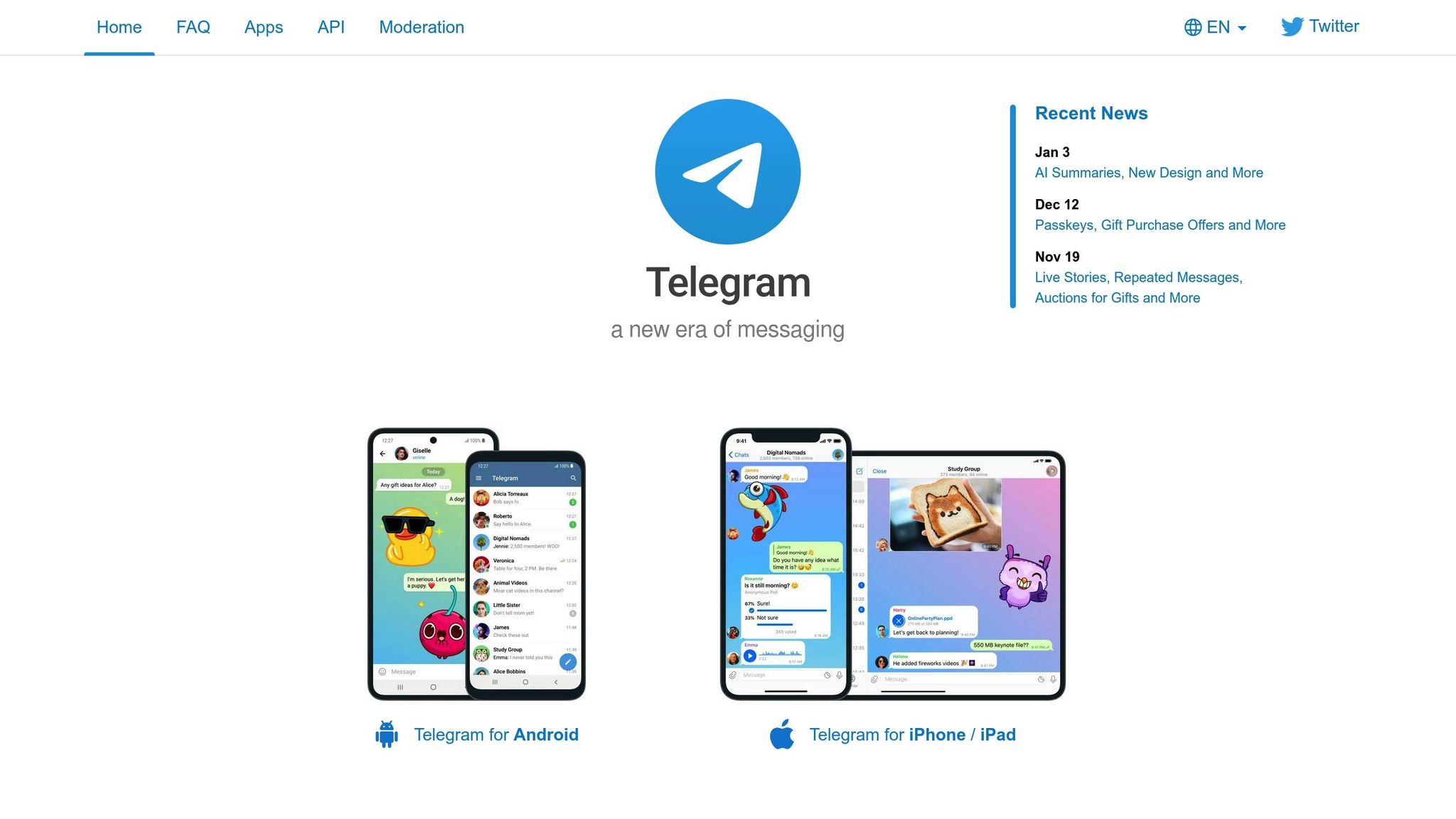
Telegram has emerged as a standout platform for AI chatbot deployment, thanks to its affordability and extensive global reach. With over 1 billion monthly active users as of early 2026, it’s a key player for businesses looking to connect with audiences worldwide. Its robust API and privacy-focused design have made it the second-most popular pre-built integration for AI chatbot builders. Let’s dive into how Telegram’s integration can enhance customer self-service and business operations.
Ease of Integration with Existing Tools
Setting up a Telegram AI chatbot is quick and straightforward – most teams can get it running in just 15 minutes using no-code platforms like Chatbase (starting at $19/month) or Botpress (which includes $5 in initial AI credits). The process begins with generating a token through Telegram’s @BotFather and entering it into your chosen integration platform. This simplicity makes Telegram an affordable and accessible option for businesses of all sizes.
Once deployed, these bots can sync effortlessly with tools you already use, such as CRMs like HubSpot or Pipedrive, helpdesk software like Zendesk or Freshdesk, and e-commerce platforms like Shopify. Additionally, modern platforms enable you to consolidate Telegram conversations alongside those from WhatsApp, Facebook Messenger, and email into a single inbox. With a generous 4,096-character limit per message, Telegram ensures that responses remain detailed yet concise.
Customization Options for Branding and Functionality
Telegram’s user-friendly setup allows for extensive customization to align your bot with your brand identity. You can personalize your bot by setting a custom name, username, profile picture, and description through BotFather. For even more advanced branding, Telegram Mini Apps enable app-like experiences directly within the chat, complete with custom loading screens, icons, and theme colors.
You can also program custom commands like /status to provide updates or /human to transfer conversations to a live agent. Interactive keyboards with clickable buttons help guide users through processes like sales funnels, while training your bot on your knowledge base ensures responses match your business needs. These tailored features have been shown to increase lead response rates by 40% and improve conversion rates by 30%.
Support for Multilingual Audiences
Telegram AI chatbots excel at serving global audiences, with support for over 100 languages. They automatically detect the user’s language preferences and respond accordingly, eliminating the need for manual translations. As Kommunicate highlights, their platform can "translate and reply in any language… without the need for any external tools".
Beyond language capabilities, Telegram’s global accessibility is enhanced by its lack of phone number restrictions. This makes it an excellent choice for businesses targeting international markets. Its focus on anonymity and privacy is particularly appealing for sensitive use cases, such as mental health support or crypto communities, where users often prefer usernames over phone numbers. For U.S. businesses aiming to expand internationally, Telegram offers a way to provide 24/7 multilingual support without requiring a proportional increase in human resources.
8. Viber AI Chatbot Integration
Viber connects with over 1 billion users, thriving in regions like the Philippines, Bulgaria, and Greece. Although it might not be the go-to platform for U.S.-based businesses, it’s a smart pick for companies targeting Eastern Europe, Asia, or the Middle East. Since February 5, 2024, Viber has adopted a commercial model requiring business verification and a monthly fee of approximately $110 (€100). This shift highlights Viber’s focus on fostering quality business interactions worldwide.
Ease of Integration with Existing Tools
Setting up your AI chatbot on Viber is straightforward, thanks to REST APIs and SDKs for NodeJS and Python. The platform integrates effortlessly with popular AI builders like Dialogflow and Botpress, making it accessible even for teams with limited coding expertise. With Viber’s unified messaging feature, businesses can manage conversations across SMS, WhatsApp, and Viber through a single interface offered by providers like Infobip. This centralization streamlines customer communication across multiple channels.
Viber also ensures smooth handovers to human agents for complex queries, keeping the entire conversation history intact during the transition. Additionally, the platform supports file transfers, allowing up to 50 MB for documents and audio and 26 MB for video. This is especially useful for sharing product catalogs or detailed support materials.
Customization Options for Branding and Functionality
Viber offers extensive customization features to align your chatbot with your brand. Through the Admin Panel, you can modify your bot’s name, avatar, and "About" section. The platform supports interactive elements like carousels, buttons, quick replies, stickers, and location sharing to boost user engagement. On top of that, Viber integrates with payment systems such as Google Pay and Apple Pay, enabling customers to complete transactions directly within the chat.
Using carousels in your initial message is a great way to present multiple options to users while working within Viber’s single-response limitation for first interactions. You can also enhance navigation by implementing custom keyboards and quick-reply buttons. For businesses dealing with sensitive data, Viber’s end-to-end encryption ensures secure customer interactions. Following chatbot data security best practices is essential when handling user information.
Support for Multilingual Audiences
Viber AI chatbots are equipped to handle multilingual communication through NLP integration, allowing them to interpret user intent across various languages. The platform supports foreign characters on keyboards, enabling customers to engage in their preferred scripts. Businesses can set a primary language in the Admin Panel and configure their bots to respond in multiple languages based on user input.
Viber also provides cost-effective messaging options, including 10,000 free outbound messages per month and free responses within 24 hours of a user’s initial message. To make the most of these benefits, consider adding QR codes or "click-to-chat" links on your website to encourage users to start conversations. Responding promptly within the free 24-hour window helps optimize engagement.
Conclusion
AI chatbot integrations have become indispensable for teams in 2026, enabling responses up to three times faster than human agents. Whether it’s connecting to Slack for internal teamwork, integrating with Zendesk for streamlined ticket handling, or deploying on WhatsApp to engage customers directly, the right integration can completely reshape how your team communicates. These stats highlight just how much AI integrations can improve efficiency across various channels.
The key to success lies in understanding your specific operational needs. For instance, a sales-focused bot thrives with strong CRM integration, while a support bot demands seamless human handoff capabilities to ensure conversation continuity. As Preetam Das aptly puts it:
"Chatbot success is determined less by feature depth and more by fit to operating reality".
Start by reviewing your FAQs, manuals, and support materials – your bot’s effectiveness depends heavily on quality training data. Decide if your audience requires formal language, such as for banking clients, or a more casual tone suited to retail customers. During testing, make sure human handoffs work smoothly to avoid frustrating users with endless loops.
Ultimately, a successful integration strikes a balance between AI efficiency and human empathy. Opt for solutions that meet your immediate needs – often a platform-based option – and refine your approach as your requirements evolve.
FAQs
How can AI chatbots make customer support more efficient?
AI chatbots are transforming customer support by automating up to 80% of routine inquiries, which helps lighten the load for human agents. With their 24/7 availability, customers can get instant assistance anytime, improving both response times and overall satisfaction.
By taking care of repetitive tasks, chatbots allow human agents to concentrate on more complex or urgent issues. This not only boosts productivity but also ensures operations run more smoothly. Businesses can offer quicker, more consistent support while making better use of their resources.
What should I consider when selecting an AI chatbot integration?
When selecting an AI chatbot integration, there are a few important factors to keep in mind to ensure it fits your business needs effectively.
Start by checking its compatibility with your current tools. Whether it’s your CRM, website, or communication platforms like Slack, the chatbot should integrate smoothly with the systems you already use. This avoids disruptions and keeps your workflow running efficiently.
Next, consider the level of customization required. Are you looking for a no-code solution that’s quick to set up, or do you need a more advanced option that allows for greater flexibility? Choose a platform that matches your technical expertise and business objectives. Also, ensure the chatbot supports your preferred communication channels, whether that’s websites, messaging apps, or social media, so you can meet your customers where they are most active.
Lastly, evaluate the platform’s scalability, security features, and the availability of ongoing support. These factors are crucial for ensuring the chatbot can grow alongside your business while maintaining reliability and security. By focusing on these aspects, you’ll be better positioned to choose an AI chatbot integration that benefits both your team and your customers over time.
How do AI chatbots effectively manage multilingual communication?
AI chatbots handle multilingual communication by leveraging natural language processing (NLP) and real-time translation tools. These technologies allow chatbots to understand and respond in various languages, helping businesses engage with international audiences without the need for manual translations or hiring multilingual teams.
Many chatbots can detect a user’s language automatically and tailor responses to fit linguistic and cultural norms. They also support multiple languages at the same time, ensuring seamless communication. By relying on a dependable knowledge base, these chatbots reduce errors and maintain consistent interactions. Real-time translation adds another layer of convenience, enabling users to communicate effortlessly in their preferred language. This makes it easier for businesses to deliver efficient, around-the-clock support to their diverse customer base.


