


Looking for the best chatbot for Facebook? Here’s the quick rundown:
- ManyChat: Ideal for marketing and social commerce. Starts at $15/month. Great for Click-to-Messenger ads and abandoned cart recovery but uses rule-based automation.
- Chatfuel: Easy-to-use for small to mid-sized businesses. Starts at $15/month. Handles FAQs and lead generation but lacks advanced AI.
- MobileMonkey (Customers.ai): Focused on lead qualification for B2B. Starts at $19/month. Offers OmniChat for cross-platform use but has a clunky interface.
- Quidget: Strong for customer support with AI-powered natural language understanding. Starts at $79/month. Supports multiple languages and hybrid AI-human handoffs.
- Respond.io: Best for enterprise-level omnichannel management. Starts at $159/month. Advanced AI and CRM integrations but higher cost.
Quick Tip: Start with free trials or entry-level plans to test features and find the right fit for your business. For more details, read on.
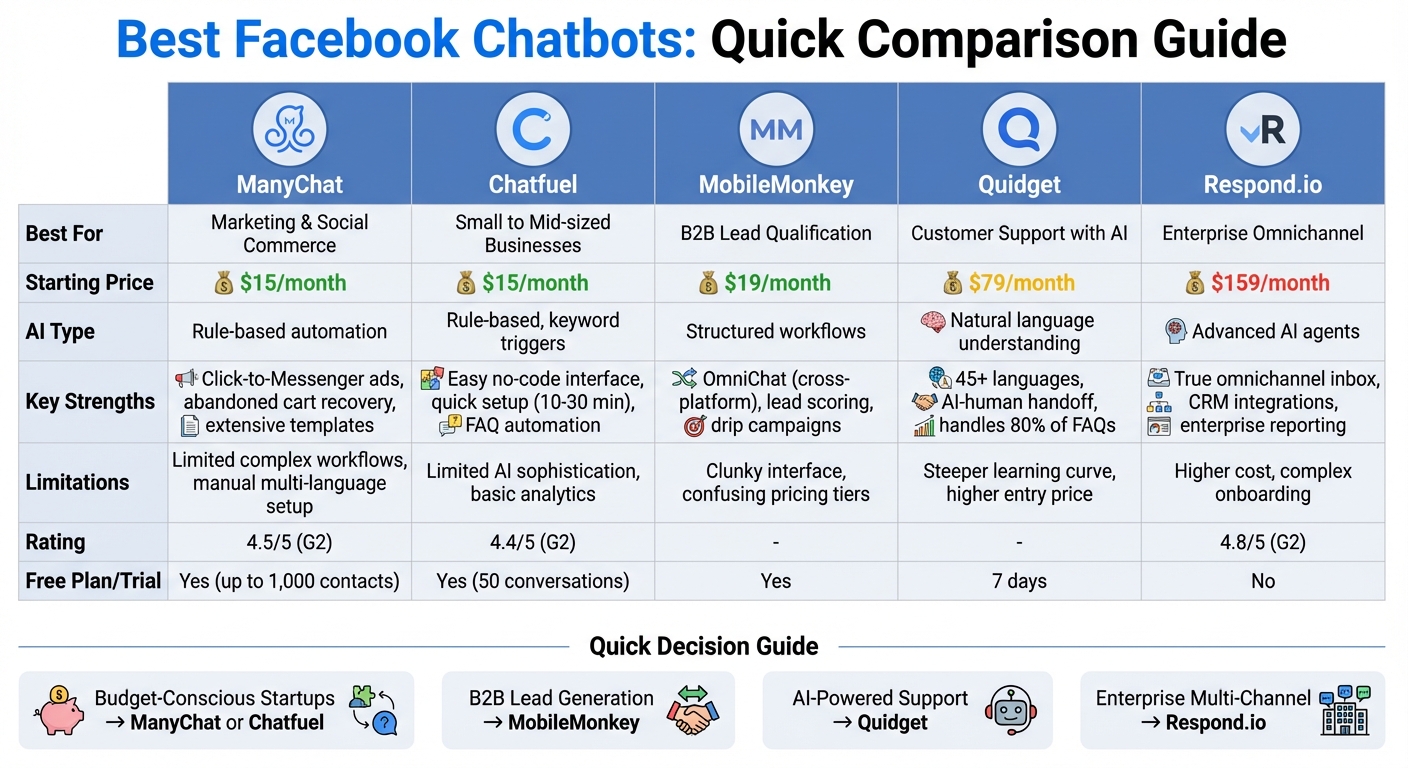
Facebook Chatbot Comparison: Features, Pricing, and Best Use Cases
1. ManyChat
Primary Use Case
ManyChat is designed for marketing automation and social commerce, focusing on Facebook and Instagram. It manages tasks like Click-to-Messenger ads, recovering abandoned carts, and transforming post comments into private sales conversations. Essentially, it supports the entire customer journey – from lead capture through Facebook Ads to post-sale support.
As a Meta Business Partner, ManyChat integrates seamlessly with Facebook’s advertising tools, guiding prospects into automated qualification sequences. For instance, content creator Natasha Greene saw her website traffic skyrocket from 20,000 to over 100,000 page views in just one month after launching a trigger campaign.
Now, let’s dive into how ManyChat’s AI handles customer interactions.
AI Capabilities
ManyChat’s AI operates on a rule-based system, relying on keyword triggers and predefined flows rather than generative AI. Its "Manychat AI" feature simplifies tasks like automated flow building and FAQ management, delivering consistent results when conversation paths are planned in advance. This makes it particularly effective for tasks like product recommendation quizzes or delivering lead magnets.
Pricing and Plans
ManyChat provides a free plan for basic testing, making it accessible for beginners experimenting with chatbots on Facebook. The Pro Plan starts at $15 per month for up to 500 contacts and three users. As your contact list grows, the pricing scales accordingly, so it’s worth monitoring your limits if your audience is expanding quickly.
These affordable plans make ManyChat an attractive option for businesses looking to enhance their Facebook page engagement.
Customization Options
With its drag-and-drop Flow Builder, ManyChat requires no coding skills. Templates allow you to set up flows, such as abandoned cart recovery, in just a few minutes. You can also incorporate rich media elements like carousels, galleries, and quick-reply buttons to create a branded Messenger experience. The "Comment-to-DM" automation feature is particularly handy, converting public interactions into private leads automatically.
"Manychat’s automations and tools allowed me to be much closer to my audience and engage them even more with my content"
ManyChat has earned high ratings, with 4.5/5 on G2 and 4.6/5 on Capterra. Users frequently highlight its intuitive interface, though some note that customer support has room for improvement.
sbb-itb-58cc2bf
2. Chatfuel
Primary Use Case
Chatfuel is a popular chatbot platform tailored for Facebook, focusing on marketing automation and lead generation. It’s especially suited for small to mid-sized businesses and e-commerce brands. The tool captures potential customers through Facebook Messenger and post comments, qualifying them with automated questions and storing their details in its built-in CRM. Chatfuel can handle FAQs 24/7, send promotional messages, recommend products, and create automated message sequences to nurture leads. One standout feature is its comment-to-Messenger function, which engages users who comment on Facebook posts, guiding them into private chats to share lead magnets or address inquiries.
For example, an astrology business saved $25,000 monthly by using Chatfuel to qualify leads through quizzes and articles, reducing its consulting staff from 55 to 25. Similarly, a beauty brand saw a 40% boost in monthly revenue (around $250,000) while cutting the cost per conversion from $8.30 to $4.06, achieving a 10X return on ad spend.
Next, let’s explore how Chatfuel’s AI supports these tasks.
AI Capabilities
Chatfuel’s AI relies on rule-based flows and keyword triggers rather than advanced natural language processing. While this approach works well for structured tasks like automating FAQs and qualifying leads, it’s less effective for handling free-form, unstructured queries. The platform features a no-code, drag-and-drop visual builder, which allows users to set up a basic chatbot in as little as 10 to 30 minutes using pre-designed templates. However, it may face challenges with more complex customer interactions.
"No coding or any special skill required, simply click on a button, select the options that you prefer and set that up." – Yann I, Online Media
Now, let’s take a look at Chatfuel’s pricing structure.
Pricing and Plans
Chatfuel offers a free trial with up to 50 conversations included. Paid plans start at $15 per month, with Facebook-specific access priced at approximately $23.99. If you want to expand to other channels like Instagram or WhatsApp, these are available as separate add-ons, with WhatsApp starting at $39 per month. The free trial is a great way to test out basic automation features before committing to a subscription.
Customization Options
Chatfuel provides a variety of pre-made templates for tasks like bookings, feedback collection, and lead qualification. It also allows you to sync data with Google Sheets for real-time order tracking and export customer responses automatically. The platform supports Facebook Messenger, Instagram, and WhatsApp, integrates with Facebook Ads, and includes a built-in CRM for managing customer data.
Chatfuel holds a 4.4/5 rating on G2 and a 4.3/5 on Capterra. Users appreciate its user-friendly interface and quick setup process, though some have mentioned limited analytics and occasional issues with customer support.
3. MobileMonkey
Primary Use Case
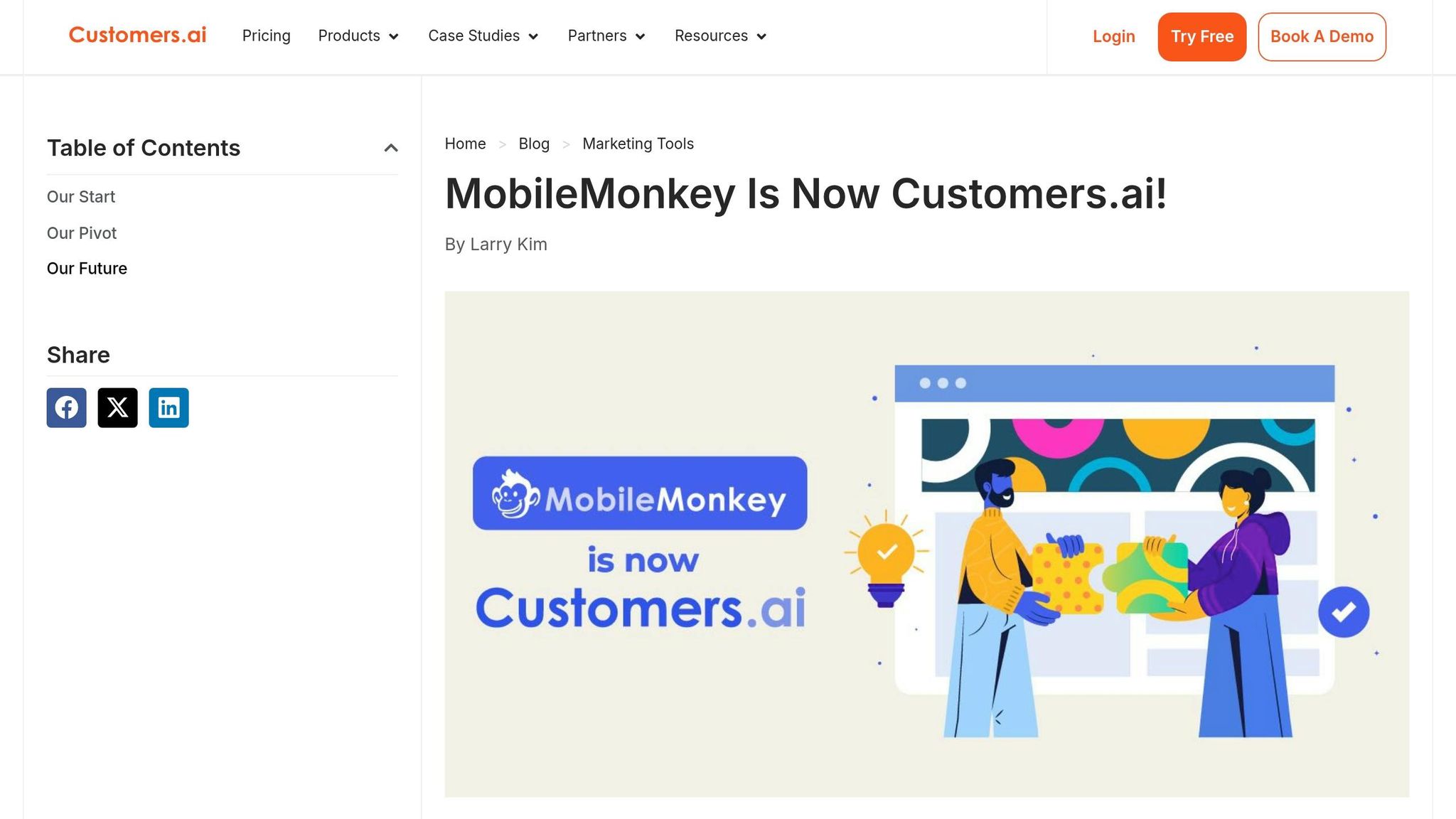
MobileMonkey, now operating under the name Customers.ai, is designed for B2B companies and service-based businesses that rely on Facebook Messenger to capture and qualify leads. The platform excels at collecting contact details, scoring leads, and forwarding high-value prospects to sales teams for follow-up.
One standout feature is "OmniChat", which allows businesses to deploy the same chatbot across Facebook Messenger, Instagram, and website chat. This ensures a consistent experience across platforms. While it supports drip campaigns and follow-ups effectively, its emphasis on lead data has slowed the pace of innovations in Messenger features.
AI Capabilities
MobileMonkey uses structured workflows for lead qualification instead of relying on advanced natural language processing. It guides users through a series of predefined questions and transfers qualified leads to live agents once specific criteria are met. This structured approach works well for B2B needs but lacks the flexibility of newer generative AI platforms when dealing with open-ended customer inquiries.
Pricing and Plans
MobileMonkey offers flexible pricing options to help businesses experiment with lead generation. A free plan is available for testing basic features, while paid plans start at $19 per month. However, the pricing structure includes several add-ons, which some users find confusing. The free plan is a good starting point for those exploring the platform’s capabilities.
Customization Options
The platform provides extensive options for customizing lead capture and qualification workflows. Users can create tailored drip campaigns and follow-ups to nurture leads over time. That said, the interface has been described as clunky and less user-friendly, with mixed reviews regarding customer support.
MobileMonkey combines lead generation with messaging automation, making it a strong contender for businesses seeking a chatbot solution for Facebook Messenger.
4. Quidget
Primary Use Case
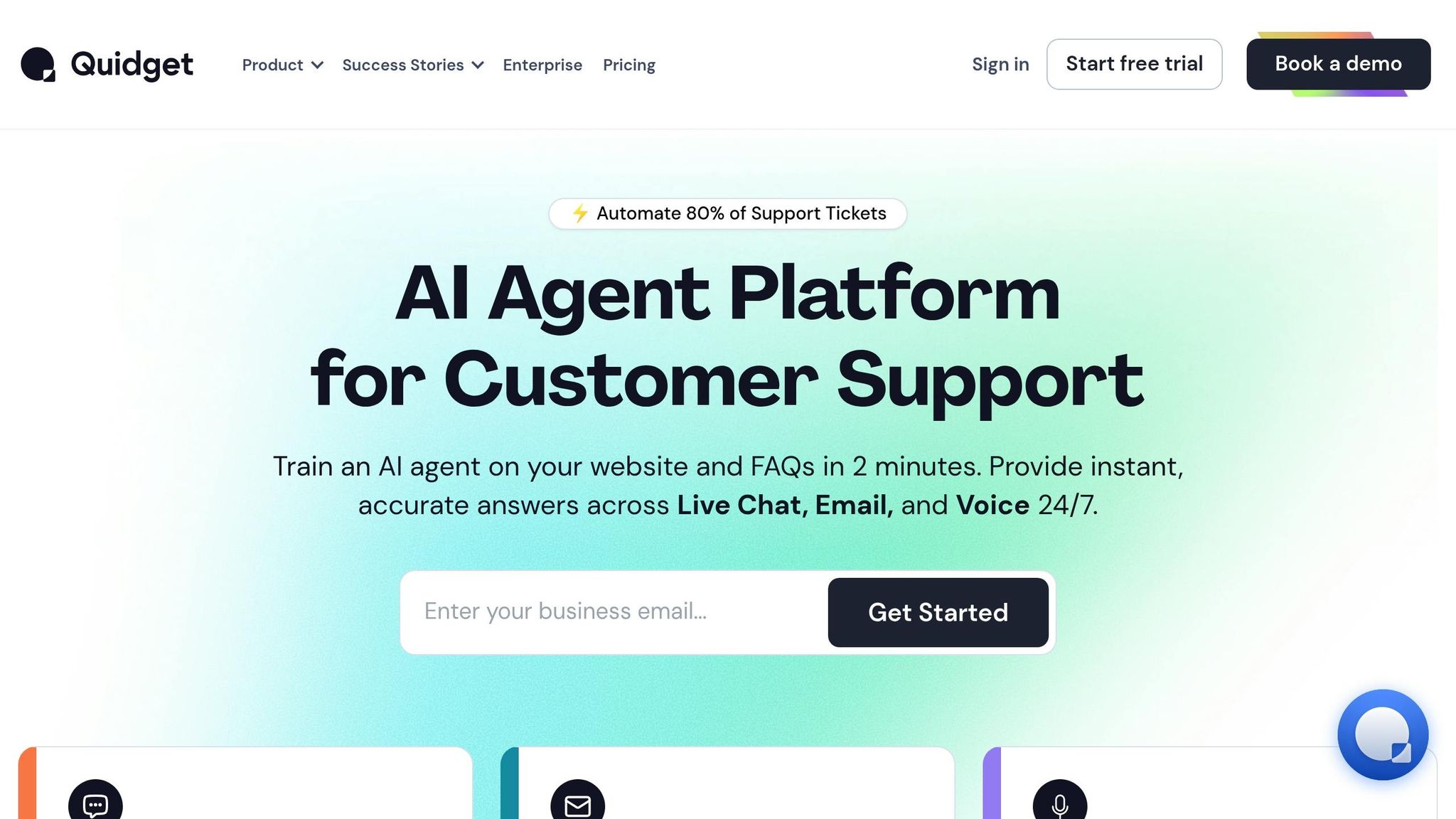
Quidget simplifies customer support and sales interactions on Facebook Messenger by managing up to 80% of frequently asked questions automatically. It learns from your existing FAQs, knowledge bases, and other documents, allowing you to launch an AI-powered chatbot for Facebook Messenger in just a few minutes. For more complex questions, its hybrid system ensures a smooth handoff to your team.
AI Capabilities
Quidget uses natural language understanding to process free-text messages from users while tailoring responses based on customer history using personalized user journey techniques. The chatbot’s tone can be customized – whether you want it to sound casual, friendly, or formal – to align with your brand. Plus, it supports conversations in over 45 languages, making it a practical choice for businesses with a global audience.
Pricing and Plans
Quidget offers a 7-day free trial to help you get started. The Pro plan is $79/month and includes 10,000 AI responses, up to 5 chatbots, and access to advanced analytics. For $210/month, the Pro Plus plan provides 50,000 AI responses, 50 chatbots, and advanced lead-generation tools. The Enterprise plan, priced at $599/month, adds features like custom integrations and dedicated support.
Customization Options
With Quidget’s drag-and-drop editor, you can design conversation flows without needing any coding skills. You can personalize the bot’s name, tone, and language style, and even include rich media like images and videos. For advanced users, API access allows seamless integration with tools like CRMs, Zendesk, and Calendly. These features make it easy to create a chatbot experience tailored to your business needs.
To learn more about setting up your chatbot, visit Quidget.ai.
5. Respond.io
Primary Use Case
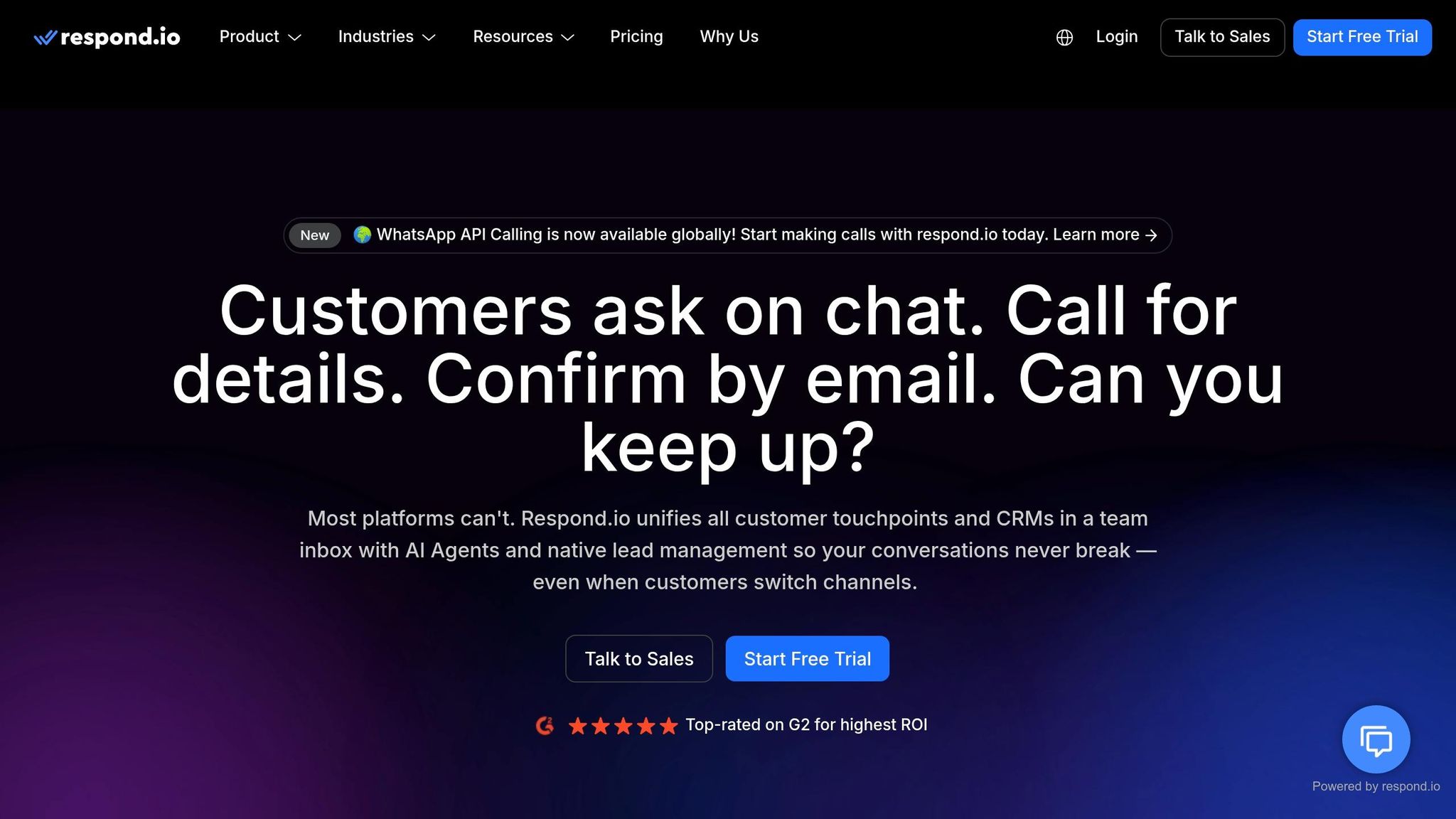
Respond.io is designed for mid-sized to enterprise-level businesses that rely heavily on Facebook Messenger for sales and support. It’s particularly suited for companies needing to manage high volumes of Messenger interactions across multiple platforms. The platform shines when it comes to automating intricate sales workflows, qualifying leads from click-to-Messenger ads, and seamlessly transferring high-value prospects to your team.
As a Meta Verified Partner, Respond.io consolidates Facebook Messenger with other channels like WhatsApp, Instagram, TikTok, SMS, and email into a single inbox. This setup is ideal for businesses juggling customer conversations across various platforms.
AI Capabilities
Respond.io leverages AI Agents trained on your business-specific materials, such as FAQs, knowledge bases, and internal documents, to handle free-text interactions. These agents go beyond simple rule-based bots by understanding natural language, detecting customer intent, and crafting responses that align with your brand’s tone.
The AI also automates tasks like tagging contacts, updating CRM records, and initiating workflows based on the chat’s context. When a situation calls for human intervention, the platform ensures a smooth handoff by providing agents with the full conversation history, so they can pick up without missing a beat.
Pricing and Plans
The platform’s Growth plan starts at $159/month, covering 10 users, unlimited workflows, and full AI Agent access. It also includes CRM integrations with Salesforce and HubSpot, along with chatbot analytics metrics. For businesses with more extensive needs, the Enterprise plan offers custom pricing, onboarding, and enhanced analytics.
Respond.io has earned high user ratings, with 4.8/5 on G2 and 4.6/5 on Capterra. While users often highlight its user-friendly interface and omnichannel management, some mention that its pricing is on the higher side compared to more basic tools.
Customization Options
Respond.io’s visual workflow builder allows you to design automation processes without any coding knowledge. You can route chats based on customer lifecycle stages, sync data with external platforms, and connect to Meta’s Conversions API (CAPI) to monitor lead conversions from ads. The platform also integrates seamlessly with tools like Google Sheets, Salesforce, and HubSpot, making it easy to incorporate into your existing systems.
For more guidance on crafting a customized chatbot experience, visit Quidget.ai.
Which ChatBot Platform Wins? Wati vs Chatfuel vs Respond.io
Pros and Cons
Here’s a clear breakdown of the strengths and weaknesses of each platform, based on user experiences and platform capabilities:
| Platform | Pros | Cons |
|---|---|---|
| ManyChat | Extensive template library for abandoned carts and lead magnets; smooth Facebook Ads integration; effective audience segmentation. | Limited capability for complex workflows; requires manual setup for multi-language bots; rule-based automation can be restrictive. |
| Chatfuel | Easy-to-use no-code interface; great for beginners; works well for basic FAQ automation. | Relies heavily on keyword triggers with limited AI sophistication; lacks robust analytics and reporting. |
| MobileMonkey | Excellent lead capture features; effective drip campaigns; OmniChat covers Facebook, Instagram, and web. | Interface can be difficult to navigate; pricing tiers are confusing with multiple add-ons; Messenger features are not updated frequently. |
| Quidget | AI agents trained on your business documents; supports over 45 languages; combines AI and human handoff; works across multiple channels like WhatsApp and Telegram. | Advanced features have a steeper learning curve; pricing starts at $79/month, which may be costly for solo entrepreneurs. |
| Respond.io | Advanced AI agents with natural language understanding; true omnichannel inbox; reliable enterprise-grade reporting and stability. | Starts at $159/month, which can be pricey for smaller businesses; onboarding for enterprise features may require extra effort. |
This comparison highlights the distinct advantages and limitations of each platform, helping you make an informed decision. If you’re looking for guidance on setting up a chatbot on Facebook, Quidget.ai provides detailed instructions for deploying an AI chatbot tailored to Facebook Messenger.
For those exploring budget-friendly options, ManyChat and MobileMonkey offer free plans for basic needs. If you’re in search of scalable solutions, pricing ranges from $15 to $159/month, depending on the features you require. These insights can help you select the best chatbot for your Facebook page, aligning with your engagement and business goals.
Conclusion
Picking the right chatbot for Facebook comes down to understanding your business goals. If your focus is on marketing campaigns like promotions or recovering abandoned carts, platforms like ManyChat and Chatfuel are great starting points, with plans beginning at $15/month. For businesses prioritizing customer support, Quidget’s AI agents excel, while Respond.io offers a robust omnichannel solution starting at $159/month.
Take a close look at each platform’s pricing and features to find the best fit for your needs. For small businesses or startups working with limited budgets, both ManyChat and Chatfuel offer free plans that support up to 1,000 contacts – perfect for testing basic automation without upfront costs.
Before committing, make use of free trials or entry-level tiers to evaluate how well the chatbot integrates with your workflow. Spend time automating your 5–10 most common customer inquiries, and ensure the handoff to a human agent works seamlessly. This trial period is a great opportunity to assess the platform’s user interface, AI capabilities, and overall ease of use.
As Paula Nwadiaro from Heyy wisely says: "The businesses winning with Facebook Messenger in 2026 aren’t necessarily the ones with the fanciest bots. They’re the ones who picked the right tool for their needs and actually use it consistently". With Messenger boasting open rates of 80% and conversion rates of 12% or higher, the right chatbot can significantly enhance customer engagement.
Start with a free trial, explore essential AI features, and scale up as your needs grow. For more guidance on getting started, visit Quidget.ai.
FAQs
What is the best chatbot for Facebook Messenger for customer support?
The ideal chatbot for Facebook Messenger customer support should be capable of automating up to 70% of common inquiries, ensuring round-the-clock availability, and delivering accurate responses. Many tools also shine in handling tasks like instant request management, booking coordination, and lead qualification. To enhance customer interactions, choose a platform that matches your business requirements and includes these key capabilities.
What is the best free chatbot for Facebook Messenger to start with?
The top free chatbot to kick off your Facebook Messenger journey is SendPulse. With features like automated reply flows, bulk messaging, and integrations with tools such as CRM systems and Google Sheets, it’s packed with functionality. Plus, with a community of over 3 million users, it’s an excellent choice for those just starting out.
How do I use a chatbot on a Facebook page?
To get a chatbot running on your Facebook page, start by linking your page to a chatbot platform. This requires granting the platform access to your page. Next, you’ll need to set up the chatbot by adding frequently asked questions (FAQs) or tailoring conversation flows to suit your audience. Once everything’s configured, activate the chatbot so it can automatically respond to incoming messages. Keep an eye on its performance with analytics tools and tweak it as needed to ensure it stays effective in engaging visitors and supporting your business goals.


