


AI chatbots are now essential tools for businesses in 2026. They cut customer support costs by up to 30%, resolve queries in under 2 seconds, and reduce ticket volumes by 40%. The best part? You don’t need coding skills or a big budget to create one. Modern no-code platforms let anyone build chatbots with drag-and-drop tools, pre-made templates, and multi-channel deployment options.
Here are six platforms to help you get started:
- Quidget: Quick setup, multi-channel support, and extensive customization for $79/month.
- Dialogflow: Google’s solution with advanced NLP tools and pay-as-you-go pricing.
- IBM Watson Assistant: Industry-specific templates and hybrid deployment starting at $140/month.
- Tars: Website-focused bots with over 1,000 templates for $99/month.
- Landbot: Visual builder with WhatsApp integration and plans starting at $45/month.
- ManyChat: Social media-focused bots with a free plan and Pro starting at $15/month.
These platforms offer a mix of free trials, scalability, and integrations with tools like Slack, WhatsApp, and Zendesk. Choose the one that fits your needs to automate customer support, generate leads, or manage conversations across channels.
1. Quidget – AI Agent Builder for Customer Support & Sales
No-code functionality
Quidget simplifies the process of creating AI chatbots with a setup that takes just two minutes. You don’t need to hire developers or write a single line of code. Just provide your website URL, upload documents, or sync your knowledge base, and Quidget will automatically scan your content to build a detailed knowledge base.
The platform includes a visual node-based builder and natural language prompts to design conversation flows. It also offers pre-made templates for use cases like SaaS sales or HR onboarding, so you can get started right away. In one case study, Softorino used Quidget to set up an AI agent for Tier-1 support. Alex Novak, Softorino‘s Customer Success Manager, noted the quick setup process, and the AI now handles 60% of first-level queries, reducing overall support ticket volume by 35%. With this straightforward setup, deploying across multiple channels becomes effortless.
Multi-channel deployment support
Quidget allows businesses to deploy their chatbots across multiple platforms, including websites, WhatsApp, Instagram, Messenger, Slack, Telegram, and Viber – all managed from a single dashboard. Embedding the chatbot is as easy as adding a one-line code snippet, compatible with platforms like WordPress, Shopify, Wix, Webflow, and Squarespace. For businesses without a website, the platform creates standalone links, turning your chatbot into an instant AI assistant accessible from anywhere.
It also integrates seamlessly with helpdesk tools like Zendesk, Freshdesk, and Intercom. When a conversation needs to be transferred to a human agent, the system sends the full chat history – via Slack or email – so your team doesn’t have to start from scratch. This smooth handoff ensures a hybrid workflow that combines AI efficiency with human expertise.
Customization options (branding, behavior, etc.)
Quidget offers extensive customization options to match your brand identity. You can upload your logo, adjust colors, and choose custom fonts. Higher-tier plans like Pro Plus and Enterprise even allow you to remove the "Powered by Quidget" footer for full white-labeling.
The chatbot’s behavior is equally customizable. You can adjust its tone – whether you want a friendly sales rep or a formal technical advisor – and set up conditional logic for specific scenarios. For instance, you can program the bot to escalate conversations to a human agent when it detects keywords like "enterprise pricing." With support for over 45 languages and automatic language detection, a single bot can handle customers from around the world without requiring manual translations.
Pricing and scalability for businesses
Quidget provides flexible pricing options to accommodate businesses of all sizes. Its free plan includes one AI agent and up to 1,000 monthly conversations, making it perfect for startups experimenting with chatbots. Paid plans start at $79/month (Pro), which includes 10,000 responses and up to five chatbots. The Pro Plus plan, at $210/month, supports 50,000 responses and 10 chatbots, while Enterprise plans start at $599/month, offering custom integrations, flexible limits, and dedicated account management.
The platform scales effortlessly, handling over 100,000 daily conversations and up to 10,000 API requests per minute. According to Quidget’s data, 80% of free-tier users upgrade within three months as their needs grow. The system maintains over 98% accuracy through advanced RAG (Retrieval-Augmented Generation) technology, reducing the likelihood of incorrect responses.
2. Dialogflow by Google Cloud
No-Code Functionality
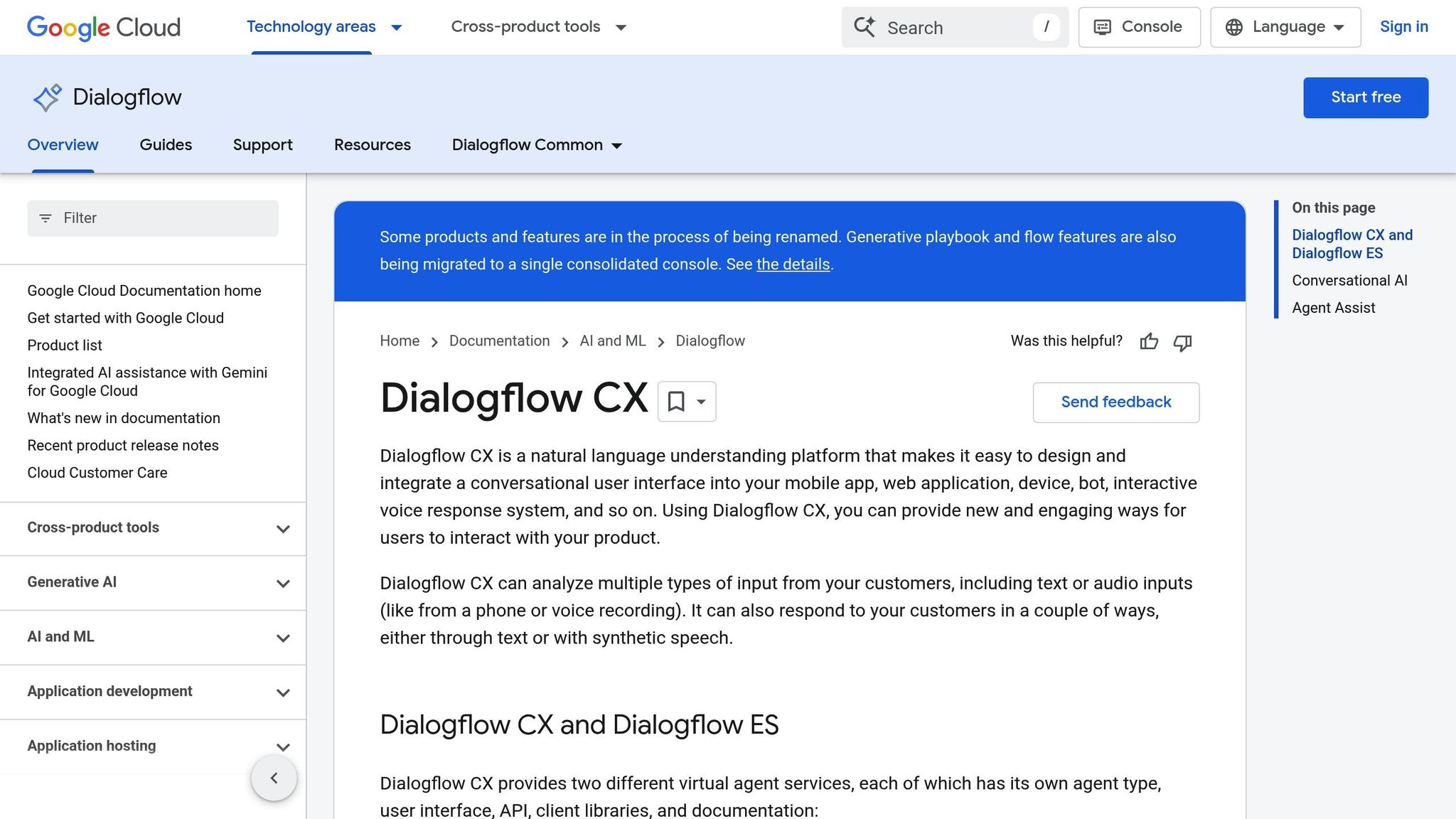
In 2026, Dialogflow continues to be a go-to platform for building AI chatbots without writing code. Its web console uses an intent-based system, where sample phrases teach the chatbot how to respond effectively. For more complex needs, the CX Agent Studio leverages a Gemini-powered visual builder, enabling the quick creation of multimodal agents.
To streamline development, Dialogflow offers over 35 pre-built templates tailored to common business scenarios, helping you get started faster. A built-in simulator lets you test chatbot responses in real time, and new users can explore the platform with up to $300 in free credits. Beyond its user-friendly tools, Dialogflow shines in its ability to connect with users across multiple platforms.
Multi-Channel Deployment Support
Dialogflow makes it easy to deploy chatbots across a variety of channels, including web, mobile apps, voice platforms, email, and social media channels like Messenger and WhatsApp. It supports both text and audio inputs, and responses can be delivered as text or synthetic speech in more than 40 languages. With direct integrations for Google Chat and Google Assistant, deployment is even more seamless. Additionally, APIs and webhooks make it possible to link the chatbot to external services, such as ticketing systems.
Customization Options
Dialogflow goes beyond basic deployment by offering extensive customization. You can define custom entities to extract specific data, like product names or industry-specific terms, that go beyond the system’s default options. The platform also supports multimodal interactions, processing text, audio, and images. Dialogflow CX, in particular, uses a state-machine approach with visual flows and pages, giving you precise control over how conversations progress. The system also remembers user inputs across multiple turns, ensuring a more natural and context-aware interaction.
Pricing and Scalability for Businesses
Dialogflow offers a free tier and a pay-as-you-go pricing structure for its standard plans. For advanced enterprise features – like those in the CX Agent Studio – businesses can reach out to Google Cloud sales for custom pricing. While Dialogflow ES is ideal for smaller, simpler chatbots, Dialogflow CX is designed for large-scale, enterprise-level projects with complex branching logic. This makes it a strong choice for businesses looking to develop high-performance, sophisticated chatbots.
3. IBM Watson Assistant
No-Code Functionality
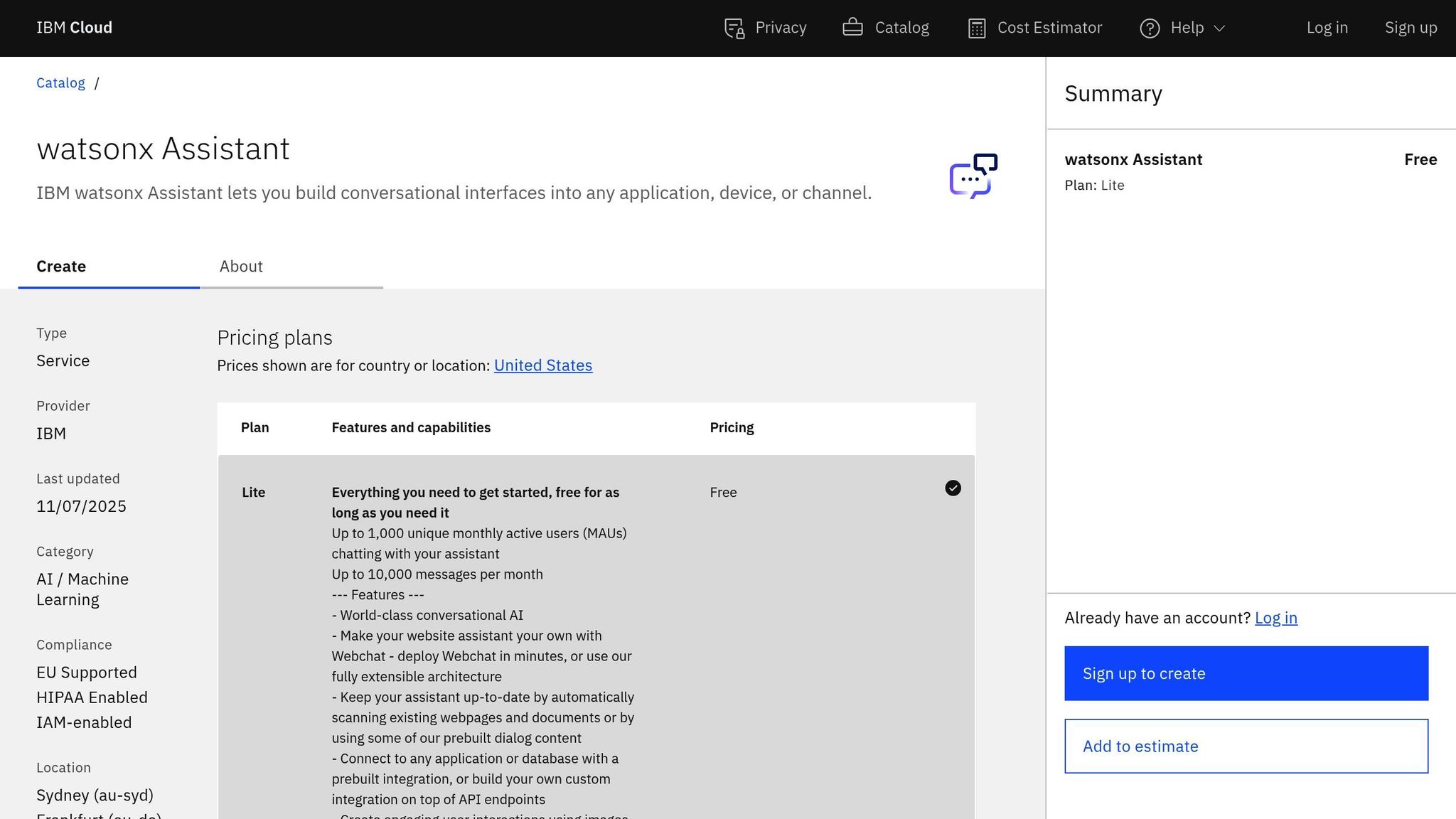
IBM Watson Assistant simplifies chatbot creation with its drag-and-drop Agent Builder and the low-code Watson Assistant Actions tool. These tools guide users through setup with templates and support document-based responses, complete with citations [26,28,31]. The AI Gateway makes it easy to switch between multiple large language models without needing technical expertise [28,29]. Users also gain access to over 100 prebuilt AI agents tailored to specific industries and more than 400 ready-to-use tools. For those exploring the platform, the free trial includes a generous 300,000-token limit for LLM API calls. Plus, its deployment features ensure your chatbot can connect with customers across various platforms.
Multi-Channel Deployment Support
IBM uses a dual-environment approach: Draft for testing and Live for production. This setup enables businesses to deploy chatbots seamlessly across webchat, voice systems, and web applications [31,32]. Additionally, the platform supports smooth transitions to human agents when needed, ensuring customers always have access to the right level of support.
Customization Options
Watson Assistant allows businesses to fine-tune their chatbot’s personality and behavior. You can define agent roles, adjust tone, and personalize messages to reflect your brand. The platform also lets you configure response behaviors, such as setting specific actions, applying restrictions, and creating rich responses. For voice interactions, you can customize voice settings to align with your needs. Through the AI Gateway, businesses can choose the most appropriate large language model for their use case [28,29]. These extensive customization capabilities make Watson Assistant a versatile tool for businesses looking to tailor AI solutions to their unique requirements.
Pricing and Scalability for Businesses
IBM provides a 30-day free trial, giving users a chance to explore tools like the AI Agent Builder and watsonx Orchestrate [27,28]. In a notable example, IBM’s internal HR agent handled 94% of over 10 million annual requests instantly in 2025, freeing HR teams to focus on strategic initiatives. Other success stories include Dun & Bradstreet, which used AI-powered supplier risk evaluation to cut procurement task time by up to 20%, and UFC, which partnered with IBM to streamline insights for over 40 live events. The platform also supports hybrid deployment models, accommodating cloud and on-premises environments to meet specific security and data residency needs.
4. Tars Chatbot Builder
No-Code Functionality
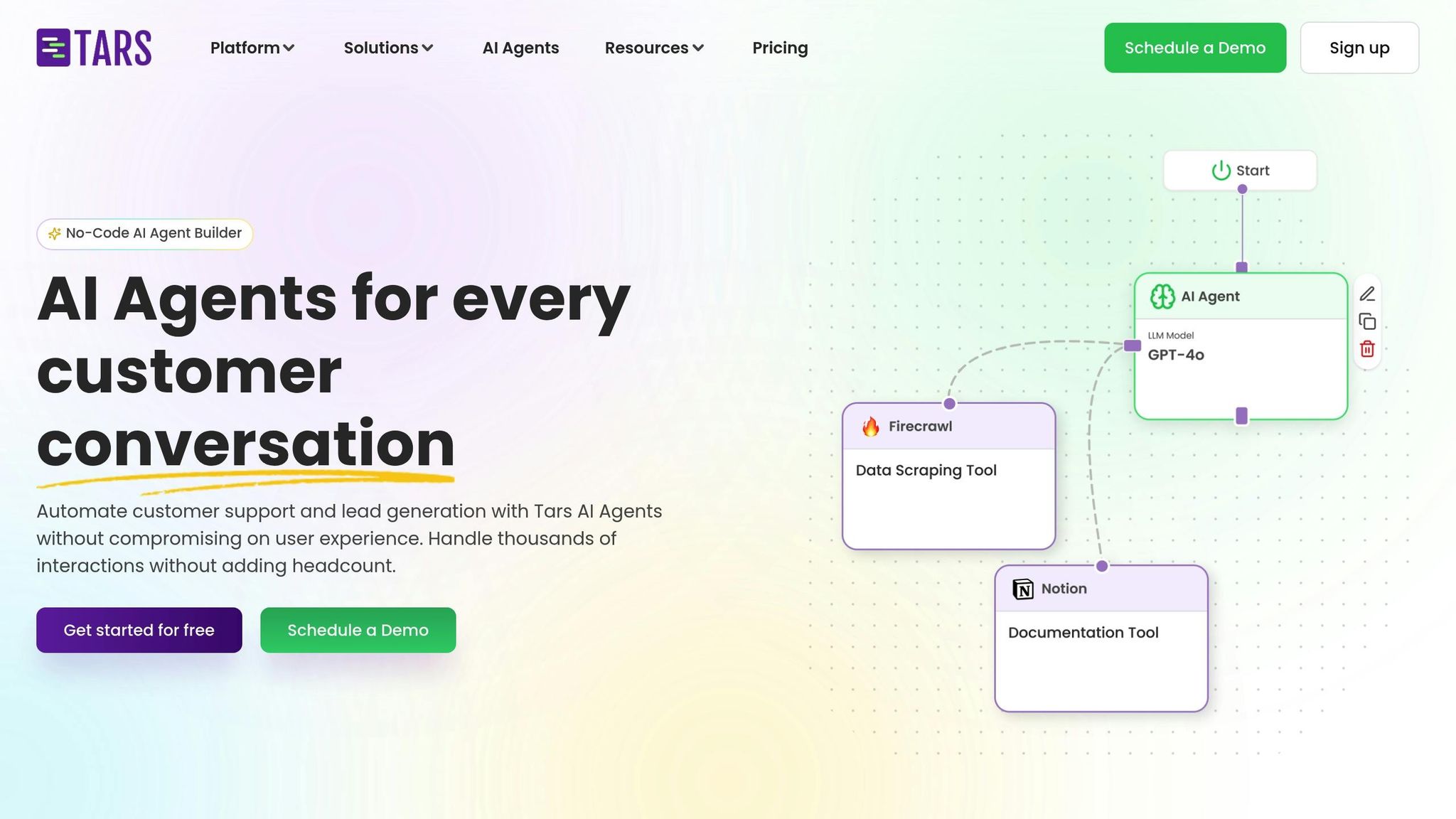
Tars makes it easy for businesses to create chatbots without any coding. With Tars Prime, you can build an AI chatbot in just seconds by having it crawl your website and learn from your content. The platform features a drag-and-drop canvas using "gambits", allowing you to design complex conversation flows effortlessly. You also get access to over 1,000 pre-built templates tailored to various industries. Want to provide specific data? You can upload PDFs, CSVs, or sync website URLs to train your chatbot. Plus, Tars supports more than 60 LLM models, including GPT-4o-Mini, and lets you adjust temperature settings to control the chatbot’s creativity and consistency. This simplified approach ensures your chatbot is ready for a range of uses.
Multi-Channel Deployment Support
Tars chatbots can be deployed in multiple ways: as a website widget, a standalone landing page, or through WhatsApp campaigns [33, 35]. The platform integrates with over 1,000 tools, including CRMs, Gmail, Google Analytics, Facebook Pixel, and AdWords tags. A great example of its impact is the State of Indiana, which used a Tars AI Agent to assist business owners 24/7. This saved them over 4,000 calls per month under the guidance of Lindsey Roark Mayes, the former Director of SOS IT.
"We’re saving an average of 4,000+ calls a month. Implementing an Agent revolutionized our customer service channels and our service to Indiana business owners."
– Lindsey Roark Mayes, Ex-Director of SOS IT, State of Indiana
Customization Options
Tars offers plenty of ways to make your chatbot visually appealing and functionally unique. You can customize avatars, logos, fonts, and even choose between light or dark themes with solid or gradient backgrounds. The platform also integrates visuals from Unsplash and Giphy. Advanced features include system prompt customization, chat history tracking, and citation viewing to fine-tune the AI’s responses. For analytics, Tars provides a built-in dashboard and supports integrations with GA4, Google Ads, and Facebook Pixel. It also meets GDPR, ISO, SOC 2, and HIPAA compliance standards, ensuring your chatbot is secure and reliable.
Pricing and Scalability for Businesses
Tars offers a 14-day free trial, has facilitated 60 million automated conversations, and is trusted by over 800 global brands, earning a 4.7/5 rating.
5. Landbot – Conversational AI Builder
No-Code Functionality
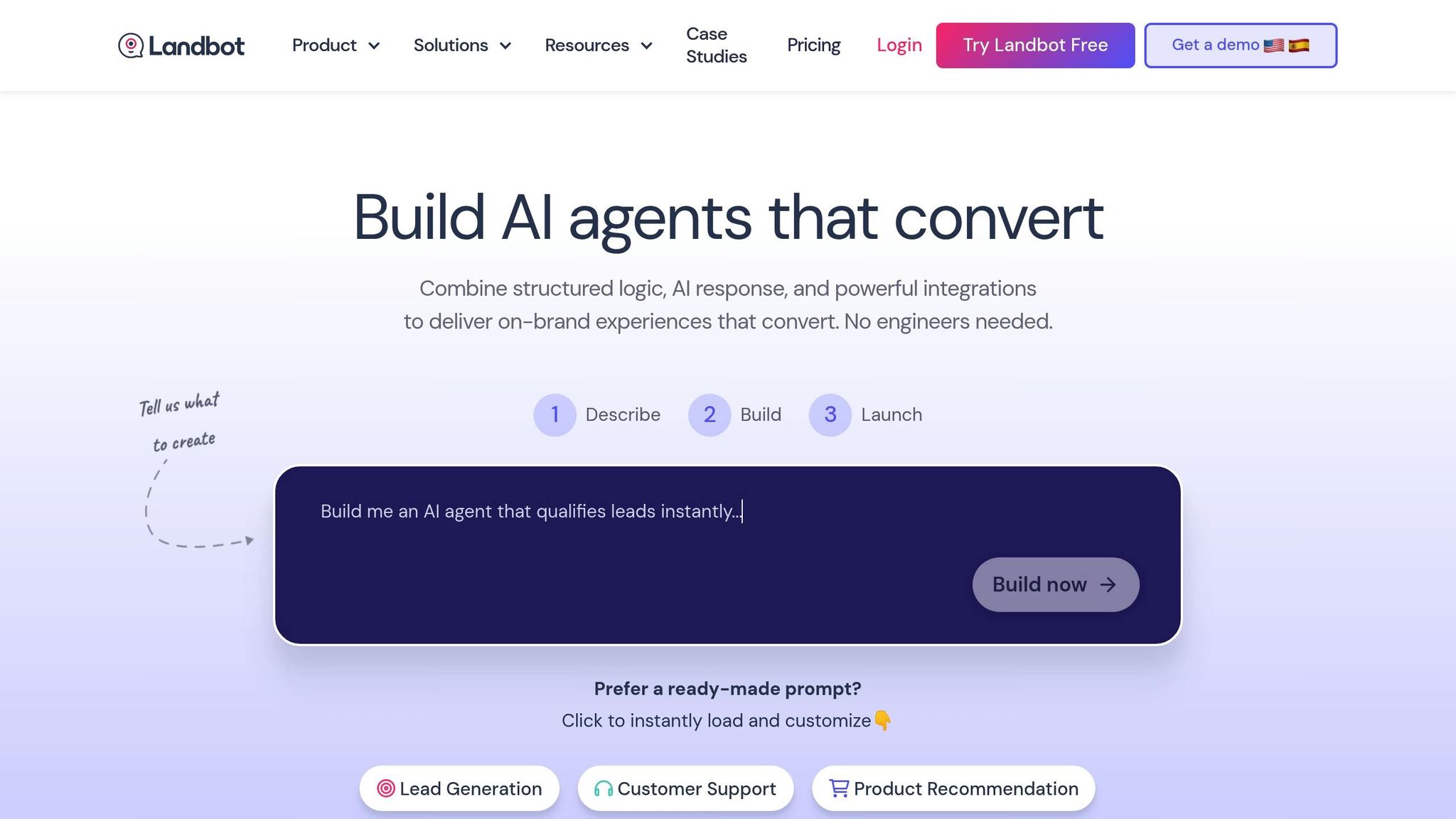
Landbot simplifies chatbot creation with its visual drag-and-drop interface, featuring tools like AI Copilot and the "Build It For Me" option, which generates workflows based on your input. You can design conversation flows using conditional logic and formulas, and reuse "Bricks" to speed up development while maintaining consistency. The platform also allows you to train your AI by uploading PDFs, pasting text, or scraping website content (up to 50,000 characters). It captures up to 20 custom data fields per conversation, making it a powerful tool for gathering user insights [41,43]. With over 12,000 businesses using Landbot, one client managed to automate 350,000 inquiries in just four weeks. These features make it a versatile choice for businesses looking to streamline customer interactions.
Multi-Channel Deployment Support
Landbot supports deployment across multiple channels, including web, WhatsApp, and Facebook Messenger. For websites, you can choose from live chat widgets, full-page experiences, embedded sections, or popups. For example, financial services company FASTA used Landbot to launch a WhatsApp AI agent in 2025. This move provided 24/7 support, cutting dependency on traditional support channels by 20% and boosting loan collections by 40% through automated follow-ups [43,46]. Similarly, the e-commerce brand Emma implemented a Landbot-powered chatbot for product recommendations on their website, which led to an 18% increase in average order value.
"I’ve never built a chatbot faster than I have with Landbot."
– A. Benz, CEO, Lead Laundry
Customization Options
Landbot offers extensive customization, letting you adjust fonts, backgrounds, logos, message bubble colors, and bot avatars to align with your branding. For more technical users, custom CSS and JavaScript options are available. You can also define your AI’s personality and tone – whether formal or casual – through specific instructions. Conditional logic and formulas enable personalized user interactions based on collected data. Hotelbeds, for example, automated 350,000 inquiries in four weeks, reducing client confusion and clearing backlogs. X. Godoy, CX & Automation Director, noted how this improvement streamlined their operations. Lead Laundry also saw a 35% increase in conversion rates after deploying a customized Landbot chatbot.
Pricing and Scalability for Businesses
Landbot offers a free Sandbox Plan with no credit card required, making it accessible to users who want to explore its features. The Pro Plan includes a free trial and offers advanced workflows, premium integrations, and higher chat quotas. Users have rated Landbot 4.5/5 for its ease of use and quick deployment.
sbb-itb-58cc2bf
6. ManyChat – AI Chatbot for Messenger and WhatsApp
No-Code Functionality
ManyChat makes creating chatbot conversations simple with its drag-and-drop Flow Builder, requiring no coding skills. The AI Flow Builder Assistant helps set up automations quickly, while Quick Automations can get you started in just minutes. Its AI-powered Intention Recognition accurately understands user intent, and AI Steps can manage tasks like scripted lead qualification automatically. Trusted by over 1 million creators and brands across 190+ countries, ManyChat is a go-to solution for streamlining customer interactions [47,49]. These tools integrate effortlessly into ManyChat’s wide range of deployment options.
Multi-Channel Deployment Support
With ManyChat, you can automate interactions across multiple platforms, including Instagram, Messenger, WhatsApp, TikTok, SMS, and email. Messenger, in particular, delivers impressive open rates of 70% to 88%, far surpassing email’s typical 5% to 10% range. The results speak for themselves: In late 2025, Michelle Hansen of Practical Perfection grew her follower count by over 34,000 and garnered more than 3 million views in just 30 days. Similarly, Natasha Willis, co-founder of School of Bots, reported generating over $65 million in sales for e-commerce businesses using ManyChat’s automation tools [47,48].
"We’ve used ManyChat to generate over $65 million in sales for digital product and e-commerce businesses." – Natasha Willis, Co-founder of School of Bots
Customization Options
ManyChat allows you to tailor your chatbot to fit your brand’s personality. You can customize the bot’s name, avatar, and tone of voice – whether that’s professional, casual, or even humorous. The Flow Builder enables you to create custom conversation paths triggered by specific keywords like "discount" or "hours", launching targeted automated flows. Upgrading to Pro or Elite plans removes the "Powered by ManyChat" branding, while features like unlimited Tags and Custom Fields let you segment your audience with precision. For an added personal touch, you can enhance greeting texts with images, GIFs, and emojis [47,53]. These options make it easy to create a chatbot experience that feels both unique and engaging.
Pricing and Scalability for Businesses
ManyChat offers flexible pricing to accommodate businesses of all sizes. The Free plan supports up to 1,000 contacts, while the Pro plan starts at $15/month for 500 contacts, scaling as your audience grows. For larger enterprises, the Elite plan includes custom pricing and dedicated onboarding. WhatsApp usage does come with extra per-conversation charges, but the first 1,000 service conversations each month are free. A great example of its potential: Giovanni Begossi used ManyChat’s automation tools to gain over 1 million Instagram followers in under a year [47,48].
How to Build AI Chatbots: Full Guide (2025 Updates, Agents & Free Templates)
Comparison Table
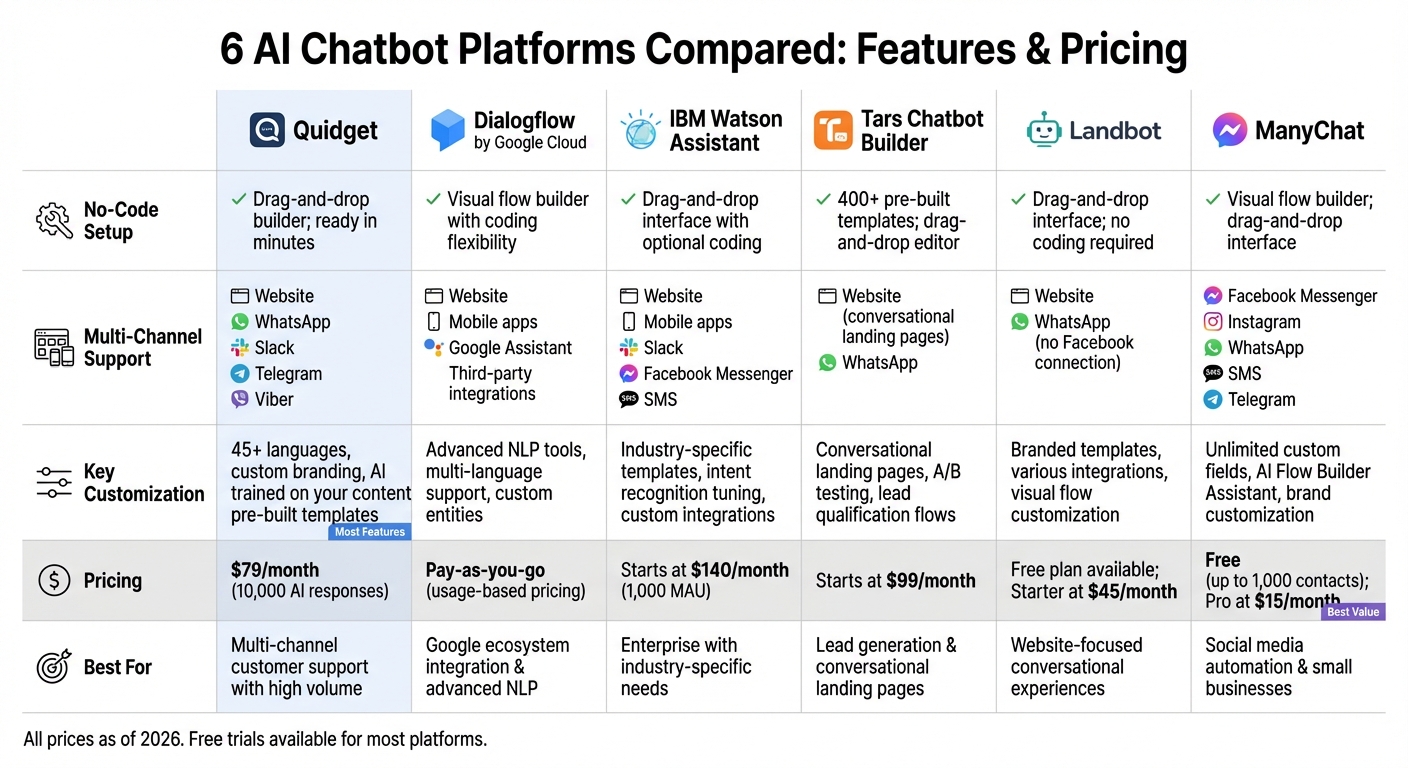
AI Chatbot Platform Comparison: Features and Pricing Guide 2026
Pick the right chatbot builder by weighing factors like ease of no-code setup, channel compatibility, customization options, and pricing. Here’s a quick breakdown of the key features for each platform:
| Chatbot Builder | No-Code Setup | Multi-Channel Support | Customization | Price |
|---|---|---|---|---|
| Quidget | Drag-and-drop builder; ready in minutes | Website, WhatsApp, Slack, Telegram, Viber | 45+ languages, custom branding, AI trained on your content, pre-built templates | $79/month (10,000 AI responses) |
| Dialogflow by Google Cloud | Visual flow builder with coding flexibility | Website, mobile apps, Google Assistant, third-party integrations | Advanced NLP tools, multi-language support, custom entities | Pay-as-you-go (usage-based pricing) |
| IBM Watson Assistant | Drag-and-drop interface with optional coding | Website, mobile apps, Slack, Facebook Messenger, SMS | Industry-specific templates, intent recognition tuning, custom integrations | Starts at $140/month (1,000 MAU) |
| Tars Chatbot Builder | 400+ pre-built templates; drag-and-drop editor | Website (conversational landing pages), WhatsApp | Conversational landing pages, A/B testing, lead qualification flows | Starts at $99/month |
| Landbot – Conversational AI Builder | Drag-and-drop interface; no coding required | Website, WhatsApp (no Facebook connection) | Branded templates, various integrations, visual flow customization | Free plan available; Starter at $45/month |
| ManyChat – AI Chatbot for Messenger and WhatsApp | Visual flow builder; drag-and-drop interface | Facebook Messenger, Instagram, WhatsApp, SMS, Telegram | Unlimited custom fields, AI Flow Builder Assistant, brand customization (AI features may have extra fees) | Free (up to 1,000 contacts); Pro at $15/month |
This table highlights each platform’s strengths, helping you align your business needs with the right chatbot solution.
For instance, ManyChat’s Pro plan starts at just $15/month, making it a budget-friendly option for smaller-scale operations. On the other hand, Quidget offers robust AI-powered support, including 10,000 monthly responses, for $79/month – this includes multilingual and multi-channel capabilities without extra fees.
If you’re looking for advanced NLP and custom integrations, IBM Watson Assistant and Dialogflow might be better suited, though they come at higher price points. Landbot, rated 4.7/5 on G2 from 316 reviews, and ManyChat, rated 4.6/5 from 150 reviews, also stand out as user favorites.
For businesses focused on simplicity and quick setup, free trials are worth exploring. Quidget offers a 7-day free trial on all plans, while Landbot provides a Free Forever plan for testing basic features. Pricing scalability also differs: Quidget scales by AI response volume, while ManyChat adjusts based on the number of contacts. Use these insights to find the chatbot builder that aligns with your goals.
Conclusion
Creating an AI chatbot today doesn’t require a computer science degree or a massive budget. Thanks to no-code platforms, small businesses can launch powerful AI chatbots in less than 10 minutes using drag-and-drop tools and pre-designed templates.
The numbers speak for themselves: the global chatbot market is expected to hit $27.29 billion by 2030, and generative AI could contribute between $2.6 trillion and $4.4 trillion annually to the global economy. Modern AI chatbots are highly effective, resolving 70%–93% of customer inquiries, allowing your team to focus on more complex issues.
To make the most of this opportunity, align your chatbot platform choice with your business needs. Look for features like 24/7 support, multilingual functionality, and seamless integration. Options range from ManyChat’s affordable $15/month plans for social media automation to enterprise-level platforms with advanced NLP and custom integrations.
Take advantage of free trials to test the bot with actual customer inquiries before making a financial investment. This approach ensures you can measure the chatbot’s effectiveness and ROI. As David Rubies, Director of Sales at Botpress, aptly says:
"The best chatbot will always be the one that works exactly how you want it to".
No-code platforms have leveled the playing field, making AI accessible to businesses of all sizes. Whether your business handles 100 or 100,000 interactions per month, there’s a scalable solution ready to meet your needs.
FAQs
What makes no-code platforms ideal for creating AI chatbots?
No-code platforms simplify the process of building AI chatbots by offering visual interfaces, drag-and-drop tools, and pre-built templates. These tools make it possible for anyone to design and launch a chatbot without needing programming skills. It’s like putting together a puzzle – everything you need is already there, and it’s easy to fit the pieces together.
Beyond simplicity, these platforms save both time and money. Instead of dedicating months to development or hiring a team of specialists, you can create a fully functional chatbot in just hours – or even minutes. Plus, with built-in AI and automation features, tasks like training the chatbot, integrating it with other systems, and keeping it updated happen effortlessly. Whether you’re looking to enhance customer support, boost sales, or generate leads, no-code platforms remove the technical roadblocks.
What should I look for when selecting a chatbot platform?
When picking a chatbot platform, it’s smart to focus on factors that match your goals and make the setup process straightforward. For starters, ease of use is key – especially if you’re aiming to build a chatbot without coding experience. Platforms offering no-code tools or drag-and-drop interfaces can make this much simpler.
You’ll also want to consider integration capabilities. Your chatbot should work seamlessly with the systems and apps you’re already using. Beyond that, check if the platform allows for customization and training using your own data. This ensures the chatbot aligns with your brand’s voice and can handle specific industry needs.
Don’t overlook practical aspects like cost, scalability, security compliance, and multi-language support. These features are particularly important for businesses serving diverse or global audiences. Lastly, look for tools like analytics and regular updates. These can help you fine-tune the chatbot, improve customer satisfaction, and lighten your team’s workload over time.
How do AI chatbots improve customer support efficiency?
AI chatbots are transforming customer support by automating up to 80% of routine inquiries. This means businesses can deliver faster responses while maintaining consistent service any time of day or night. Plus, chatbots can manage multiple conversations at once, cutting down on wait times and letting human agents concentrate on more complicated issues.
Because they’re available 24/7, chatbots ensure customers get immediate help – even after hours – boosting satisfaction and keeping operations running smoothly. For businesses, this translates to time saved, reduced costs, and a more seamless customer experience.


