

How to Add AI Support to Your WordPress Site in Under 10 Minutes (and Cut Your Support Load)

If you run a small team, customer support has a way of eating the day. The same questions arrive on repeat — where’s my order, how do I reset this, do you support my country — and every one of them pulls a founder or a first hire away from the work that actually moves the business. Hiring a full support team isn’t realistic yet. Ignoring the messages isn’t either.
That’s the gap the Quidget plugin closes. It adds an AI chatbot and live chat to your WordPress site, answers the bulk of incoming questions automatically, and hands the conversation to a human the moment it needs one. No new platform to learn, no developer required, and it’s free to install from the WordPress plugin directory.
The real cost of “just answering the messages”
Most small teams underestimate support because it never shows up as a single line item. It’s ten minutes here, a context-switch there, a Slack ping while you’re mid-task. Stack that across a week and it’s a part-time job nobody was hired for. The questions are also overwhelmingly repetitive: a large share of inbound is the same handful of FAQs phrased slightly differently.
That’s exactly the kind of work AI is good at — not the nuanced edge cases, but the high-volume, well-documented questions that already have answers somewhere on your site.
What Quidget actually does
Answers up to 80% of inquiries automatically. Quidget trains on your existing content — your website, FAQs, and knowledge base — so it answers in your own words instead of generic boilerplate.
Hands off to a human when it matters. AI takes the first pass; when a conversation needs a person, it transitions to live chat with a real agent. Customers don’t hit a dead end, and you don’t babysit the easy stuff.
Builds without code. The no-code agent builder lets you train and adjust your assistant without touching a line of code or filing a ticket with a developer.
Works beyond the website. Connect WhatsApp, Messenger, and email so the same assistant covers the channels your customers already use.
Installs in minutes. It’s a standard WordPress plugin. Install, paste one ID, save. That’s the whole setup.
Setup: the entire process
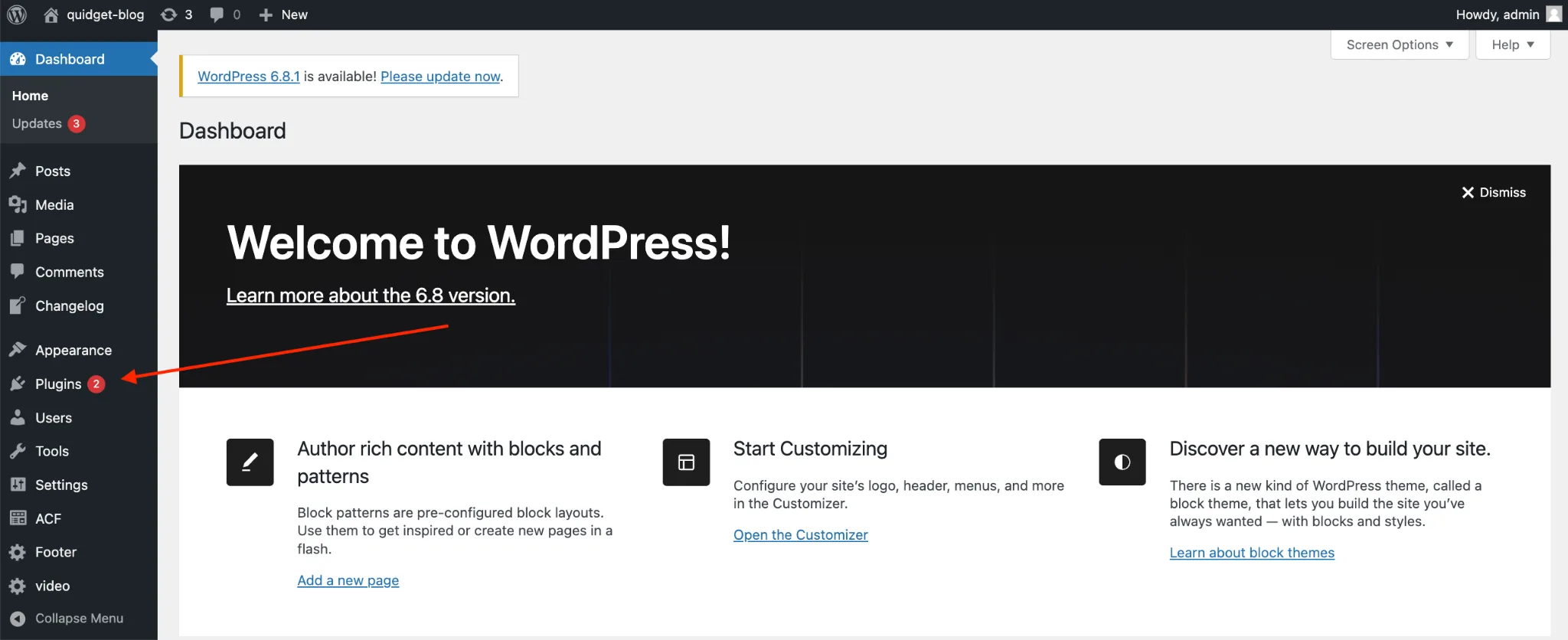
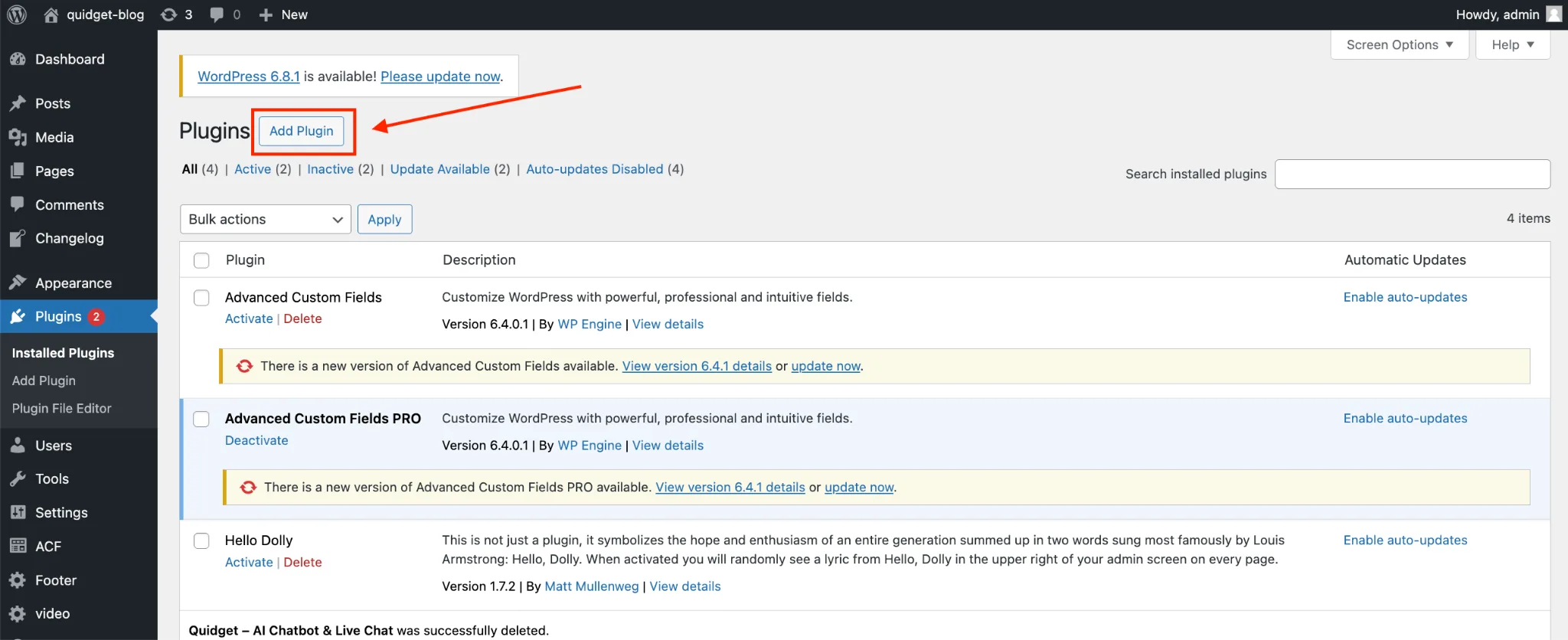
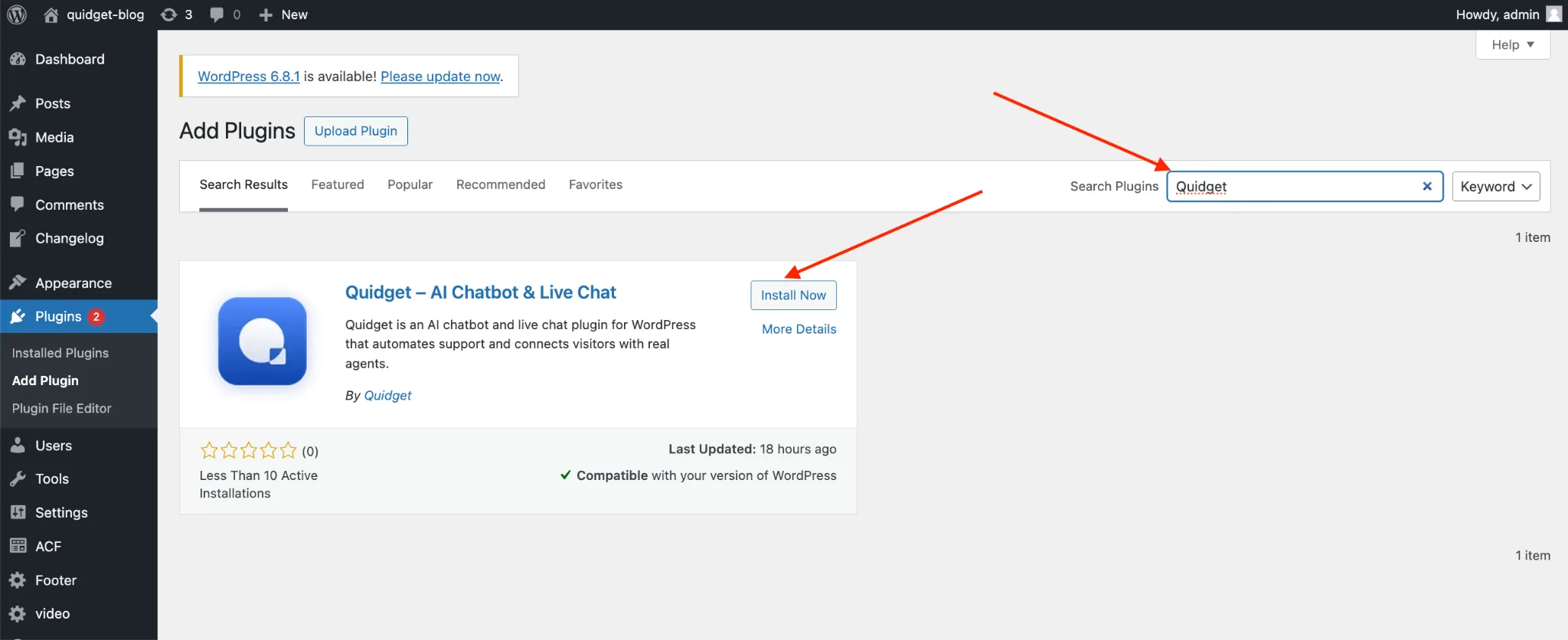
- Install the plugin. In your WordPress dashboard, go to Plugins → Add New, search “Quidget,” then click Install and Activate.
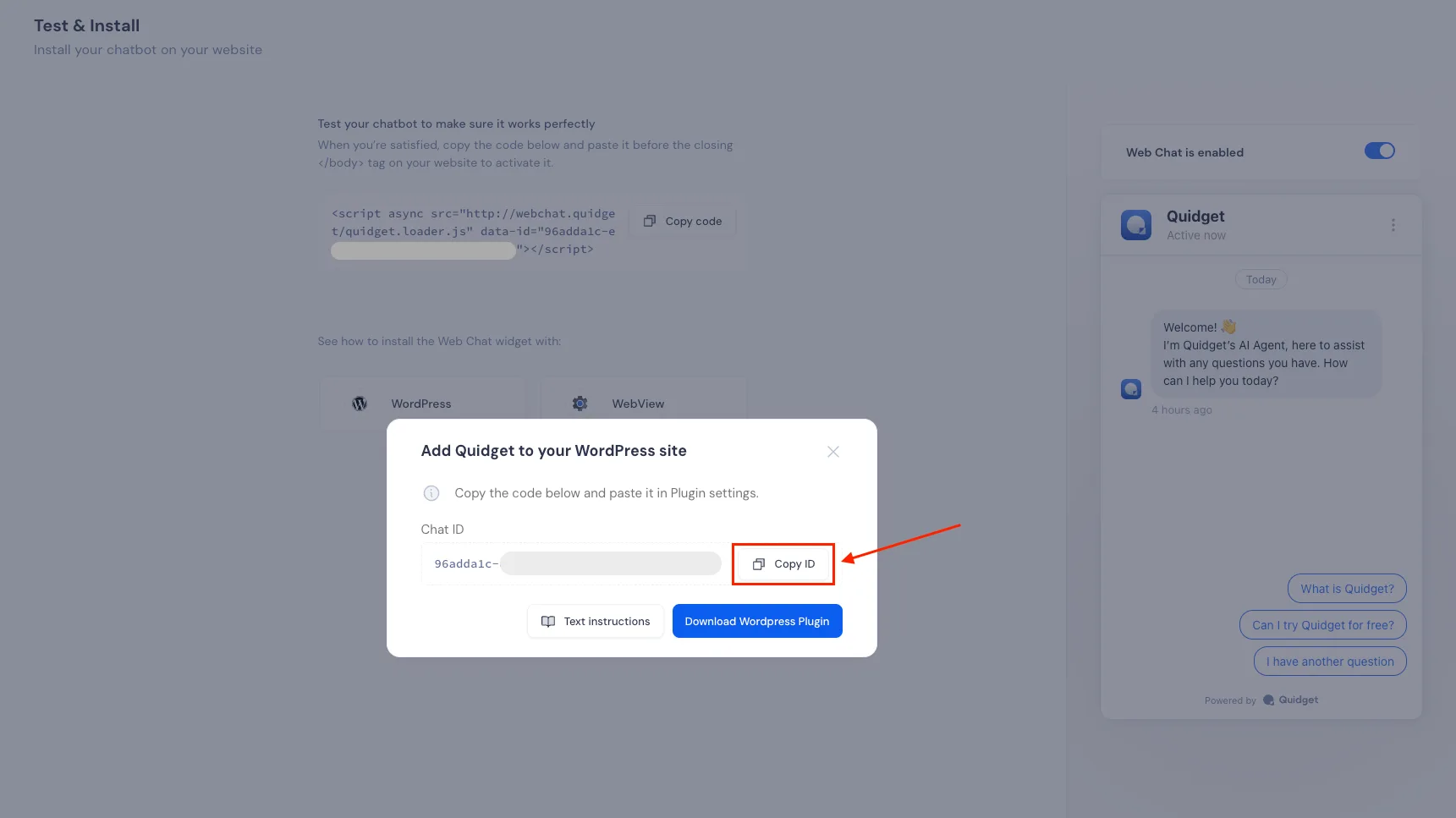
- Grab your Web Chat ID. In your Quidget account, open the Test & Install page, click WordPress, and copy your ID.
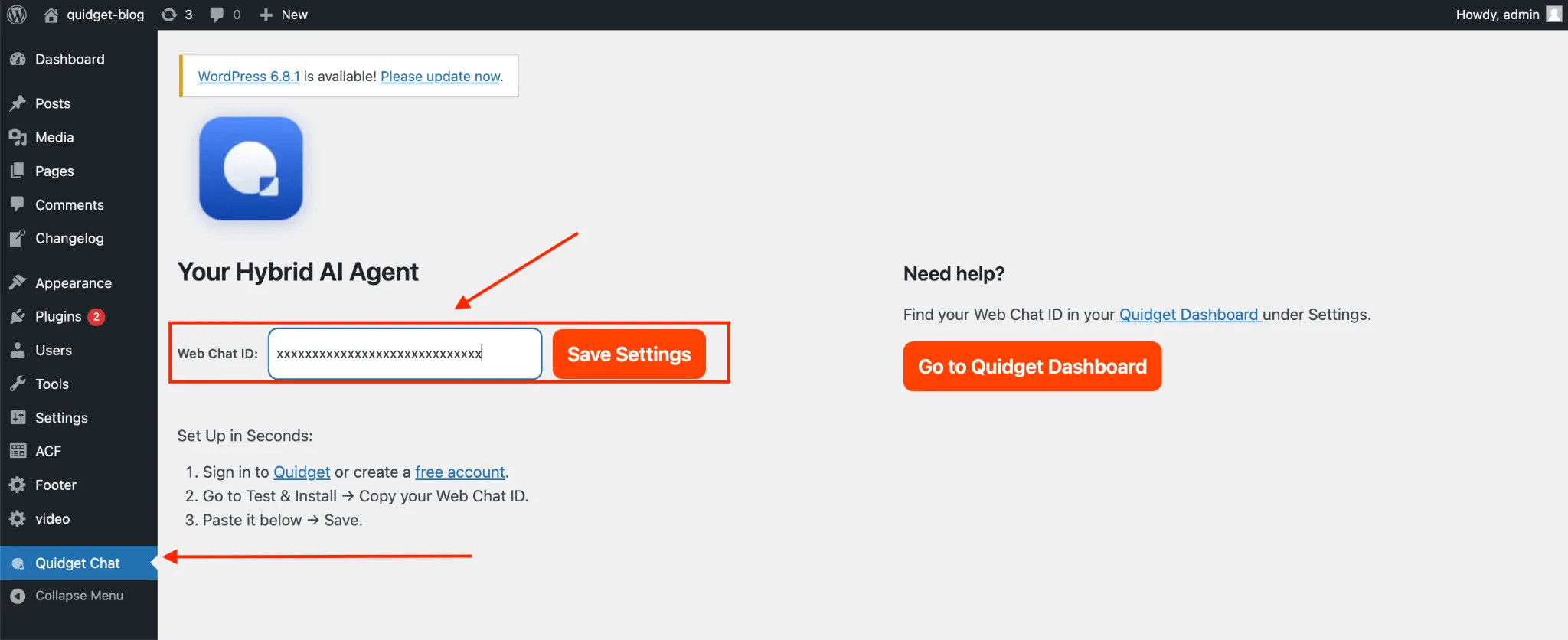
- Paste and save. Open Quidget Chat in your WordPress sidebar, paste the ID into the Web Chat ID field, and click Save Changes.
That’s it. Your AI assistant is live on the site. There’s no theme editing, no script injection, and nothing for a developer to wire up — the plugin only loads the verified Quidget widget and stores no user data locally.
Proof it works for small teams
This isn’t theoretical. Softorino runs first-level support with a five-person team and Quidget now handles around 60% of first-response interactions — contributing to roughly 35% fewer support tickets reaching the team. JJESIM, an eSIM provider fielding constant connectivity questions, cut inbox volume by about 40%.
The pattern is consistent: teams don’t replace their humans, they free them. The AI absorbs the repetitive front line so the people behind it spend their time on the conversations that genuinely need judgment.
Who it fits best
- E-commerce and DTC stores — shipping, order status, and product questions answered instantly, day or night.
- Digital products and software — setup and troubleshooting help without a ticket queue.
- Service businesses — qualify leads and answer pre-sales questions while you’re busy delivering.
- Solo founders and small teams — support coverage that doesn’t require a support hire.
Get started
Quidget is free to install from the WordPress plugin directory. If repetitive questions are quietly eating your week, it’s a ten-minute experiment with a lot of upside. Install the Quidget plugin and see how much of your inbox it can take off your plate.


