

Your Gmail Inbox on Autopilot: How Quidget Turns Support Email Into an AI Advantage

Email is still the front door of customer support. It’s where billing questions, “where’s my order,” password resets, and refund requests all land — often in the same shared Gmail inbox your team has used since day one. And yet, for most businesses, email is the least automated channel they run.
That gap is expensive. Roughly 70% of incoming tickets ask the same handful of questions. Response times slip, CSAT drops, and agents burn 30+ hours a week typing variations of replies they’ve already sent a hundred times. Meanwhile, the genuinely important emails get buried under the routine ones, and the tools meant to help rarely talk to each other.
Here’s the good news: fixing this doesn’t require ripping out Gmail, migrating to a heavyweight helpdesk, or retraining your team on new software. The fastest win is making the inbox you already use smarter. That’s exactly what Quidget’s Gmail integration does — and below, we’ll walk through everything it unlocks.
Why Gmail, specifically
Most support teams already live in Gmail or Google Workspace. It’s where the work happens, so it’s where automation should happen too.
Quidget connects natively to Gmail and works inside your existing inbox. There’s no code to install, no mail routing to reconfigure, and no migration project to staff. Setup takes about two minutes: connect your Gmail account, run a test, and go live.
That low barrier is the whole point. Adopting a full platform like Zendesk, Front, or Gorgias is a real commitment — one many teams aren’t ready for, even as their inbox overflows. Quidget meets you where you already are. You keep Gmail; it just starts working a lot harder.
The core value: reads, drafts, and replies in seconds
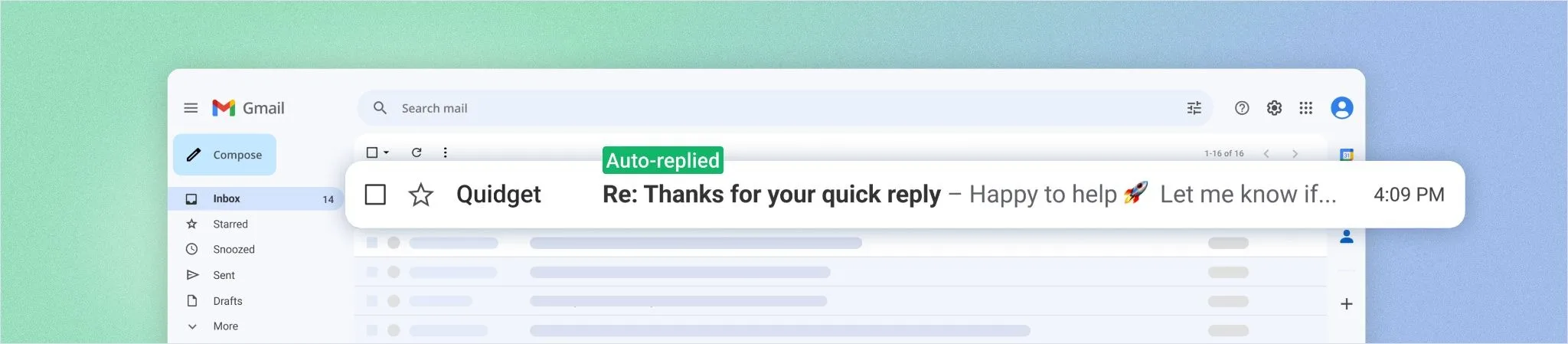
Once connected, Quidget reads incoming messages and drafts replies in your brand’s tone — using your help docs, templates, and past email conversations. There’s no manual training step and no prompt engineering required; it learns from the content you already have.
It’s built for the repetitive 80% of support volume: product details, pricing, how-to guides, shipping status, account setup, and troubleshooting. The “how do I…?” and “where is my…?” questions that eat your team’s day are exactly the ones it handles best — automatically, and around the clock.
The payoff is twofold. Customers get fast, accurate answers 24/7, across time zones, with no one waiting until business hours. And your agents get their time back — up to 80% of the inbox can run on autopilot, returning those 30+ lost hours a week to the work that actually needs a human.
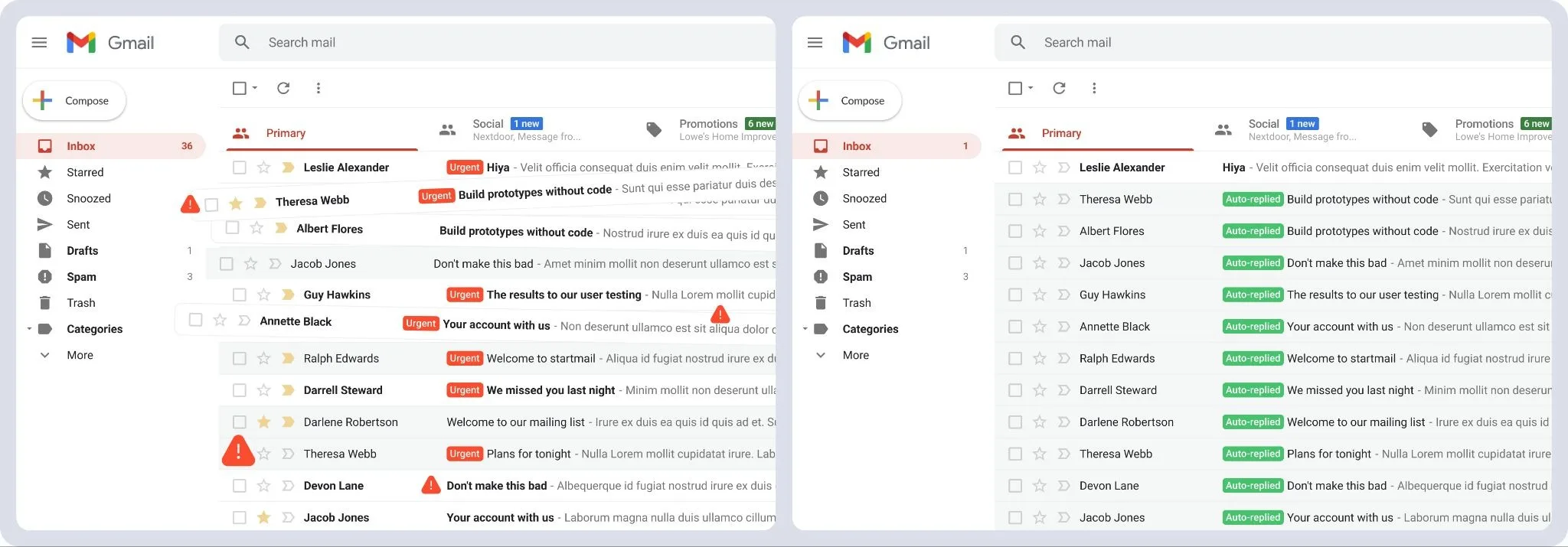
Confidence-based handoff: speed without the risk
The biggest fear with AI on the company inbox is that it will confidently say something wrong. Quidget is designed around that exact concern.
It doesn’t guess. Every potential reply is scored for confidence, and when Quidget isn’t sure, it routes the conversation to a human instead of inventing an answer. The handoff carries the full thread context — passed into your helpdesk (like Zendesk or Freshdesk), email, or Quidget’s built-in live chat — so the customer never has to repeat themselves and your agent never has to dig for backstory. No forwarding, no lost messages, no dead ends.
The result is a clean division of labor: AI takes the volume, humans take the nuance. Your team spends its energy where empathy and judgment actually matter.
It sounds like your team, not a generic bot
Automation is only useful if you’d be comfortable putting it in front of a customer. Quidget learns from your past replies, templates, and writing patterns, so its messages sound like they came from your team — not a robotic script.
Just as important, it stays on the rails. Quidget answers only from the content you give it — your website, docs, and FAQs — so it won’t wander off-topic or fabricate information. And if you want to steer its tone or behavior further, custom instructions let you do exactly that. You get consistency at scale, with control.
Multilingual support, out of the box
Quidget supports 45+ languages for both incoming and outgoing email. It detects the language a customer wrote in and replies in kind — automatically.
For a global customer base, that’s transformative. You can serve users worldwide without hiring multilingual agents or maintaining separate language queues. New markets stop being a staffing problem.
Gmail as the front door of a connected system
Email rarely lives alone. Quidget connects natively to Facebook, Instagram, Telegram, Slack, and more — so the channels your customers actually use stop being islands. Combined with handoff into existing helpdesks and Quidget’s own live chat, your Gmail inbox becomes the front door of a unified support system rather than one more disconnected tool.
That directly solves the “tools don’t talk to each other” problem that fragments so many support operations.
Enterprise-grade security by default
Putting AI on the inbox that holds your customer conversations is a trust decision. Quidget is built by SupportYourApp, a customer-service partner to 250+ companies over the past 15 years, and it meets high security standards by design. It’s security-first AI that responds instantly and safely — with your data protected by default. That track record is what makes it safe to automate the channel that matters most.
Proof: what real teams are seeing
These aren’t hypothetical gains. Two Quidget customers show the pattern clearly.
Softorino, an independent software company supporting 16+ Mac and Windows apps, was fielding 900–1,000 support tickets a month with a team of just five agents. After connecting Quidget — trained on their knowledge base, with human handoff into Groove — escalated tickets dropped by 35%, AI took over Tier-1 support 24/7, and the team reclaimed hours each week on repetitive questions. The whole rollout took under two days, with no disruption to their existing tools.
Sorare, one of Europe’s fastest-growing startups (it raised $680M at a $4.3B valuation), was handling roughly 3,000 monthly support questions without a dedicated support team — just a handful of staff sharing the load across departments. With Quidget handling first-touch questions and routing complex cases into Zendesk, escalated tickets fell by 30%+, freeing the team to focus on harder problems while routine questions got answered instantly, around the clock — and with no change to their Zendesk workflow.
Different stacks, different scales, same outcome: fewer escalations, faster answers, and a small team that suddenly scales like a much larger one.
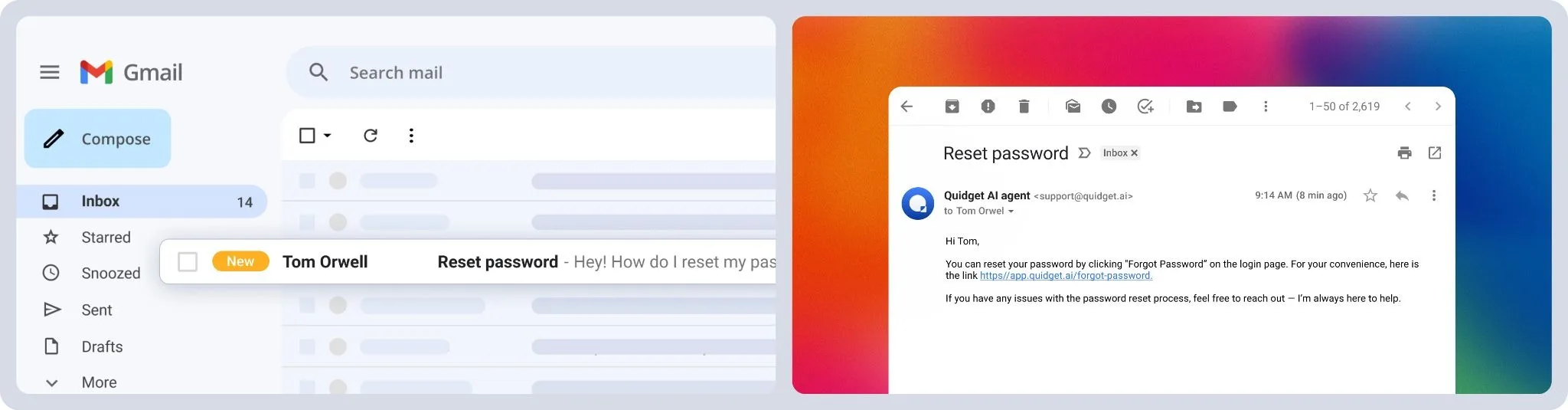
What changes for your team
Put it all together and the before-and-after is stark. You start with a buried inbox, slipping response times, and agents grinding through repeat questions manually. You end with a self-driving inbox that automates up to 80% of volume, answers 24/7 in 45+ languages, and routes only the hard 20% to humans — with full context, every time.
That’s faster responses, recovered CSAT, and dozens of agent hours returned each week, without adding headcount or changing how your team works.
Getting started
The best part is how little it asks of you. Connect your Gmail, and you can test automated replies, confidence scoring, and the handoff flow for free — no credit card, no code, no migration.
Your inbox deserves an upgrade. Start automating your customer emails today, and give your team their time back. Sign up for free.
Frequently Asked Questions
What data does Quidget read? It scans your website, help docs, FAQs, uploaded files, and past email conversations to build an accurate knowledge base, then uses that to draft replies in your brand’s tone — no manual training required.
Can I try it free before upgrading? Yes. You can connect your Gmail and test automated replies, confidence scoring, and the handoff flow for free, with no credit card needed to start.
Will it match our tone? Yes. Quidget learns from your past replies, templates, and writing patterns so every message sounds like your team, not a generic AI.
How does human handoff work? When Quidget isn’t confident, it routes the conversation to a live agent through your helpdesk (Zendesk, Freshdesk), email, or its built-in live chat — with the full thread, so customers never repeat themselves.
What happens when it can’t answer? It doesn’t guess. It passes the conversation to your team with full history, so the customer always reaches a real person who already knows the context.
Do I need to install code or change my email setup? No. Quidget connects directly to Gmail and works inside your existing inbox — no code, no migration, no complicated setup.
Does it handle multiple languages? Yes — 45+ languages for both inbound and outbound email, with automatic language detection.


