

Changelog
The latest news, fixes, and improvements from Quidget.
Managing your knowledge base is now simpler than ever. With the new Folders feature in Training, you can keep your sources neatly organized and easy to access.
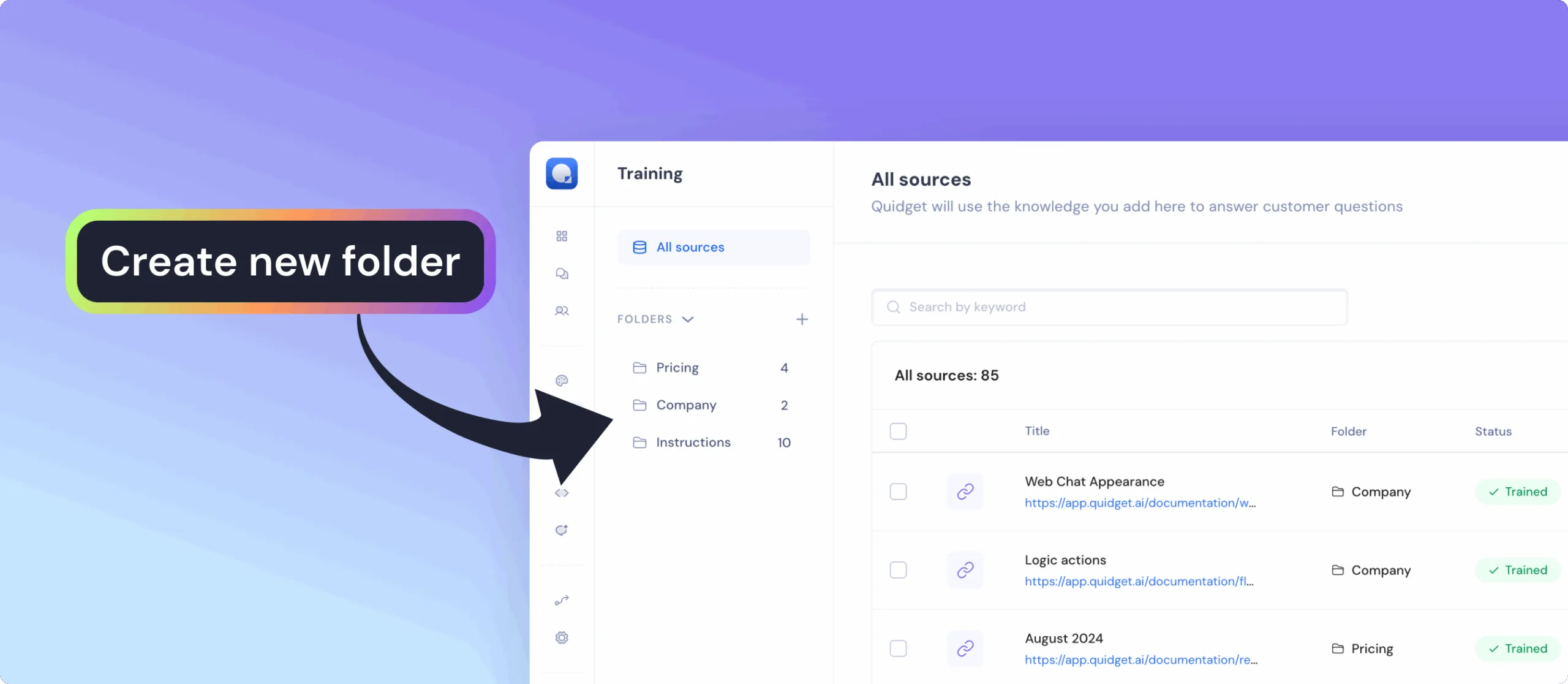
What you can do:
- Group documents, articles, URLs, and FAQs into dedicated folders
- Quickly find the right material using search and filters
- Add new sources directly into a chosen folder with just one click
- Keep everything tidy even with hundreds of training sources
Why it matters:
- Organized knowledge base — navigate large amounts of content effortlessly
- Smarter workflows — focus training on exactly the sources you need
- Save time — reduce clutter and locate sources instantly
- Clarity and control — always know where your data lives and how it’s structured
Automate your workflows and connect Quidget with over 6,000+ apps — no coding required.
With the new Zapier Integration, your bot can instantly send data and trigger actions in other tools the moment users interact with it.
What you can do:
- Send every new lead straight to your CRM or Google Sheets
- Alert your team in Slack the moment a high-intent lead appears
- Auto-create Trello or Asana tasks from support requests
- Book events in Calendar right after a bot booking or form submission
Why it matters:
- Respond to leads and customers faster — while they’re still engaged
- Keep sales, support, and marketing perfectly in sync
- Skip the copy-paste grind and focus on closing deals, solving issues, and growing your business
You can now create and use Flexible Forms to collect user info like name, email, or phone — and plug that data directly into your chatbot flows. Design custom forms, save them, and drop them into any part of your flow using the Flow Builder. A simple way to gather and use inputs without extra tools.
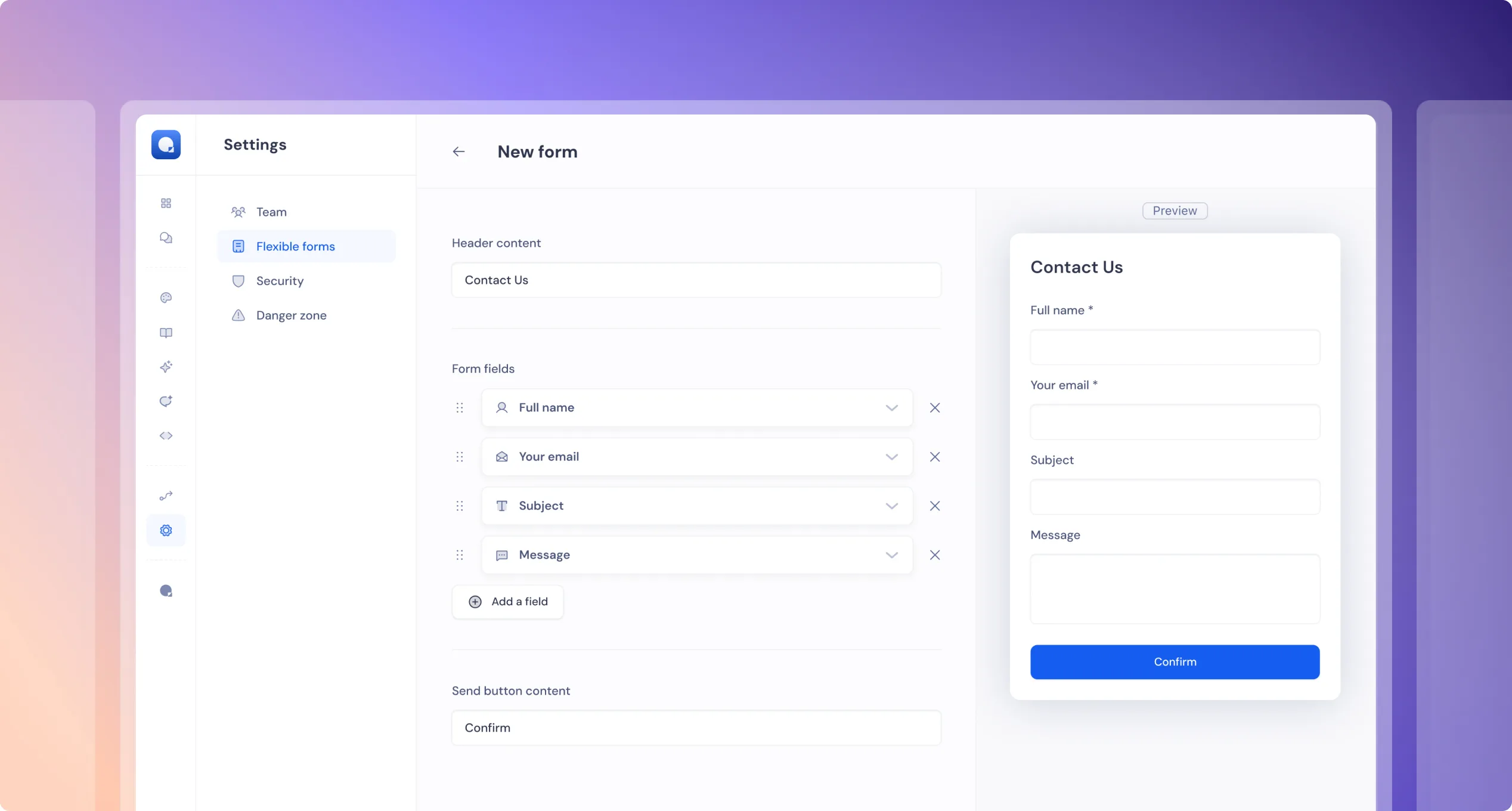
Why it matters: Flexible Forms make it easy to collect and use user data directly within your chatbot — no need for external tools or workarounds.
This helps you:
- Personalize conversations based on user input
- Qualify leads by collecting key details early
- Automate follow-ups using captured data
- Improve support by gathering context up front
It’s a simple feature that unlocks more powerful, dynamic flows — all inside one tool.
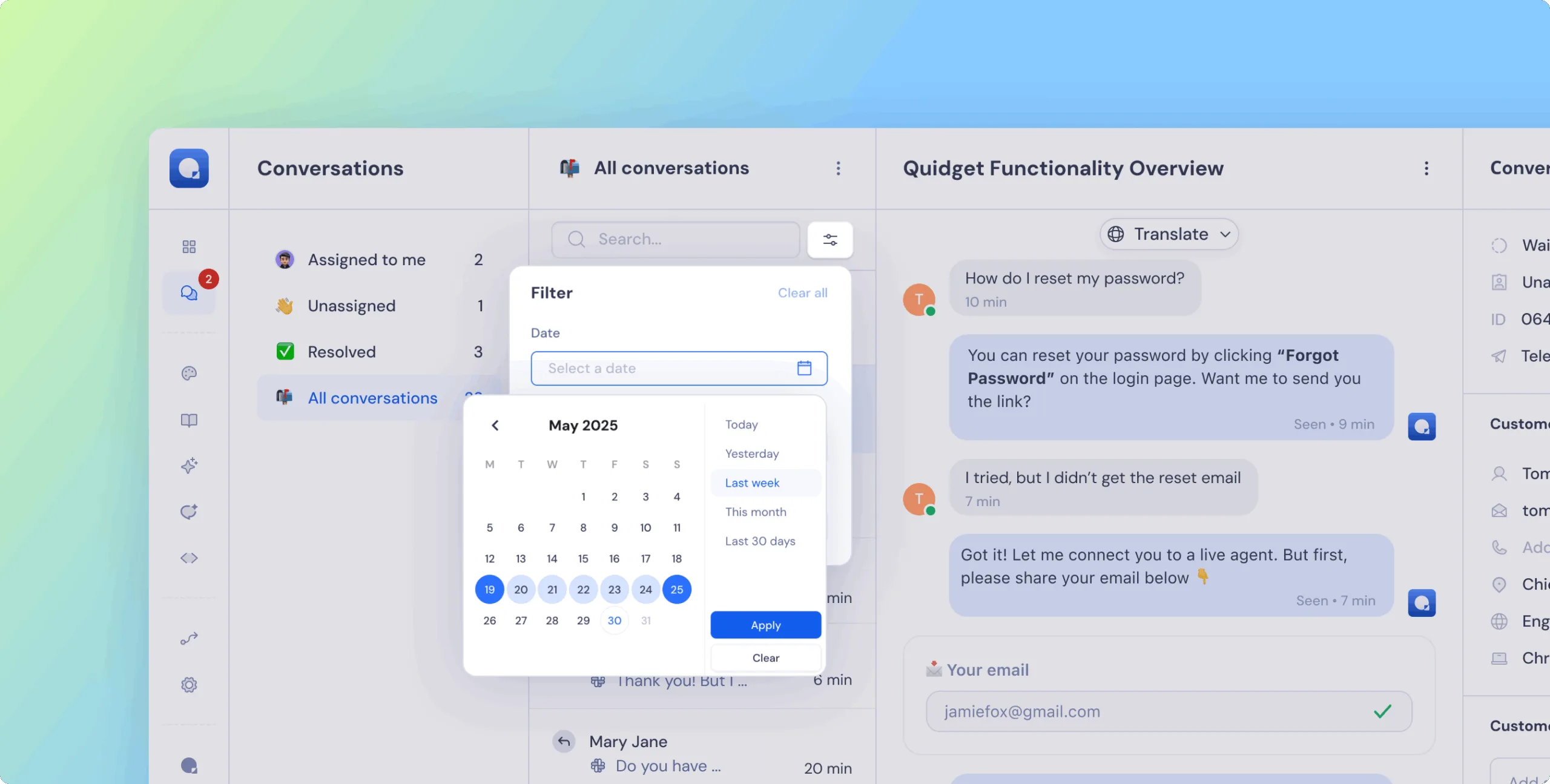
Now you can filter and export chats by time range:
- Today
- Yesterday
- Last Week
- This Month
- Last 30 Days
- Custom date range
Why it matters: Easier to review recent activity, find specific chats, and analyze trends over time — especially helpful for support reviews and training improvements.
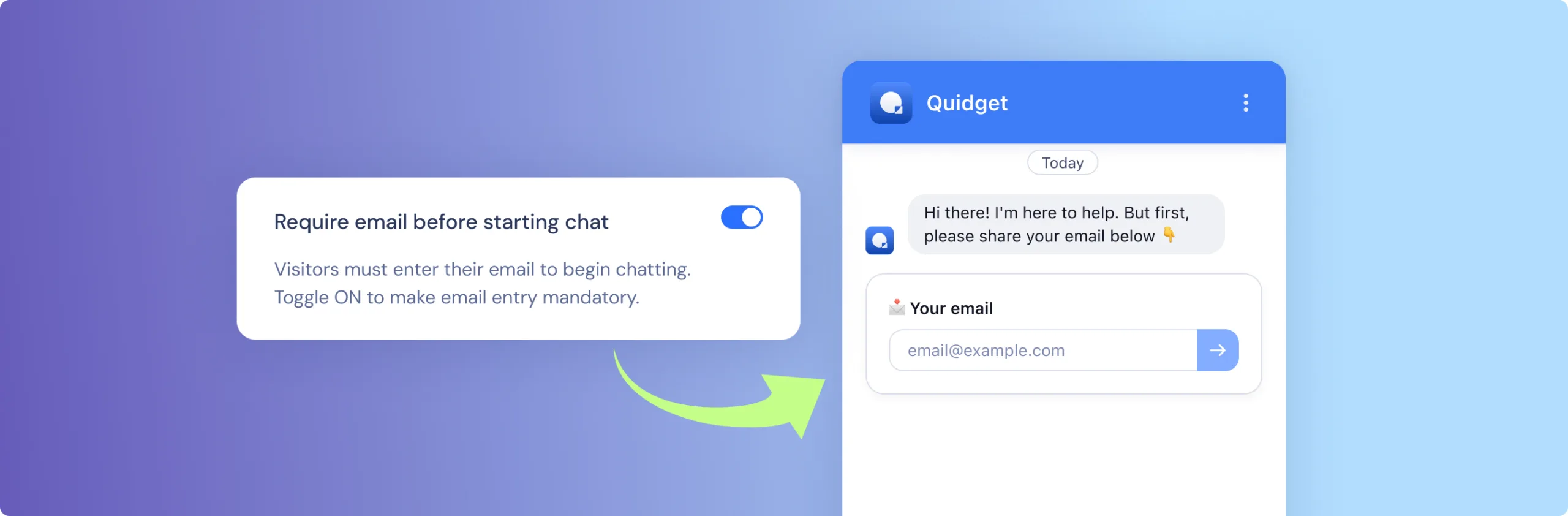
You can now require users to provide their email before starting a chat.
- New checkbox in
Appearence tab → Chat→Require email before starting chat - And in the backed magic will happen auto-create email request will be enabled
Why it matters:
Collecting emails upfront helps you follow up, support better, and avoid anonymous chat drops. Also perfect for Leadgen flows.
 Previous

Quidget keeps getting better—
stay tuned for more updates!
Log in to your Quidget dashboard and start optimizing your AI chatbot today!