

Changelog
The latest news, fixes, and improvements from Quidget.
Find exactly who you’re looking for.
The Customers search now respects your selected filters, search terms, and sorting — just like it should.
What you can do:
- Search with multiple filters applied
- Get consistent, accurate results every time
Why it matters:
- Saves time when managing large customer lists
- Ensures precise and relevant results
Export more, faster.
You can now export all, selected, or filtered customers with improved speed and flexibility. Large datasets are handled in chunks, so files are ready faster — even for huge exports.
What’s new:
- Choose exactly which customers to export
- Faster file creation for large lists
Why it matters:
- Quickly share or back up customer data
- Handle large exports without delays or timeouts
- Onboarding Flow: Steps 3 to 4 have been refined for great intuitiveness. Button visibility now adapts based on user progress (e.g. Next, Skip Customization, Start Now), and transitions between steps are smoother and easier to follow.
- System-Level Enhancements: Authorization and validation mechanisms were refined to better support secure and predictable access flows. Improvements were also made to internal prompt logic for more consistent assistant behavior.
Why it matters:
- The cleaner onboarding flow allows faster and clearer progress through setup.
- System-level improvements help ensure a more stable and consistent experience across the platform.
Friday, June 06, 2025
Improved Chat Handling, Billing Clarity, and Bot SetupConversations & WebChat improvements
- No Auto-Closing Tickets: When a user starts a new chat, existing tickets in Zendesk and Freshdesk will no longer auto-close.
- Clear Chat Closure Notification: When a user ends a chat, the ticket will now show: “Chat closed by user via Quidget.”
- Response Limit Banner: A dashboard banner now alerts users when their response limit has been reached.
- Billing Clarification: Added a label to make it clear that billing applies only to the admin’s personal account, not their bots.
- Response Usage Widget: Admins can now see a read-only response usage widget in the sidebar.
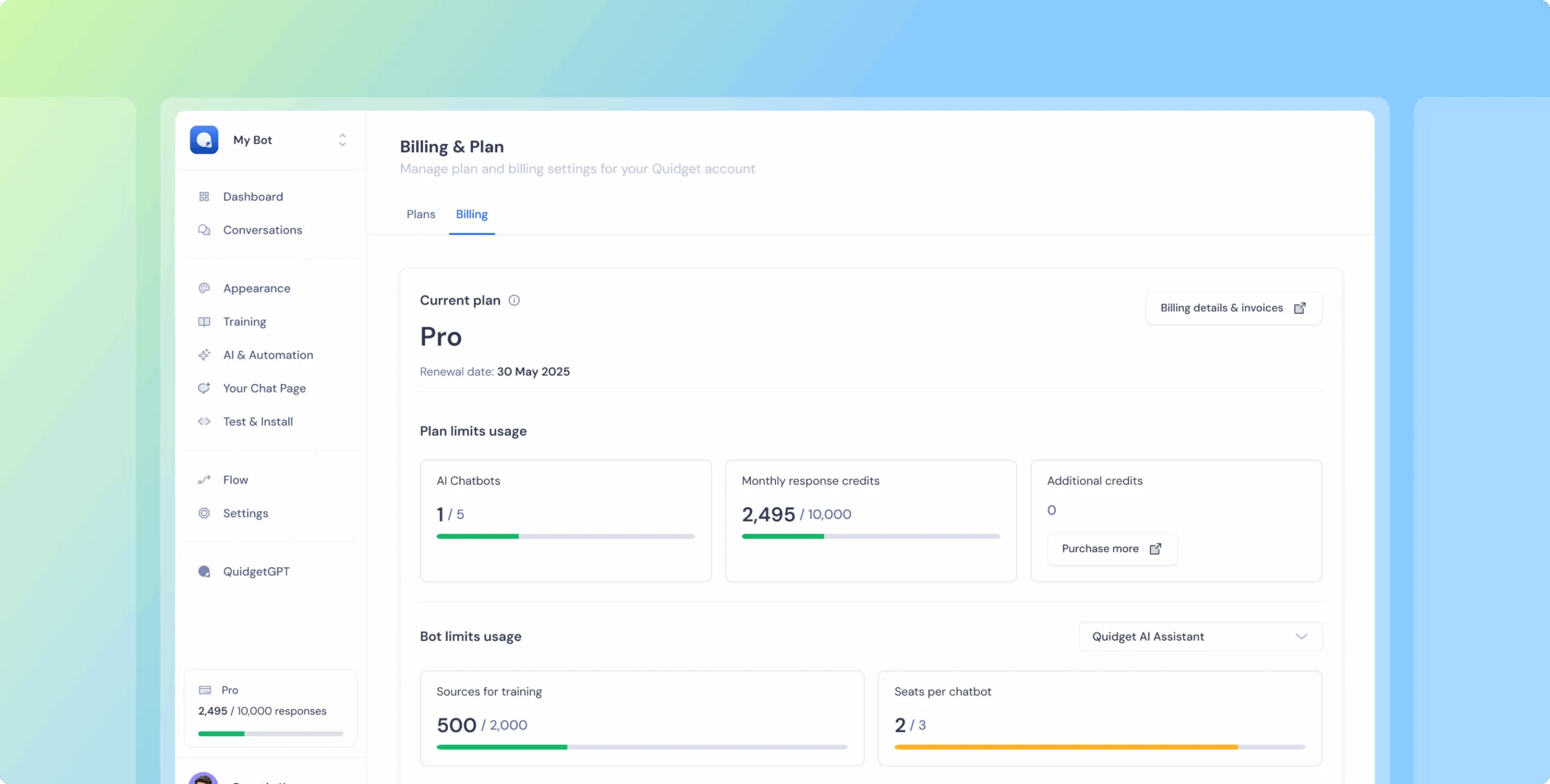
We’ve updated the Billing & Plan page to make it easier to understand your current plan, track limits, and upgrade when you’re ready.
What’s new:
— Clear separation between Plans and Billing & Limits
— Simplified view based on your current plan
— Easier to downgrade, upgrade, or cancel subscriptions
— Direct Stripe access for invoices and payments
— Usage limits now update based on selected bot
Why it matters:
Now it’s easier to see what’s included in your plan, what you’re using, and how to manage it without confusion. Less digging — more clarity.ses – access to real conversations is gold. With smarter export and delete options, you can now clean, analyze, and iterate faster without digging through chats one by one.
 Previous

Quidget keeps getting better—
stay tuned for more updates!
Log in to your Quidget dashboard and start optimizing your AI chatbot today!