


Looking for AI-powered customer support tools? Quidget and Crisp offer two very different solutions. Quidget focuses on fast, simple automation for smaller teams, while Crisp provides a full suite of tools for managing all customer support operations in one place.
- Quidget: Ideal for startups, SaaS, and ecommerce teams. It handles up to 80% of routine inquiries in 45+ languages, trains itself using your website/FAQs, and is ready to deploy in just 2 minutes. No technical skills needed.
- Crisp: Best for teams needing an all-in-one platform. It combines live chat, CRM, ticketing, AI copilots, and more across 8+ channels. Great for managing multiple support functions under one system but requires more setup effort.
Quick Comparison:
| Feature | Quidget | Crisp |
|---|---|---|
| Setup Time | ~2 minutes | Varies, more complex for full setup |
| Focus | AI-first automation | All-in-one support suite |
| Best For | Small to mid-sized teams | Larger teams with diverse needs |
| Pricing | Fixed-tier AI scaling | $95/month for unlimited agents |
If you need fast, no-code automation, Quidget is the way to go. For a comprehensive platform with advanced tools, choose Crisp.
Quidget vs Crisp: Feature Comparison for Customer Support Teams
Quidget vs Crisp: Quick Overview
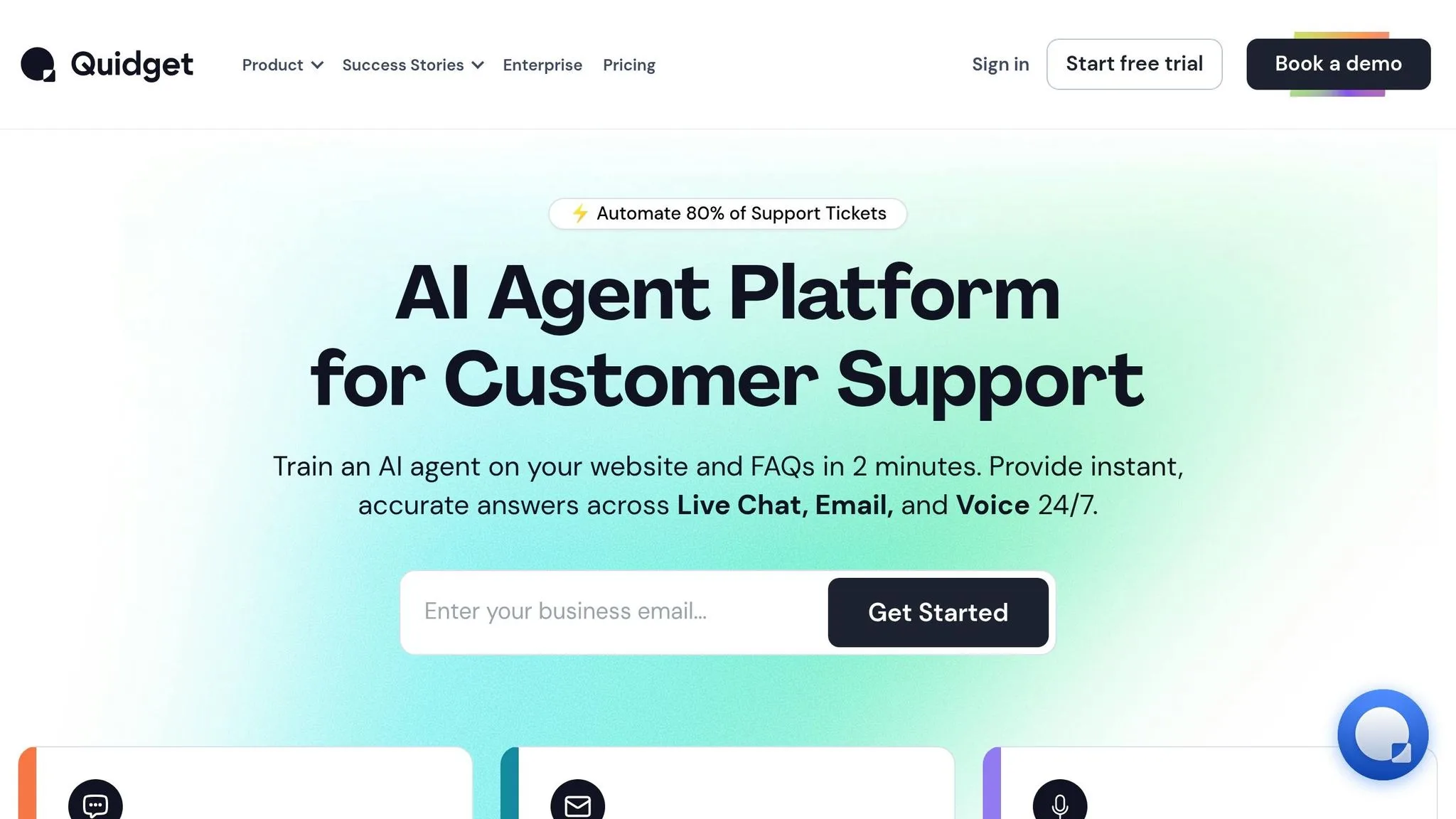
Quidget is a no-code AI automation platform designed for speed and simplicity. It can handle up to 80% of routine conversations in more than 45 languages. The platform lets you train it using your website content, FAQs, and documentation, and you can deploy it in just minutes across web, app, and messaging channels. It’s tailored for lean startups, small-to-medium-sized businesses, and mid-sized SaaS or ecommerce teams that want practical AI automation without the complexity of larger suites.
Crisp, on the other hand, offers an AI-first all-in-one support suite. It combines tools like a chatbot, CRM, shared inbox, ticketing, AI copilot, website search, and omnichannel messaging into one platform. By embedding AI across its various functions, Crisp provides a comprehensive solution for teams that want to consolidate multiple tools into a single system. However, this depth comes with added complexity and a steeper learning curve.
At its core, the decision comes down to focused automation vs. an all-in-one suite. Quidget excels in quick setup, ease of use, and delivering faster ROI. Crisp, meanwhile, shines when it comes to offering an integrated workspace with wide-ranging support tools. If your team needs AI automation quickly and doesn’t require features like CRM or ticketing, Quidget is often the more practical option. But if replacing multiple support tools with one comprehensive platform is your goal, Crisp might be the better fit.
Up next, we’ll dive into how these platforms compare in key areas like setup speed, usability, and ROI.
sbb-itb-58cc2bf
What Quidget Offers
AI Automation That Works Out of the Box
Quidget can handle up to 80% of routine customer inquiries by learning directly from your existing resources. All you need to do is point it toward your website, FAQs, or help documents, and it quickly absorbs the information to understand your customers’ needs. With sub-second response times, it delivers fast answers across live chat and email.
You can deploy Quidget on your website, mobile app, or messaging platforms like WhatsApp, Telegram, Slack, and Viber. No matter where your customers reach out, Quidget ensures a seamless experience.
What really sets Quidget apart is how quickly and effortlessly it gets up and running.
“Setting up Quidget was quick – It now handles 60% of our first-level responses, slashing wait times and letting our team focus on real customer needs. It’s been a game-changer for us.”
– Alex Novak, Customer Success Manager, Softorino
Simple Setup and Fast Results
With a no-code interface, Quidget’s setup takes just about 2 minutes. There’s no need for technical expertise – simply let the platform scan your content, and it instantly adapts to your brand’s tone. This means you can have AI-powered support ready to go on the same day you sign up.
When the AI encounters a question it can’t handle, it seamlessly transfers the conversation to a human agent through Zendesk, Freshdesk, or Quidget’s built-in live chat. The handoff is smooth, with the full conversation history included, so customers don’t have to repeat themselves. Plus, Quidget is fully compliant with GDPR, ISO, and PCI standards, offering end-to-end encryption for secure interactions.
Built for Small and Growing Teams
Quidget’s fast setup and powerful automation make it a perfect fit for teams with limited resources. It’s designed for SaaS companies, ecommerce businesses, and service providers that need 24/7 customer support without requiring a large team. With support for over 45 languages, the platform enables you to deliver localized support to customers worldwide.
Drawing on 14 years of customer experience expertise from its parent company, SupportYourApp, Quidget uses proven support strategies instead of relying on generic chatbot models. Teams can customize its tone and behavior to align with their brand identity, monitor performance with analytics, and scale their customer service efficiently as their business grows – all without adding unnecessary complexity.
What Crisp Offers
Full Suite of Support Tools
Crisp stands out by offering a wide range of tools tailored to diverse support needs, all within a single platform. Unlike Quidget, which emphasizes quick and simple deployment, Crisp integrates live chat, CRM, shared inbox, ticketing, and AI automation, supporting 8+ communication channels such as website chat, email, WhatsApp, Telegram, Instagram, Messenger, Line, Viber, and SMS. This unified interface allows teams to handle all customer interactions seamlessly.
One of its standout features is a no-code AI builder, enabling teams to create automated workflows for repetitive tasks like order tracking, refunds, and CRM updates. Crisp also includes collaboration tools such as native video and audio calls, co-browsing (MagicBrowse) for viewing a visitor’s screen, and screen sharing – all accessible directly through the chat widget. For customers seeking self-service, Crisp offers a built-in multilingual knowledge base alongside an integrated CRM for managing contacts.
These tools are designed to simplify operations while giving teams the ability to manage multiple support functions in one place.
Internal AI Tools and Team Workspace
Crisp enhances team productivity with its MagicReply AI Copilot, which provides response suggestions, conversation summaries, and tone adjustments to help agents communicate effectively. It also supports translation for both incoming and outgoing messages, making it easier to assist customers across different languages.
The platform’s shared workspace ensures team collaboration by offering features like private notes for internal discussions, conversation tagging, and agent-to-agent mentions. This setup allows all team members to stay informed and work together efficiently.
These internal tools make Crisp a strong choice for teams that need a multifunctional and collaborative support system.
Best for Teams Needing Multiple Functions
Crisp is a great fit for teams aiming to consolidate their tools by combining CRM, support, and marketing functions under one platform. It’s built to handle millions of workflows for businesses of all sizes, following a “grow with you” approach that allows teams to start with basic features and expand into more advanced automation as needed.
The Unlimited plan, priced at $95/month, provides full access to AI tools, collaboration features, and advanced workflows. However, this comprehensive functionality may require more effort to navigate compared to simpler, specialized AI tools.
Quidget vs Crisp: Side-by-Side Comparison
Both Quidget and Crisp provide AI-powered customer support, but their approaches differ significantly. While Crisp offers an extensive suite of support tools, Quidget zeroes in on fast and practical AI automation, capable of managing up to 80% of routine inquiries.
The decision often boils down to speed versus versatility. Teams looking to consolidate multiple support functions often prefer Crisp’s all-in-one platform. On the other hand, businesses that prioritize quick deployment and straightforward automation find Quidget more accessible for daily use. Here’s a closer look at how these platforms compare feature by feature.
| Feature | Quidget | Crisp |
|---|---|---|
| Setup Time | ~2 minutes | Varies; ranges from simple to complex setups |
| Technical Requirements | No-code; no technical skills needed | Broader toolset requires more technical expertise |
| Primary Focus | AI-first automation for repetitive tasks | Live chat with multi-functional support tools |
| Best Fit | SMBs handling large volumes of Tier-1 queries | Teams needing a comprehensive support suite |
| Pricing Model | Fixed-tier AI scaling | Expands with business needs |
Setup Speed and Implementation
When it comes to setup, Quidget is built for simplicity. Its no-code deployment means teams can get started in just a couple of minutes. By training the AI on existing FAQs and documentation, businesses can bypass lengthy configurations and get up and running quickly.
Crisp, meanwhile, offers a mix of simplicity and complexity. While it supports straightforward automation, its advanced workflows and extensive toolset are designed to handle large-scale operations. This flexibility is powerful but often requires more time and effort to configure.
Learning Curve and Daily Use
Quidget’s streamlined interface makes it easy for teams to focus on training the AI and monitoring performance. Its simplicity ensures minimal distractions during daily operations. In contrast, Crisp comes with a broader range of features, including shared inboxes, video calls, co-browsing, and internal collaboration tools. While these capabilities add value, they also mean a steeper learning curve, especially for teams implementing enterprise-level automation.
Speed to ROI
For SMBs and mid-market teams, Quidget offers quick financial returns. By reducing ticket volumes and cutting support costs early on, it enables businesses to see benefits almost immediately.
Crisp’s ROI varies depending on how extensively its features are used. Teams leveraging only its chatbot and live chat functions may experience faster results. However, those implementing its full suite – such as CRM, campaigns, and knowledge base tools – may need more time to train staff and configure the system before realizing its full potential.
Why Quidget Works Better for Most Growing Teams
Quidget stands out as a straightforward solution for teams that value efficiency over bloated toolsets. By prioritizing ease of use and fast deployment, it helps businesses implement AI automation without the headaches of complicated setups. Streamlined operations lead to better results, and Quidget makes achieving this simplicity a breeze.
The platform’s no-code design eliminates the need for lengthy configurations or technical expertise. Teams can connect their website content, FAQs, or documentation, and the AI trains itself automatically. No fiddling with complex workflows, CRM integrations, or extensive staff training. Within hours – yes, hours – businesses can automate up to 80% of routine conversations.
Quidget’s interface is built with simplicity in mind. Unlike broader platforms like Crisp, which come with a multitude of features that may overwhelm smaller teams, Quidget offers focused tools like drag-and-drop customization, direct AI training, and smooth human handoffs. This keeps the process efficient and manageable, making it perfect for teams that need quick results without unnecessary complications.
On top of that, Quidget’s AI scales effortlessly to handle growing volumes of queries. It supports over 45 languages and works across multiple channels like WhatsApp, Slack, Instagram, and Telegram. This reduces the need for extra staff and allows your team to focus on more strategic tasks. For lean teams managing tons of Tier-1 inquiries, this translates to lower support costs and a faster return on investment.
For SaaS, ecommerce, and service businesses aiming to automate without being bogged down by overly complex systems, Quidget offers a practical alternative. It avoids the clutter of extra features – like internal workspaces or campaign tools – that many growing teams simply don’t need. Instead, it delivers exactly what’s necessary to get automation up and running effectively.
When Crisp Makes More Sense
While Quidget stands out for its speed and simplicity, Crisp takes the lead when you need a robust suite of support tools. It’s the go-to choice for businesses looking to streamline multiple support functions in one place. Whether it’s a CRM, shared inbox, knowledge base, or marketing campaigns, Crisp offers a well-rounded toolset that covers all the bases.
Crisp is particularly suited for businesses that require in-depth technical support. Features like native video chat, screen sharing, and “MagicBrowse” (a co-browsing tool) allow agents to view and interact with a visitor’s screen in real time. This makes it an excellent option for SaaS companies and technical support teams that need to guide customers through complex processes.
The platform also offers a flat-rate Unlimited plan at $95 per month per workspace, which includes unlimited agents. For larger teams scaling from 5 to 20+ agents, this pricing model can be much more budget-friendly compared to per-agent pricing structures. This makes Crisp an attractive choice for teams looking to scale without breaking the bank.
Another standout feature is Crisp’s AI-powered assistant, MagicReply. This internal tool helps agents by suggesting responses, summarizing conversations, translating in real time, and adjusting tone as needed. If your team values maintaining human oversight while leveraging AI to boost efficiency, Crisp’s approach to agent assistance aligns perfectly with that workflow.
Final Recommendation
Here’s a breakdown of the key differences to help you decide.
Pick Quidget if fast, no-code AI support is what you need. It’s perfect for small and growing teams looking to streamline routine conversations without the hassle of managing a full support suite. Quidget focuses on delivering quick automation and a faster return on investment, freeing your team to tackle more complex challenges.
Go with Crisp if you’re managing complex support operations and need an all-in-one workspace. Crisp’s integrated tools are designed for teams handling multiple support functions under one platform, making it a better choice for businesses that can manage a broader setup.
At the end of the day, it’s all about what your business values most. For quick deployment and practical automation, Quidget is a great fit. If your team can benefit from a more extensive, integrated support system, Crisp might be the way to go. Quidget stands out for its simplicity and speed, while Crisp shines with its robust, all-encompassing tools.
FAQs
What’s the main difference between Quidget and Crisp?
The key difference lies in their approach: Crisp offers an all-in-one customer support platform powered by AI, bundling various tools into a single suite. On the other hand, Quidget prioritizes fast, no-code AI automation for handling routine conversations. This makes Quidget a better fit for growing teams seeking quick setup and ease of use, without the extra layers of functionality found in a comprehensive suite like Crisp.
Is Quidget a good Crisp alternative?
Quidget stands out as a solid alternative to Crisp, especially for teams prioritizing speed, simplicity, and efficient automation. With a no-code setup that takes just minutes, Quidget can automate up to 80% of routine conversations. It also supports multiple communication channels, including live chat, email, and messaging apps. While Crisp offers a broader range of features, Quidget is a great fit for smaller teams looking for quicker returns and a streamlined AI-driven support tool.
When should I choose Crisp over Quidget?
If your team is looking for an all-in-one support solution, Crisp might be the way to go. It offers a wide range of tools, including a CRM, a website widget with search capabilities, an internal AI copilot, and omnichannel support. This makes it a great choice for teams that want a complete support ecosystem from a single provider.
On the other hand, if you’re part of a smaller team that values simplicity, quick setup, and focused AI automation, Quidget could be a better option. Its straightforward design ensures faster implementation and quicker results, making it ideal for leaner teams.


