

Why Your AI Chatbot Is Getting 1-Star Reviews (And How to Fix It Before Launch)

Go read the threads on r/customerexperience and r/CustomerSuccess sometime. There’s a pattern that shows up over and over: a company ships an AI support bot, the CSAT numbers slide, and the reviews start arriving. “Useless.” “Just let me talk to a human.” “Worst support experience I’ve had.” One thread literally opens with a plea — add this before your AI support bot goes live — because the poster watched their own launch go sideways and wanted to spare everyone else.
Here’s the uncomfortable part. The bots in those stories usually aren’t broken. They answer questions. They pull from the help center. They sound polite. And customers still hate them.
The problem isn’t the AI. It’s that most teams treat “the bot works in testing” as the finish line, when it’s barely the starting one. A chatbot that handles 80% of conversations beautifully and falls apart on the other 20% doesn’t get an 80% rating — it gets dragged in public for the 20%, because that 20% is where frustrated people end up, and frustrated people write reviews. Happy ones rarely do.
So before you flip the switch, it’s worth understanding why these launches fail, and what a genuinely launch-ready bot looks like. Most of it comes down to four things teams skip.
The 1-star review is almost never about a wrong answer
Quick gut check. Think about the last time you rage-quit a support chat. Was it because the bot gave you factually incorrect information? Probably not. More likely it was one of these:
- You asked a question slightly outside its script and it looped you back to the same canned reply.
- You clearly needed a human, and there was no way to reach one.
- It cheerfully misunderstood you three times while your actual problem sat there unsolved.
- It had no idea you were already angry and kept chirping at you like nothing was wrong.
None of those are knowledge problems. They’re handling problems — what the bot does at the edges of its competence. And the edges are exactly what teams under-test, because in a demo you ask the questions the bot was built to answer. Real customers don’t. Real customers arrive mid-frustration, type half a sentence, paste an error code, and expect the thing to keep up.
That gap between “works in the demo” and “works when someone’s annoyed at 11pm” is where reviews are won or lost. Closing it isn’t complicated, but it does take deliberate work across four areas before launch.
1. Build the fallback flow first, not last
A fallback is what your bot does when it doesn’t know. And “I’m sorry, I didn’t understand that. Can you rephrase?” — repeated twice — is not a fallback. It’s a trap. The customer rephrases, gets the same wall, rephrases again, and now they’re writing the review in their head.
A real fallback has somewhere to go. When confidence drops below a threshold, the bot should gracefully hand off: to a human, to a ticket form, to a callback request, to a specific article — anything but a dead end. The single most important design question to answer before launch is brutally simple: what happens when the bot doesn’t know the answer? If you can’t describe that path in one sentence, you’re not ready.
The teams that get this right usually map the top failure cases in advance. What does the bot do when someone asks about billing it can’t access? When the request involves an account action it isn’t allowed to take? When the customer just types “this is broken”? Each of those needs a planned exit, and the exit should feel like progress, not a brush-off.
2. Watch sentiment in real time, because the bot can’t feel the room
Humans read tone instinctively. We hear someone’s voice tighten and we soften, slow down, escalate. Text-based bots are tone-deaf by default — which is how you get the infamous screenshots of a chatbot responding to “I’ve been charged twice and I’m furious” with a sunny “Great! Let’s get started! 😊”
Sentiment monitoring fixes this. The bot scores the emotional temperature of each message and changes behavior when things heat up. Rising frustration should trigger something: a shift to a more careful tone, a faster path to a person, a flag to your team. The goal isn’t to make the AI emotionally intelligent in some deep sense — it’s to make sure that a customer who is visibly losing patience never gets met with another upbeat scripted line. That single mismatch generates a wildly disproportionate share of bad reviews, and it’s entirely preventable.
It also gives you a live early-warning system. If sentiment is cratering across dozens of conversations on launch day, you want to know in the first hour — not from a one-star review three days later.
3. Define human takeover triggers — and make the handoff seamless
Every team agrees the bot should hand off to a human “when needed.” Almost nobody defines when needed before launch, so the bot either clings to conversations it should have released, or dumps people the moment anything gets tricky. Both annoy customers.
Get specific. Write down the exact conditions that pull a human in:
- The customer explicitly asks for a person (this should be instant and unconditional — fighting a customer who wants a human is how you guarantee a review).
- Sentiment crosses your frustration threshold.
- The same issue goes unresolved after two or three turns.
- The request touches anything sensitive — refunds, cancellations, account security, legal.
- Confidence on the intent is low.
Then make the handoff itself clean. The thing customers loathe almost as much as not reaching a human is reaching one and having to re-explain everything from scratch. The agent should inherit the full conversation, the detected intent, and the sentiment context. Done right, the bot becomes a fast, tireless first line that quietly teed up the human for everything that matters — which is the whole point.
4. A/B test response quality before you bet your reputation on it
You wouldn’t ship a pricing page without testing it. Yet teams routinely ship the bot’s actual words — the thing customers read most — on a first draft and a hope.
Before launch, test variations of how your bot responds. Short answers versus detailed ones. A warmer tone versus a crisp, efficient one. Offering the human handoff early versus letting the bot try first. Run them against real or realistic conversations and measure what actually moves: resolution rate, how often people escalate, how often they bail mid-chat, satisfaction where you can capture it.
You’ll be surprised. Sometimes the friendlier, chattier bot tests worse because people with an urgent problem find the warmth grating. Sometimes the version that offers a human sooner has higher satisfaction and resolves more on its own, because customers relax once they know the exit exists. You cannot reason your way to these answers from a conference room. You have to test them — and far better to learn it in a controlled run than from the reviews.
A pre-launch checklist worth stealing
Pull it together and here’s what “ready” actually looks like. Don’t go live until you can check every box:
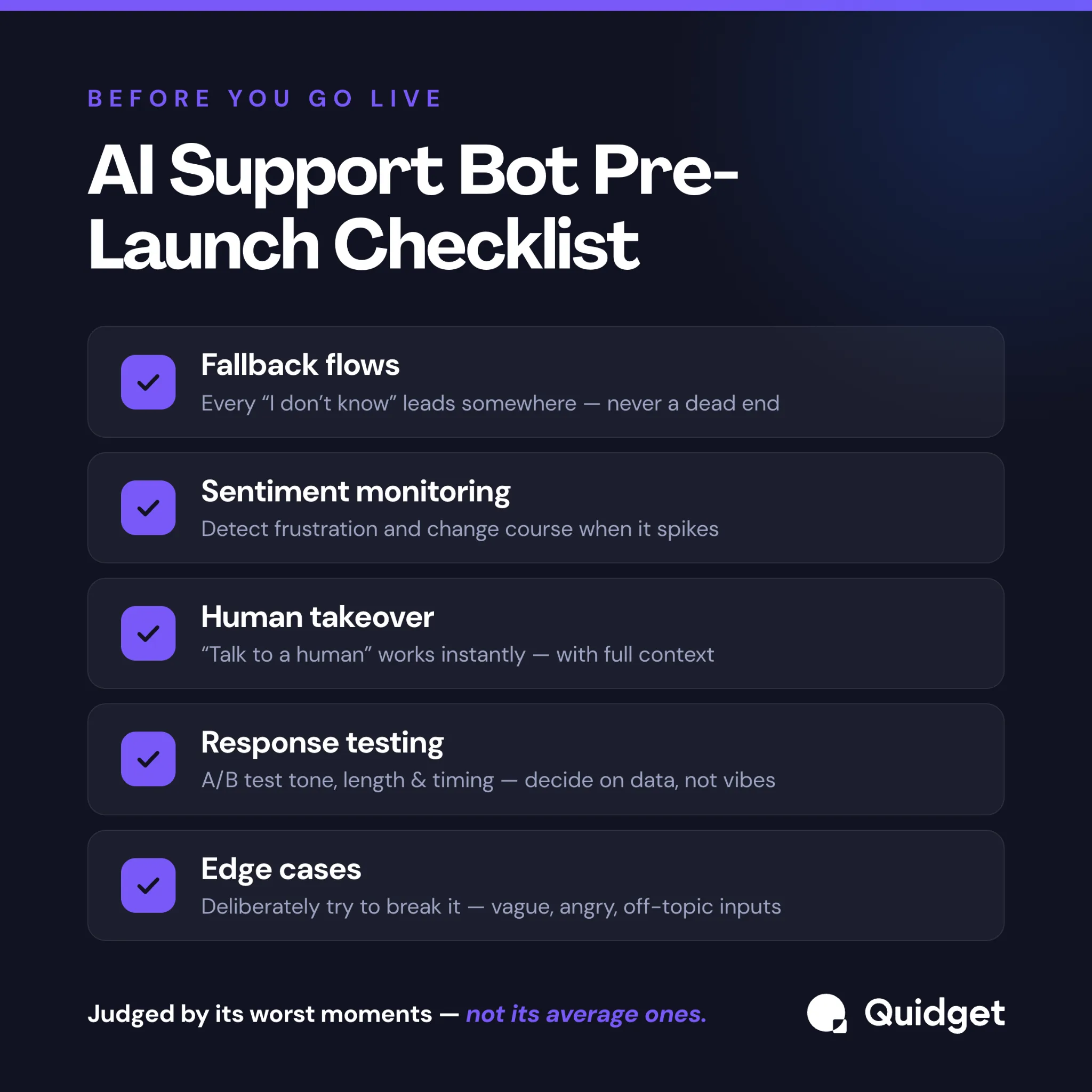
- Fallback: Every “I don’t know” leads somewhere useful — a human, a form, a callback, a relevant article. Zero dead ends.
- Sentiment: The bot detects frustration and changes behavior when it spikes. You can see sentiment trends live on day one.
- Human takeover: Trigger conditions are written down and tested. “Talk to a human” works instantly. Handoffs carry full context.
- Response quality: You’ve A/B tested tone, length, and handoff timing against real conversations and picked the winners on data, not vibes.
- Edge cases: You’ve deliberately tried to break it — vague inputs, angry inputs, off-topic inputs, multi-part questions — and watched how it recovers.
It reads like a lot. In practice, the teams that quietly succeed with AI support all did some version of this before launch, and the ones starring in the Reddit horror stories skipped most of it. The difference isn’t budget or model quality. It’s preparation.
What it looks like when you get it right
When these safeguards are actually in place, the numbers tell a different story than the cautionary threads. We’ve seen Quidget customers automate a real majority of incoming conversations without the satisfaction hit teams fear — Softorino deflecting around 60% of support volume and reclaiming roughly a third of their team’s time, JJESIM handling about 40% of conversations automatically. The bots aren’t doing anything magical. They’re handling what they’re good at and getting out of the way cleanly when they’re not.
That last clause is everything. Knowing what not to handle, and exiting gracefully when you hit it, is the entire difference between a bot that earns trust and one that earns one-star reviews.
This is the part worth being deliberate about when you choose a tool, too. Fallback logic, sentiment monitoring, and human takeover triggers shouldn’t be things you bolt on with custom engineering after launch — by then the bad reviews are already written. They’re easiest to get right when they’re built into the platform from the start and configured before you go live, which is exactly the gap Quidget is built to close.
Before you launch
Here’s the reframe that matters: your AI support bot will be judged almost entirely by its worst moments, not its average ones. The 80% of conversations it nails are invisible. The 20% where it traps, ignores, or talks past a frustrated customer are what end up screenshotted on Reddit and pasted into a review.
So spend your pre-launch energy there. Map the failure paths. Watch the sentiment. Define the handoffs. Test the words. Run the checklist above against your bot this week — honestly — and fix what doesn’t pass before anyone outside your team ever talks to it.
Do that, and you skip the entire genre of post you’ve been reading about other people’s launches. Skip it, and you’ll be the next thread.


