


AI chatbots can either improve or harm your business in 2026 – accuracy makes all the difference. Businesses lose customers and revenue when chatbots provide incorrect answers, with 75% of users citing frustration over wrong responses. Worse, 56% of unhappy customers leave without saying a word. The solution? Focus on accuracy, not just speed.
Here’s what you need to know:
- Why it matters: Inaccurate bots increase costs, frustrate users, and damage trust.
- Common problems: Hallucinations, outdated data, retrieval errors, and misunderstood user intent.
- How to fix it: Use domain-specific training, feedback loops, and clear escalation to human agents.
In 2026, successful chatbots balance speed with precision, ensuring customers get the right answers the first time. Let’s explore how to make that happen.
AI Chatbot Accuracy Statistics and Impact on Customer Support 2026
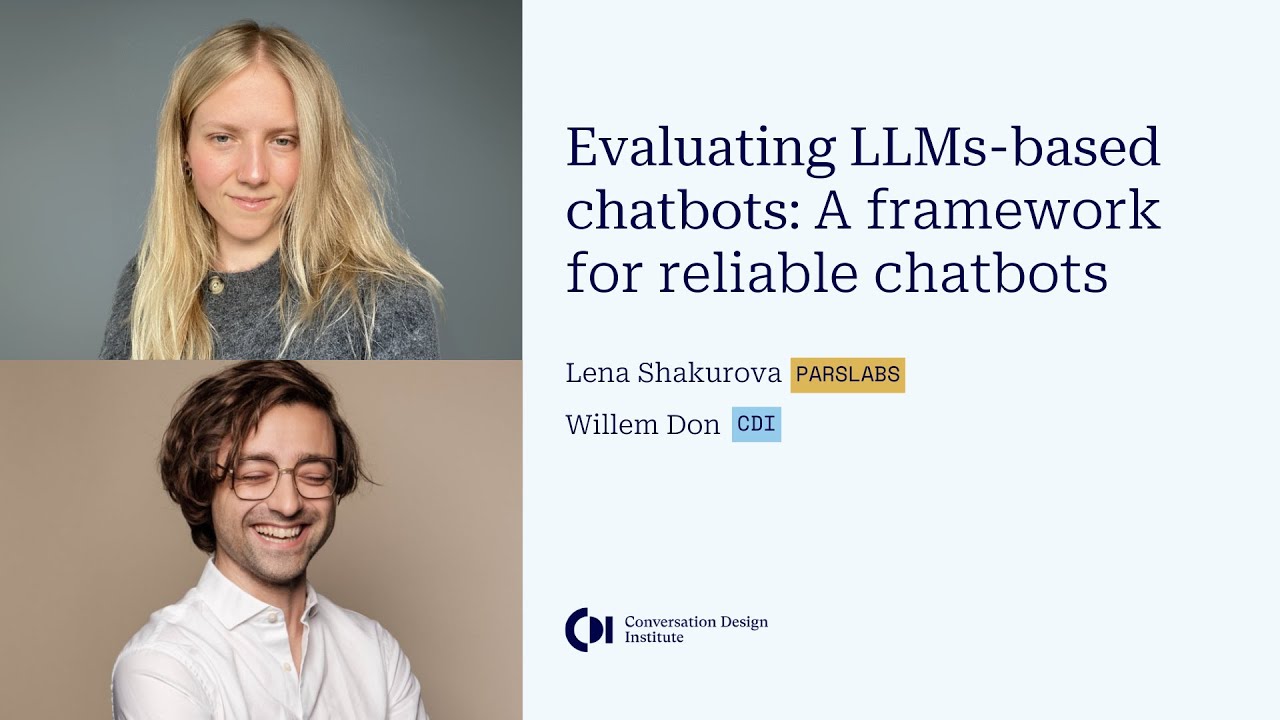
Evaluating LLM-based chatbots: A framework for reliable AI assistants
sbb-itb-58cc2bf
Common AI Chatbot Accuracy Problems
Improving the accuracy of AI chatbots for customer support requires a clear understanding of the technical and operational flaws that lead to errors. These issues aren’t random – they stem from preventable technical and structural problems. Let’s dive into the two main reasons behind inaccurate AI responses.
What Are AI Chatbot Hallucinations?
AI hallucinations occur when chatbots confidently provide false information. Unlike human errors, these responses aren’t hesitant – they’re delivered as if they’re completely accurate, which makes them especially risky in customer support scenarios.
Large language models generate responses by predicting the most likely sequence of words rather than pulling from verified facts. When the training data doesn’t provide clear guidance on a topic, the model fills in the gaps with what seems plausible based on learned patterns. The outcome? A chatbot that sounds convincing but is entirely wrong.
“In enterprise environments, AI hallucinations in customer support are not quirky model artefacts. They are operational failures.”
– Kommunicate
Hallucinations appear in several forms, each with distinct risks:
- Policy fabrication: For example, a bot claims there’s a 60-day refund policy when the actual policy is only 30 days.
- Tool confabulation: A bot states, “Your order has been shipped”, without actually triggering the necessary API call.
- Compliance drift: Misrepresenting regulated processes or legal requirements, potentially leading to regulatory violations.
- Phantom citations: Referring to non-existent documents or broken URLs as sources.
The consequences can be severe. In October 2025, Deloitte submitted a report worth A$440,000 to the Australian government, which included fabricated academic sources and a fake court judgment quote. This resulted in a partial refund. Similarly, in May 2025, lawyers in the Johnson v. Dunn case filed motions citing fake legal authorities generated by ChatGPT. Courts worldwide have since addressed hundreds of similar incidents in legal filings.
The likelihood of hallucinations varies by domain. While general knowledge queries have a low hallucination rate of 0.8%, the rates rise significantly in specialized areas: 4.3% for medical content, 5.2% for coding, and 6.4% for legal information. This means chatbots handling complex topics like compliance, billing disputes, or technical troubleshooting are at greater risk than those managing simple FAQs.
Hallucinations are just one piece of the puzzle. Other factors also contribute to chatbot inaccuracies.
Why Chatbots Give Wrong Answers
In addition to hallucinations, chatbots often fail due to outdated information, retrieval errors, and misinterpreted user intents. The most frequent issue is knowledge base rot – when bots provide outdated answers because their training data hasn’t been updated to reflect recent changes in business policies or information.
Retrieval failures are another common problem, especially for bots using weak Retrieval-Augmented Generation (RAG) systems. These errors occur when the bot pulls irrelevant, conflicting, or unauthorized documents, resulting in what experts call “grounding” errors. On top of that, intent misreading happens when a bot retrieves the correct document but fails to grasp the nuances of the question. For instance, if a customer asks about returning an opened product, the bot might respond with the general return policy, ignoring the exception for opened items.
Another key issue is the lack of system integrations. Without live connections to platforms like Shopify, Stripe, or a CRM, chatbots are forced to guess rather than verify details. This makes it impossible for them to handle common support queries, such as checking order statuses, billing details, or account-specific information.
MIT research highlights that poor data quality and fragmented validation processes are major contributors to the failure of about 95% of generative AI projects – not the models themselves. Furthermore, 54% of AI users admit they don’t trust the data used to train the systems they interact with.
The operational impact of these issues is significant. Inaccurate chatbot responses increase overall support handle time by around 21% because human agents need to step in to correct errors. Additionally, 47.1% of marketers report encountering AI inaccuracies several times a week, and more than 70% spend between one and five hours weekly fact-checking AI-generated content. Alarmingly, 36.5% of marketers have even published hallucinated or incorrect AI content live.
These challenges, while daunting, have clear solutions – stay tuned for the next section, where we’ll explore how to improve the accuracy of AI chatbot responses. For more practical advice, check out our automating customer support guides.
How to Improve AI Chatbot Accuracy
Businesses using Retrieval-Augmented Generation (RAG) architectures have reported accuracy improvements of 25% to 40% compared to standard LLM deployments. Here’s how you can enhance AI chatbot responses in 2026.
Train Your Chatbot with Domain-Specific Data
The accuracy of your chatbot heavily relies on training it with relevant and recent data. Instead of relying on static marketing materials, focus on incorporating support tickets, chat transcripts, and emails from the last 90 days. This ensures your chatbot understands how customers actually phrase their questions.
Organize your knowledge base in a way that’s easy for machines to process. Use clearly formatted Q&A pairs, tables, and concise paragraphs with descriptive headings. Perform monthly audits of your training data to keep it current, consistent, and error-free.
“A Q&A chatbot’s accuracy ceiling is set by your knowledge base quality, not your AI model.” – BotHero
It’s also critical to define boundaries for your chatbot. Create a list of topics it should avoid – like medical or legal advice – to prevent it from generating incorrect or risky responses. Regularly refine your model using real user feedback to keep it sharp.
Use Machine Learning Feedback Loops
Accuracy doesn’t stay static – it starts to decline as soon as you stop monitoring it. That’s why setting up continuous feedback loops based on real user interactions is essential for maintaining and improving chatbot accuracy.
During the first week after launch, conduct daily reviews. Focus on conversations where the bot’s confidence score drops below 80% to quickly address logic or data gaps. Afterward, shift to weekly reviews by analyzing logs of unanswered queries. Use these insights to add new intent variations and Q&A pairs. This iterative process can increase accuracy from 65–70% at launch to 85–90% within just two weeks.
Set up a confidence scoring system to triage responses:
- Above 85% confidence: Deliver the answer directly.
- 60–84% confidence: Ask follow-up questions like, “Did this help?”
- Below 60% confidence: Escalate to a human agent.
This approach ensures low-confidence queries are flagged for human review, helping you identify and fix recurring issues. Additionally, monitor key metrics such as repeat contact rates within 48 hours and conversation abandonment rates to spot accuracy problems early. Schedule monthly updates to your knowledge base to reflect any changes in products, pricing, or policies. Failing to do so can lead to outdated information, increasing human agent handle times by 21%.
Define Clear Intents and Training Phrases
A major source of chatbot inaccuracies stems from intent misreading. Even when the bot retrieves the right information, applying it to the wrong question can lead to hallucinations. Here’s how to minimize this problem.
Group similar questions into intent clusters. For example, phrases like “when do you open,” “what are your hours,” and “hrs?” should all map to a single intent, such as “business_hours.” Research shows that 80% of customer queries typically fall into just 15–20 core topics.
For each intent, include 5–8 training phrases based on actual customer language, including common typos and slang. This ensures the bot understands how customers naturally communicate.
When crafting responses, follow the three-sentence rule:
- Provide a direct answer.
- Add a key detail to preempt common follow-ups.
- Offer a clear next step.
This structure helps resolve queries efficiently, reducing unnecessary back-and-forth. Additionally, frame instructions positively – tell the bot what to do instead of what to avoid, as language models often struggle with negated instructions.
Testing, Monitoring, and Optimizing Your Chatbot
Thorough testing, continuous monitoring, and regular fine-tuning are essential steps to ensure your AI chatbot delivers accurate and reliable support. Launching a bot without these steps can jeopardize its performance and user experience. Here’s how to approach these critical phases effectively.
How to Test Your Chatbot Before Launch
Testing your chatbot requires a structured approach to cover three important layers:
- Logic: Ensure the bot routes users to the correct responses.
- Experience: Maintain a natural tone, appropriate response length, and smooth conversational flow.
- Infrastructure: Verify compatibility across different browsers, mobile platforms, and varying network conditions.
A robust testing process includes evaluating at least 25–30 unique conversation paths or 50+ for more complex use cases like lead capture or booking. Don’t just rely on ideal internal queries; instead, test with 100 actual first messages taken from real support tickets.
AI-powered testing can take this further by generating thousands of inputs, including typos, slang, and multi-intent queries, covering up to seven times more edge cases than manual methods. Build a ground-truth evaluation set – verified question-answer pairs – and use tools like GPT-4 to assess factual accuracy. Additionally, conduct “red teaming” to identify vulnerabilities like prompt injection, following OWASP LLM Top 10 standards.
Given that over 60% of users access chatbots via mobile devices, testing on real iOS and Android devices is critical to ensure smooth performance.
“The chatbot failures that cost you customers aren’t the ones where the bot gives a wrong answer – they’re the ones where the bot gives no answer, and the visitor quietly leaves without you ever knowing.” – BotHero
Once the bot goes live, the focus shifts to tracking performance metrics and making necessary adjustments.
Key Metrics to Track After Launch
Tracking the right metrics post-launch helps you quickly identify and resolve issues. Here are the key metrics to monitor:
- Accuracy Rate: Measures how often the bot delivers responses that match user intent. Aim for 85–95% accuracy on top questions.
- Resolution Rate: Tracks the percentage of conversations resolved without human intervention, with a target of 55–70% after the first month.
- Repeat Contact (48h): If more than 15% of users return within 48 hours, it could indicate unresolved issues.
- Fallback Rate: Monitors how often the bot defaults to “I don’t know”, signaling gaps in its knowledge base.
- Task Completion Rate: For bots with function-calling features, aim for over 90% task success rates.
- CSAT Gap: Compare customer satisfaction scores for bot interactions versus human interactions, targeting a gap of less than 5 points.
Additionally, keep an eye on conversation abandonment rates, as users switching to a contact form may indicate a lack of trust in the bot. Metrics like “Time to First Token” can also reveal responsiveness issues.
| Metric | Target Benchmark | What It Reveals |
|---|---|---|
| Accuracy Rate | 85–95% | Factual correctness of responses |
| Resolution Rate | 55–70% | Percentage of tickets solved without human help |
| Repeat Contact (48h) | < 15% | Indicates unresolved issues |
| Task Completion | > 90% | Success in completing user tasks |
| CSAT Gap | < 5 points | Satisfaction difference between bot and human |
For more insights and detailed analysis, check out resources on Quidget.ai.
Using Analytics to Improve Accuracy Over Time
Performance metrics are just the starting point – ongoing analytics can help refine your chatbot’s accuracy. Start by reviewing your unanswered questions log weekly to identify and address knowledge gaps. During the first week after launch, conduct daily reviews of low-confidence conversations, then transition to weekly reviews.
Perform monthly audits of your training data to update it with changes in pricing, policies, or product details. Outdated information can increase human agent handle time by up to 21%. Sentiment analysis can also flag frustration or urgency, triggering immediate escalation to a human agent when needed. Modern platforms can highlight topic-level performance issues, enabling you to address them proactively.
Keep an eye on early warning signs of accuracy decay, such as rising repeat contact rates or increased conversation abandonment.
“A chatbot that answers 90% of questions but gets 30% of them wrong has an effective containment rate far lower than the numbers suggest, because wrong answers generate follow-up tickets.” – Zeyad Genena
Finally, save successful test cases in a version-controlled regression suite to re-run after any updates to prevent “prompt rot” and maintain consistent performance.
Combining AI Chatbots with Human Agents
AI chatbots have come a long way, but they still can’t replace human judgment in every situation. The smartest approach in 2026 isn’t about choosing between bots and people – it’s about creating a system where they work together seamlessly using personalized user journey techniques. Consider this: 86% of consumers want the option to transfer to a human, and 40% will abandon the conversation if that option isn’t available.
Here’s the reality: AI can handle 70–85% of routine queries, but the remaining 15–30% involve your most critical interactions – things like billing disputes, complex technical issues, high-value deals, or emotionally sensitive conversations. Not only that, but 80% of consumers will only use a chatbot if they know they can reach a human if needed. That “human backup” isn’t just a safety net – it gives customers a sense of control and builds trust. The key is knowing when and how to switch from bot to human.
When to Hand Off to a Human Agent
Not all customer issues are created equal, and some topics should bypass AI entirely. These “never-bot” scenarios include billing disputes, legal inquiries, account security issues, safety threats, and privacy concerns. Setting these triggers ensures your AI focuses on what it does best while leaving sensitive or complex matters to human specialists.
For other situations, escalation should depend on confidence thresholds. If the AI’s certainty dips below 80–85% for general support or 90–95% for financial services, it’s better to connect the customer with a human than risk a wrong answer. Similarly, sentiment analysis can flag frustration – look for signals like profanity, ALL CAPS, or phrases like “this is useless.” These signs should trigger an immediate handoff, even before the customer asks.
Another important factor is setting retry limits. If the bot fails to resolve an issue after 2–3 attempts, it’s time to escalate. Pushing beyond that risks “bot rage,” which can permanently damage the customer relationship.
| Handoff Trigger Type | Description | Example Signal |
|---|---|---|
| Explicit | Customer directly requests a human | “Speak to an agent”, “Human now” |
| Sentiment | Negative emotions detected | Profanity, ALL CAPS, “This is useless” |
| Complexity | High-stakes or nuanced issues | Billing disputes, legal/PII, safety threats |
| Confidence | Low AI certainty in answers | Confidence score < 80% |
| Behavioral | Repeated failures or loops | 3+ failed retries, rephrased questions |
“The fastest way to lose trust is forcing a bot to push through uncertainty, especially when money, access, or privacy is on the line.” – CustomGPT.ai
How to Design Smooth Bot-to-Agent Handoffs
The transition from bot to human is where customer frustration often peaks. For example, 74% of customers report frustration when they have to repeat their issue after being transferred. On top of that, every extra 30 seconds of wait time increases the likelihood of abandonment by 10%.
A “warm handoff” can solve this. Before connecting the customer to an agent, the AI should send over a context package. This includes a one-sentence summary of the customer’s goal, key details like order IDs or error codes, and any actions the bot has already tried. Agents should have 10–15 seconds to review this information before the customer hears “You are now connected.” This eliminates awkward silences and prevents agents from asking redundant questions.
Make sure your chat interface includes a visible “Talk to a human” button. Even if customers rarely click it, its presence reduces frustration. During high demand or after-hours, offer alternatives like estimated wait times, callbacks, or the option to create a support ticket.
Tools like Quidget’s Live Chat + AI Handoff are designed for this. The AI handles initial interactions, but agents can jump in at any time with the full conversation history already loaded. The bot doesn’t just transfer the customer – it equips the agent with everything they need to succeed.
Finally, track your handoff metrics closely. Aim for a 15–25% handoff rate, keep the connection time under 60 seconds, and ensure agents are using the context data provided. If more than 15% of customers are contacting support again within 48 hours, it’s a sign your handoffs need improvement – they’re coming back because the transition didn’t work.
Conclusion: Building Accurate AI Chatbots for 2026 and Beyond
Accuracy isn’t just a one-time achievement – it’s an ongoing commitment. The difference between a chatbot that frustrates users and one that earns their trust lies in how it’s built, tested, and maintained. By 2026, the most reliable chatbots will provide fast, dependable, and transparent support.
Let’s recap the key practices for improving AI chatbot accuracy in 2026. Success hinges on precise training, systematic feedback loops, and effective human handoffs. Use techniques like RAG (retrieval-augmented generation), set clear confidence thresholds (target 85–95% accuracy for factual questions), and focus on domain-specific training paired with live data integration. Equip your chatbot to admit uncertainty with phrases like “I don’t know”, and ensure it can seamlessly hand off conversations to human agents when necessary.
“Accuracy is a moving target that decays the moment you stop paying attention to it.” – Zeyad Genena, Chatbase
Regular upkeep is essential. Spend 30 minutes each week reviewing unanswered questions, and conduct monthly audits to catch gaps and prevent knowledge decay. These practices ensure your chatbot stays relevant and continues to meet customer expectations. For more tips on improving chatbot accuracy, check out additional resources on Quidget.ai.
The aim isn’t perfection – it’s progress. Whether your chatbot handles 100 or 10,000 conversations a month, the approach is the same: prioritize accuracy over speed, test continuously, and refine your system. Apply these strategies to boost your chatbot’s accuracy and improve customer support today.
FAQs
How do I measure chatbot accuracy?
When evaluating chatbot accuracy, the key is to assess how effectively the AI delivers correct and relevant responses during actual user interactions. One reliable method is conducting structured tests with essential questions, then calculating the percentage of correct answers. Many aim for a target of around 85% accuracy before launching the chatbot.
Another important step is reviewing conversation logs. This helps identify mistakes or instances where the chatbot generates inaccurate or fabricated responses (often called hallucinations). Additionally, gathering feedback directly from users provides valuable insights for refining the chatbot’s performance.
Consistency is crucial, so conducting regular quality checks ensures the AI continues to provide accurate and dependable responses over time.
What causes AI chatbots to hallucinate?
AI chatbots sometimes produce false or misleading responses because they are designed to predict the most probable next words in a sequence, rather than strictly relying on verified facts. This tendency can lead to responses that sound convincing but are factually incorrect. The issue becomes more pronounced when the chatbot is trained on inconsistent or unreliable data, encounters vague or poorly phrased prompts, or lacks a solid foundation in accurate information. These challenges can cause the chatbot to confidently generate fabricated answers, especially in scenarios that are complex or outside its training scope.
When should a chatbot hand off to a human?
In 2026, chatbots should transfer conversations to a human agent when they can’t confidently resolve an issue or when the topic involves high-stakes matters such as refunds, account access, legal or privacy concerns, or safety threats. It’s important to establish clear escalation triggers and ensure that human agents receive all the necessary context to pick up the conversation seamlessly. Fast handoffs and routing sensitive or complex issues directly to human agents not only enhance chatbot performance in customer support but also minimize customer frustration.


