


Choosing between Quidget and Ada for AI customer support in 2026 depends on your business size, budget, and support needs:
- Quidget: Best for small-to-medium businesses (SMBs). It’s affordable (starting at $79/month), easy to set up (2 minutes, no coding), and handles routine tasks like FAQs and lead generation. It’s ideal for teams looking for quick deployment without technical expertise.
- Ada: Designed for enterprises managing complex, high-volume interactions. Its advanced Reasoning Engine™ can execute backend tasks like processing refunds or updating accounts. Pricing is custom and starts around $30,000/year, with a longer implementation process.
Quick Comparison
| Feature | Quidget | Ada |
|---|---|---|
| Setup Time | 2 minutes, no coding | Requires enterprise implementation |
| Pricing | Starts at $79/month | Custom, ~$30K–$300K/year |
| Use Case | SMBs, basic automation | Enterprises, complex workflows |
| Languages | 45+ | 50–100+, native detection |
| Channels | Messaging apps, website | Omnichannel (voice, chat, email) |
| Backend Tasks | Limited | Full system access |
| Security | Standard | SOC 2, GDPR, HIPAA |
If you’re a startup or SMB, Quidget offers a cost-effective, simple solution. For enterprises with advanced needs, Ada provides robust capabilities but at a higher cost and complexity.
Quidget vs Ada: AI Customer Support Platform Comparison 2026
Platform Overview
What is Quidget?
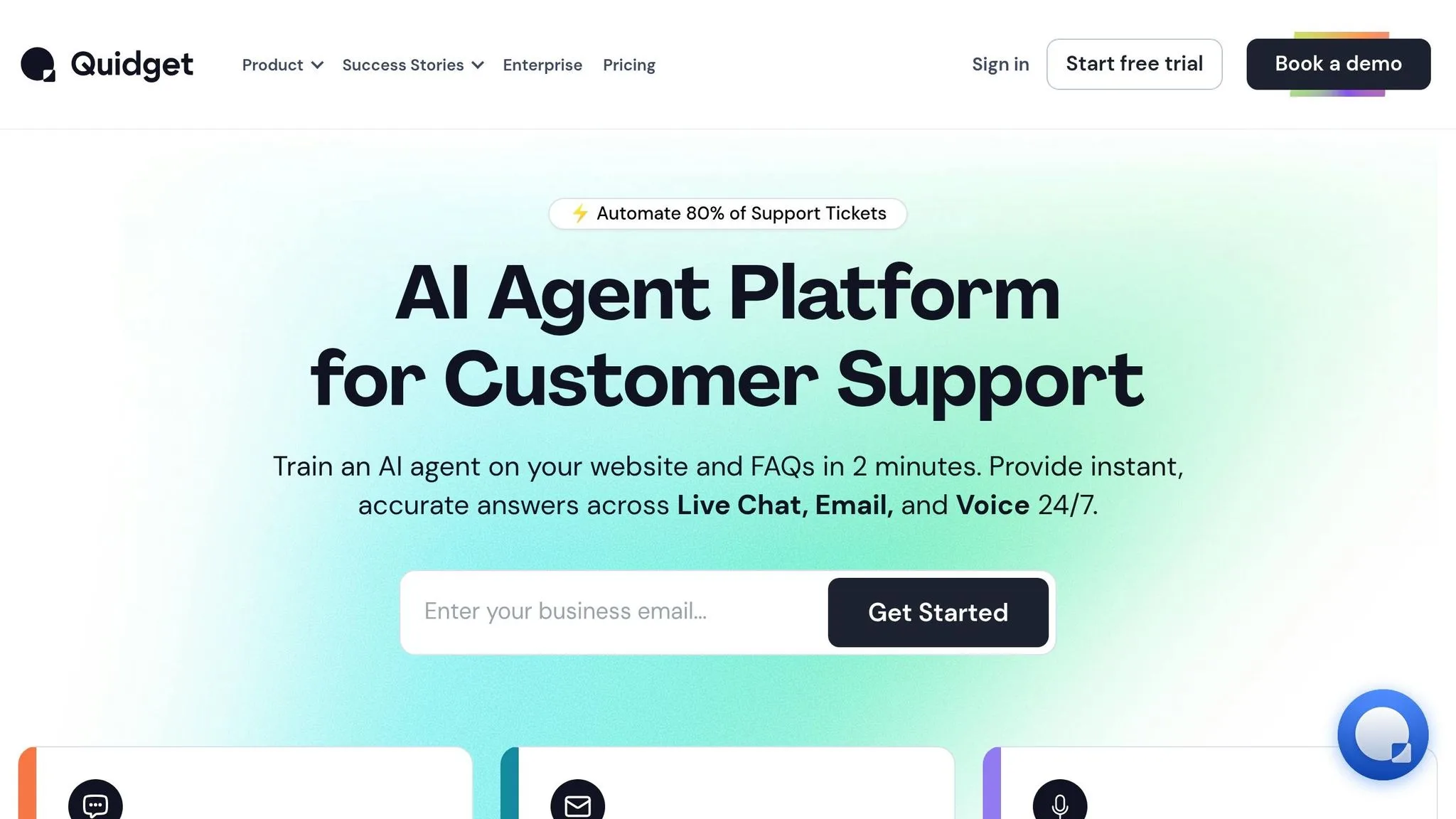
Quidget is an AI agent builder tailored for small and medium-sized businesses looking to streamline support processes without the hassle of coding or lengthy setups. Built on SupportYourApp‘s extensive experience, this platform employs a no-code approach, enabling users to train an AI agent using content like FAQs, help documents, and website resources. Once trained, the AI can be deployed across various platforms – your website, apps, or communication channels like WhatsApp and Telegram – in just a few minutes.
The platform is designed to handle up to 80% of routine inquiries, freeing up your team to focus on more complex issues. Quidget operates on a hybrid model, where AI manages the initial support interactions, but human agents can seamlessly step in via live chat if needed. Starting at $79 per month, with a 7-day free trial, Quidget is an affordable solution for startups and growing businesses, ranking among the top AI-powered tools for customer service teams. It supports 45+ languages and provides pre-built templates for tasks like customer support, sales, and lead generation. While Quidget focuses on accessibility for smaller teams, Ada caters to larger organizations with more advanced needs.
What is Ada?
Ada, on the other hand, is built for enterprises that deal with high volumes of complex customer interactions. It goes beyond simple chatbots by leveraging its proprietary Reasoning Engine™, a multi-LLM framework that allows AI agents to access backend systems, perform customer tasks, and resolve issues from start to finish. As Mike Gozzo, Ada’s Chief Product & Technology Officer, explains:
AI agents are designed to intelligently reason through problems, learn from interactions, and make decisions. They can act autonomously, apply learned knowledge to accomplish tasks, and solve problems in real-time.
Ada’s AI agents don’t just answer questions – they perform actions like processing returns, updating accounts, and troubleshooting issues by integrating with CRMs and other business systems. This makes it ideal for industries with intricate support requirements, including Financial Services, SaaS, Ecommerce, and Gaming. The platform also boasts enterprise-grade security certifications like SOC 2 Type II, GDPR, and HIPAA. For example, beauty brand IPSY transitioned to Ada’s AI agent in May 2024 and saw a 943% ROI within four months, along with better containment rates and customer satisfaction scores. Similarly, fintech company Tilt now resolves 84% of its chat volume automatically with Ada, achieving an eight-point boost in customer satisfaction.
Ada supports 50+ languages and works seamlessly across voice, email, chat, and social media channels. It has a 4.9/5 rating on G2, based on 18 reviews, with major clients like Duolingo, Figma, Notion, Rippling, Chime, and Dropbox. However, Ada requires a managed implementation process, with custom pricing designed for enterprise-scale solutions.
sbb-itb-58cc2bf
Feature Comparison
This feature breakdown builds on earlier insights, helping you understand which solution aligns with your operational needs.
Quidget Features
Quidget is built for speed and simplicity. Using a web crawler, it automatically trains its AI on your website content, FAQs, and support documents – no manual data entry required. With pre-built templates for support, sales, or lead generation, you can have a working AI agent up and running in roughly two minutes. The platform offers multilingual support and works across multiple channels like WhatsApp, Slack, Telegram, Viber, and your website.
Integration is seamless with tools such as Zendesk, Calendly, Freshdesk, and CRMs, making it easy to connect with your existing support systems. Quidget uses a hybrid model where its AI handles repetitive queries, but human agents can step in when needed through live chat handoff. Plus, its no-code interface allows non-technical teams to customize branding, tweak chatbot behavior, and monitor performance through built-in analytics.
While Quidget prioritizes ease of use and quick setup, Ada offers more advanced system integrations.
Ada Features
Ada takes customer support a step further with its Reasoning Engine™, which handles backend tasks like processing returns, updating accounts, checking order statuses, and troubleshooting – all autonomously. Mike Gozzo, Ada’s Chief Product & Technology Officer, explains:
AI agents are designed to intelligently reason through problems, learn from interactions, and make decisions. They autonomously apply learned knowledge to complete tasks in real-time.
Ada supports 50+ to 100+ languages with native language detection, ensuring smooth transitions to human agents when needed. Its omnichannel capabilities cover voice, email, chat, and social media. Notably, Ada’s native AI voice agents manage multi-step phone conversations with the same sophistication as text interactions. The platform also includes an Adherence Supervisor Agent to oversee conversation quality and ensure compliance with playbooks. For analytics, Ada’s Performance Center provides insights into resolution rates, CSAT scores, and conversation transcripts. However, some G2 reviewers have pointed out that its reporting tools lack depth and often require exporting data to Excel for detailed analysis.
Below is a direct comparison of the platforms’ key features:
Feature Comparison Table
| Feature | Quidget | Ada |
|---|---|---|
| Setup Time | 2 minutes | Enterprise implementation with data audit |
| AI Training Method | Web crawler + custom data import | NLP, multi-LLM Reasoning Engine + backend integration |
| Channels Supported | Website, messaging apps, business tools | Omnichannel: voice, email, chat, social media |
| Language Support | 45+ languages | 50+ to 100+ languages with native detection |
| Voice Support | Not available | Native AI voice agents for phone |
| System Task Execution | Limited to integrations | Full system access for task execution |
| Integrations | Zendesk, Calendly, Freshdesk, CRMs | Custom enterprise tools + deep system access |
| Security Certifications | Standard | SOC 2 Type II, GDPR, HIPAA |
| Analytics | Basic performance metrics | Resolution rates, CSAT, transcript-level insights |
| Primary Use Case | Tier-1 automation for SMBs | Enterprise-grade agentic CX |
The main distinction lies in scope and complexity. Quidget automates around 80% of routine support tasks with minimal effort, making it ideal for small to medium-sized teams. Ada, on the other hand, resolves up to 84% of chat volume by handling complex, multi-step processes across integrated systems, making it a better fit for large enterprises with advanced needs.
Pricing Comparison
Quidget offers clear, tiered pricing, while Ada relies on custom enterprise quotes. Here’s a breakdown of each platform’s pricing and the key details you need to know.
Quidget Pricing
Quidget keeps things simple with three defined plans:
- Pro Plan: $79/month with annual billing (or $99/month if billed monthly). Includes 10,000 AI responses, 5 chatbots, and 3 seats per bot.
- Pro Plus Plan: $210/month with annual billing. Offers 50,000 responses, 50 chatbots, 5 seats per bot, and the option to remove the “Powered by Quidget” branding.
- Enterprise Plan: $599/month with annual billing. Includes custom usage limits, a dedicated account manager, and early access to new features.
All plans come with a 7-day free trial, and annual billing saves about 20% compared to monthly payments. There’s also an optional Concierge service for a one-time fee of $500 (available on the Pro Plus plan). If you exceed your response limit, you’ll need to upgrade your plan.
Ada Pricing
Ada’s pricing is tailored to enterprise needs, and quotes are provided on request. Based on 2026 data, the median annual cost for Ada is approximately $70,230, with total contract values ranging between $36,053 and $275,600. Costs depend on factors like conversation volume, feature tiers, and integration complexity.
Other potential fees include:
- Implementation Costs: $15,000 to $100,000+.
- Premium Support and Account Management: $10,000 to $50,000 annually.
- Overage Fees: $0.10 to $0.50+ per conversation beyond contracted limits.
- Discounts of 20–30% are often available for multi-year commitments.
While Quidget provides fixed monthly fees, Ada’s pricing is built to meet the needs of large-scale enterprises.
Pricing Comparison Table
| Plan | Quidget Price & Features | Ada Pricing |
|---|---|---|
| Entry-level | $79/month (annual), 10K responses, 5 chatbots | ~$30,000–$60,000/year (includes platform and implementation) |
| Mid-tier | $210/month (annual), 50K responses, 50 chatbots | ~$60,000–$150,000/year (platform) + $15,000–$40,000 (implementation) |
| Enterprise | $599/month (annual), custom usage and features | ~$150,000–$300,000+/year (platform) + $40,000–$100,000+ (implementation) |
| Free Option | 7-day free trial on all plans | No free plan or trial |
| Transparency | Published pricing, no sales calls required | Custom quotes only |
If your budget is under $50,000 annually, Quidget offers a far more accessible option. On the other hand, for organizations managing millions of conversations or requiring extensive integrations, Ada’s custom pricing – though higher – may better suit your operational scale.
Setup and Deployment
Quidget boasts a quick deployment process that takes just 2 minutes, following a straightforward 4-step setup. No coding expertise is required – simply provide your website URL, and Quidget’s AI scans your existing content, FAQs, and help documentation to understand your business’s tone and style. This “plug and play” approach allows small teams to launch AI support on the same day they sign up.
Ada, on the other hand, adopts a more structured approach. While it provides a no-code builder, deploying Ada at an enterprise level involves a phased rollout. This includes steps like auditing CRM data and support logs, standardizing information, and training staff to manage AI workflows. Additionally, Ada requires integration with backend systems, enabling its AI agents to resolve customer issues end-to-end. For large organizations, this setup often necessitates implementing robust security measures such as SOC 2 Type II, GDPR, and HIPAA certifications before going live.
The difference in readiness is notable. According to 2026 data, 36% of CX leaders acknowledge their teams lack the resources or skills to manage and coach AI agents without initial training. For enterprises using Ada, a thorough data audit ensures the AI is trained on accurate and non-redundant information – though this step can add weeks or even months to the deployment timeline.
Quidget Setup
Quidget’s setup process is designed to be as smooth as possible. After signing up for a 7-day free trial, users complete four simple steps: enter their website URL, allow the AI to crawl the content, customize the chatbot’s appearance to align with their brand, and deploy it on their website or app. No coding or manual training is required – the AI automatically learns from the existing documentation.
Users can also upload additional files or FAQs to fine-tune the AI’s knowledge base. Once live, Quidget starts handling routine queries right away and seamlessly transfers more complex issues to human agents. For small teams struggling with repetitive customer questions, this means they can have AI support up and running almost immediately. While Quidget prioritizes speed and simplicity, Ada focuses on a more deliberate and comprehensive rollout process.
Ada Setup
Unlike Quidget’s rapid deployment, Ada’s setup process is more deliberate and tailored for enterprise needs. While the platform offers a no-code builder, implementation often demands professional help for customization – especially when integrating with backend systems like CRMs, ticketing platforms, or proprietary databases. Ada’s advanced design allows its AI agents to independently reason, learn, and complete tasks.
Ada’s rollout typically involves several steps: conducting data audits, integrating systems, and training staff. While this can extend the timeline, it ensures the platform is prepared to handle enterprise-level demands. Ada emphasizes delivering consistent experiences across multiple channels, including voice, chat, and email. For businesses managing millions of interactions, this level of preparation is crucial, even if it adds complexity to the initial setup.
Pros and Cons Table
| Platform | Pros | Cons |
|---|---|---|
| Quidget | Quick 2-minute setup, no coding needed, affordable pricing starting at $79/month, instant deployment with web crawling, 7-day free trial | Limited tools for advanced enterprise needs and fewer backend integrations |
| Ada | Advanced natural language processing (NLP), scalable for high-volume enterprises, strong security certifications (SOC 2, GDPR, HIPAA), proven ROI in case studies | Longer implementation timelines requiring data audits, higher costs, and potential need for professional customization |
Performance and Use Cases
Let’s take a closer look at how these platforms hold up in practical scenarios and which types of businesses stand to gain the most from their features.
Quidget Use Cases
Quidget shines for startups and small-to-medium businesses (SMBs) that need quick, straightforward solutions for handling customer inquiries. Its ability to train directly on existing website content eliminates the need for manual scripting, making it a time-saver. Quidget is particularly effective for lead generation, basic sales automation, and managing FAQ-style questions. With a deployment time of just two minutes, it’s perfect for teams needing immediate functionality.
Here’s how small businesses can benefit:
- Capture leads through conversational forms.
- Qualify prospects before sending them to sales teams.
- Automate responses to repetitive questions about topics like pricing, shipping, or account setup.
For growing companies with limited support staff, Quidget acts as a first line of defense. It handles routine interactions, freeing up human agents to focus on more complex cases.
Ada Use Cases
Ada, on the other hand, is designed for large enterprises managing high volumes of customer interactions. Its Reasoning Engine™ ensures consistency across chat, email, and voice channels, even under heavy traffic loads. Ada also excels in real-time task execution, such as:
- Processing refunds.
- Updating subscriptions.
- Checking order statuses via API workflows.
According to available data:
- 47% of businesses report reduced cost per interaction after adopting AI.
- 43% scale their support capacity without increasing staff.
- Tilt, a current Ada customer, resolves 84% of its total chat volume through AI alone.
For industries with strict regulations, Ada offers an Adherence Supervisor Agent to monitor compliance and conversation quality – features that SMB-focused tools like Quidget don’t typically provide. Additionally, Ada’s synthetic testing simulates hundreds of thousands of conversations, identifying potential weaknesses before going live.
Use Case Comparison Table
Here’s a side-by-side look at how these platforms cater to different business sizes:
| Business Size | Quidget Fit | Ada Fit |
|---|---|---|
| Startups | Excellent for affordability and speed – deploys in 2 minutes with no coding | Not cost-effective; enterprise implementation starts at ~$30,000/year |
| SMBs | Great for growing customer bases needing lead generation and FAQ automation | Limited value due to high costs and enterprise-level features |
| Enterprises | Limited customization for complex workflows and high-volume operations | Ideal for managing thousands of simultaneous inquiries and multi-step processes |
This breakdown highlights how each platform aligns with specific business needs, setting the stage for a deeper comparison of their overall suitability.
Conclusion
When choosing AI customer service software, it’s important to weigh factors like your business size, budget, and the complexity of your operations. For startups and small-to-medium businesses, Quidget offers an affordable and quick solution. With a no-code setup that takes just two minutes and pricing starting at $79/month, Quidget is perfect for automating routine inquiries – especially for teams swamped with repetitive questions.
On the other hand, large enterprises with more intricate support needs might find Ada better suited to their demands. Ada’s Reasoning Engine™ is designed to manage complex, multi-step workflows like processing refunds or updating subscriptions. It also provides enterprise-grade security certifications, including SOC 2 Type II, GDPR, and HIPAA compliance. Companies such as IPSY reported a staggering 943% ROI within four months of adopting Ada. However, this level of sophistication comes with enterprise-level pricing.
For smaller businesses operating on tighter budgets, Quidget’s free trial is a great way to test its capabilities before committing. If your priority is to cut Tier-1 support costs quickly, Quidget’s ease of deployment and low starting price make it an excellent choice. Meanwhile, enterprises with complex workflows, strict compliance requirements, or large-scale operations should explore Ada.
Ultimately, the best platform depends on your specific business needs and your team’s ability to implement and maintain the solution. With 92% of businesses planning to increase AI investments in customer experience within the next 12 months, now is the time to choose a tool that aligns with your goals and operational capabilities.


