

Changelog
The latest news, fixes, and improvements from Quidget.
Avoid interruptions with automatic balance top-ups.
What you can do:
- Turn Auto-Recharge on or off
- Set a monthly budget
- Automatically refill credits when they run out
Why it matters:
- Keeps your service running without interruptions
- Reduces manual billing actions
- Gives you full control over spending
Chat management is now more flexible and organized.
What you can do:
- Filter conversations by channel
Why it matters:
- Makes it easier to navigate chats
- Improves efficiency for support teams
Your dashboard now provides deeper insights into user interactions and knowledge gaps.
What you can do:
- View the most asked questions
- Track unanswered questions
- Access a dedicated “Unanswered Questions” page with a data table
Why it matters:
- Helps identify missing knowledge in your bot
- Improves answer quality and coverage
- Enables data-driven optimization
Your bot can now send photos in chat
What you can do:
- Your assistant can include photos in its replies (inline thumbnails)
- Tap or click images to open full-size
- Add captions or alt text for each image
- Images are saved in the chat transcript for later review
Why it matters:
- Visual answers make explanations clearer
- Speeds up support and reduces back-and-forth
- Increases user engagement and trust
You can now add Articles directly in Training. Write your own help content, guides, or notes to make your bot even smarter.
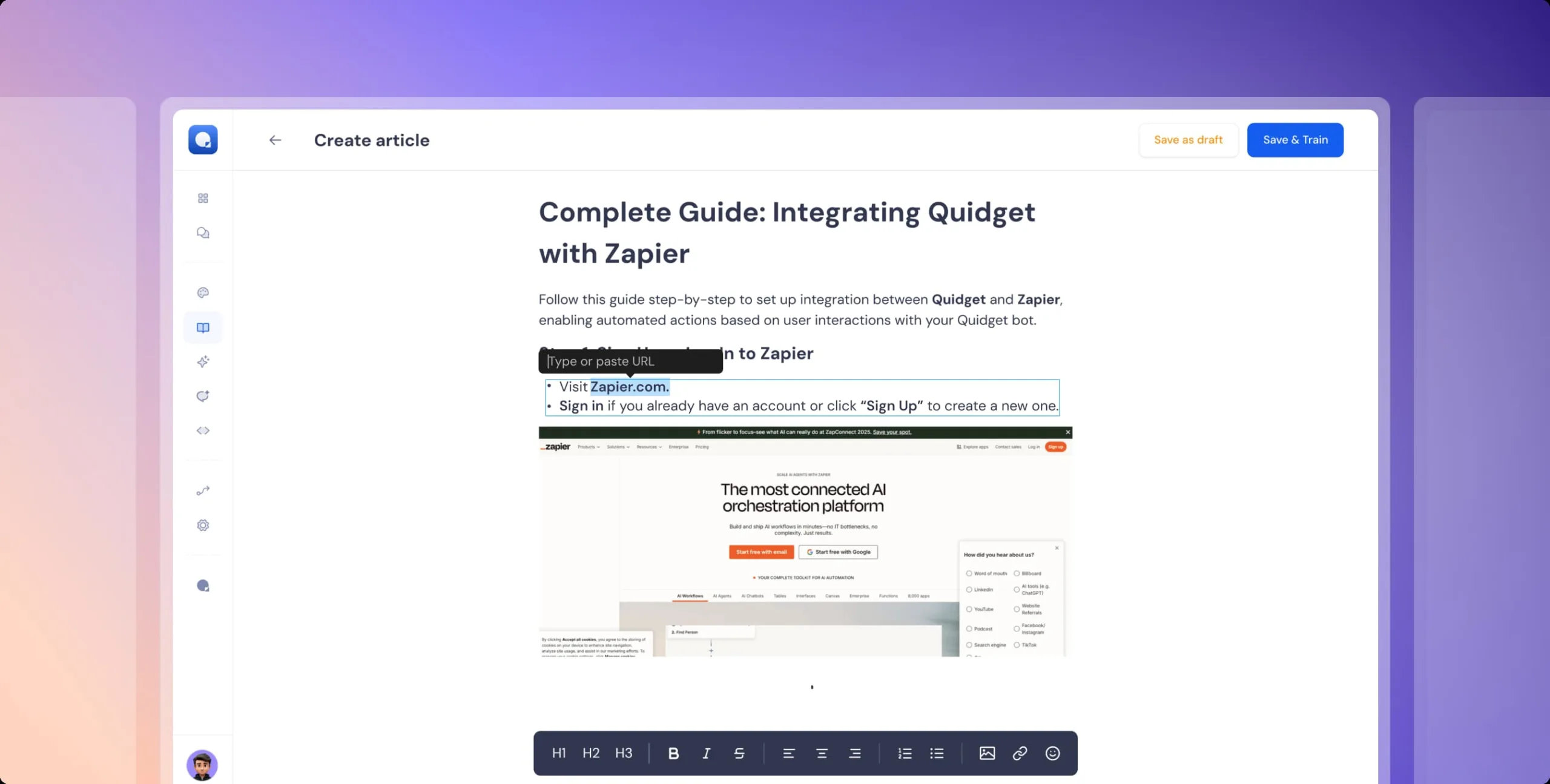
What you can do:
- Create custom articles without uploading documents
- Add step-by-step guides, instructions, or explanations in plain text
- Update content instantly when processes or policies change
- Combine articles with other sources for a complete knowledge base
Why it matters:
- Flexibility — capture unique knowledge that isn’t stored anywhere else
- Instant updates — edit and refine content anytime without re-uploads
- Better answers — give your bot clear, structured information to use
- Smarter AI — improve training quality with precise, tailored content
 Previous

Quidget keeps getting better—
stay tuned for more updates!
Log in to your Quidget dashboard and start optimizing your AI chatbot today!