

Changelog
The latest news, fixes, and improvements from Quidget.
Now you can show or hide the attachment icon in chat.
What you can do:
- Turn off file sending if it’s not needed
- Keep the chat window clean and simple
- Turn it on when you want users to share files
Why it matters:
- The chat looks neater
- Easier to use on mobile
- You decide what options users have
The embedded chat now supports a cleaner layout option.
What you can do:
- Place user messages on the right and AI replies on the left
- Keep messages centered and limited in width for a balanced look
Why it matters:
- The chat looks modern and familiar
- Easier to follow the conversation
- A cleaner layout that feels natural
We’ve made popup messages easier to use.
What you can do:
- On mobile: popup messages are hidden (no clutter)
- On tablets: messages always show with a bigger close button
- On desktop: messages show only on hover
- Admins can decide whether to display them at all
Why it matters:
- Smoother mobile experience
- Close button is larger and easier to tap
- You get more control over how popups appear
Managing your knowledge base is now simpler than ever. With the new Folders feature in Training, you can keep your sources neatly organized and easy to access.
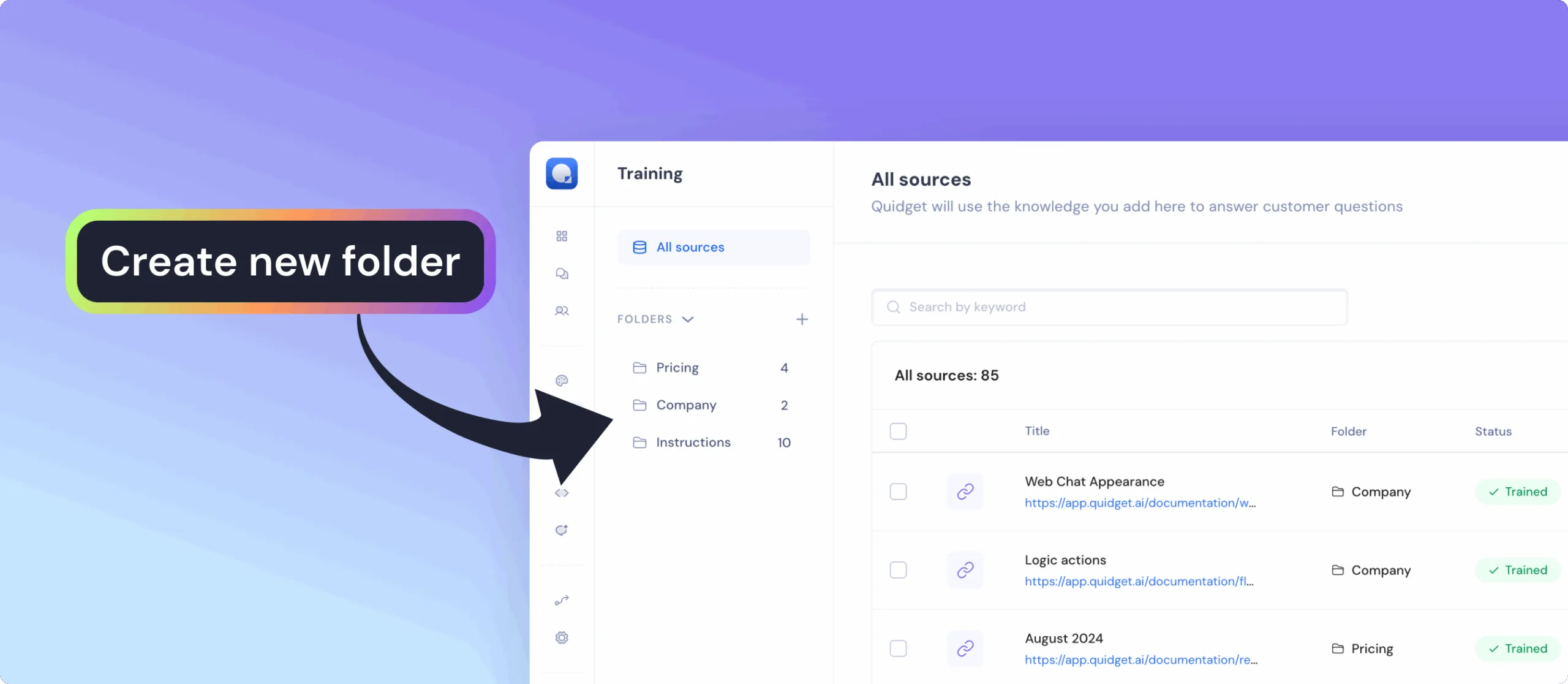
What you can do:
- Group documents, articles, URLs, and FAQs into dedicated folders
- Quickly find the right material using search and filters
- Add new sources directly into a chosen folder with just one click
- Keep everything tidy even with hundreds of training sources
Why it matters:
- Organized knowledge base — navigate large amounts of content effortlessly
- Smarter workflows — focus training on exactly the sources you need
- Save time — reduce clutter and locate sources instantly
- Clarity and control — always know where your data lives and how it’s structured
Automate your workflows and connect Quidget with over 6,000+ apps — no coding required.
With the new Zapier Integration, your bot can instantly send data and trigger actions in other tools the moment users interact with it.
What you can do:
- Send every new lead straight to your CRM or Google Sheets
- Alert your team in Slack the moment a high-intent lead appears
- Auto-create Trello or Asana tasks from support requests
- Book events in Calendar right after a bot booking or form submission
Why it matters:
- Respond to leads and customers faster — while they’re still engaged
- Keep sales, support, and marketing perfectly in sync
- Skip the copy-paste grind and focus on closing deals, solving issues, and growing your business
 Previous

Quidget keeps getting better—
stay tuned for more updates!
Log in to your Quidget dashboard and start optimizing your AI chatbot today!