

Changelog
The latest news, fixes, and improvements from Quidget.
Fixed a bug where bot changes (name, logo, or “require email” setting) would reset AI & Automation settings.
Friday, June 06, 2025
Improved Chat Handling, Billing Clarity, and Bot SetupConversations & WebChat improvements
- No Auto-Closing Tickets: When a user starts a new chat, existing tickets in Zendesk and Freshdesk will no longer auto-close.
- Clear Chat Closure Notification: When a user ends a chat, the ticket will now show: “Chat closed by user via Quidget.”
- Response Limit Banner: A dashboard banner now alerts users when their response limit has been reached.
- Billing Clarification: Added a label to make it clear that billing applies only to the admin’s personal account, not their bots.
- Response Usage Widget: Admins can now see a read-only response usage widget in the sidebar.
You can now create and use Flexible Forms to collect user info like name, email, or phone — and plug that data directly into your chatbot flows. Design custom forms, save them, and drop them into any part of your flow using the Flow Builder. A simple way to gather and use inputs without extra tools.
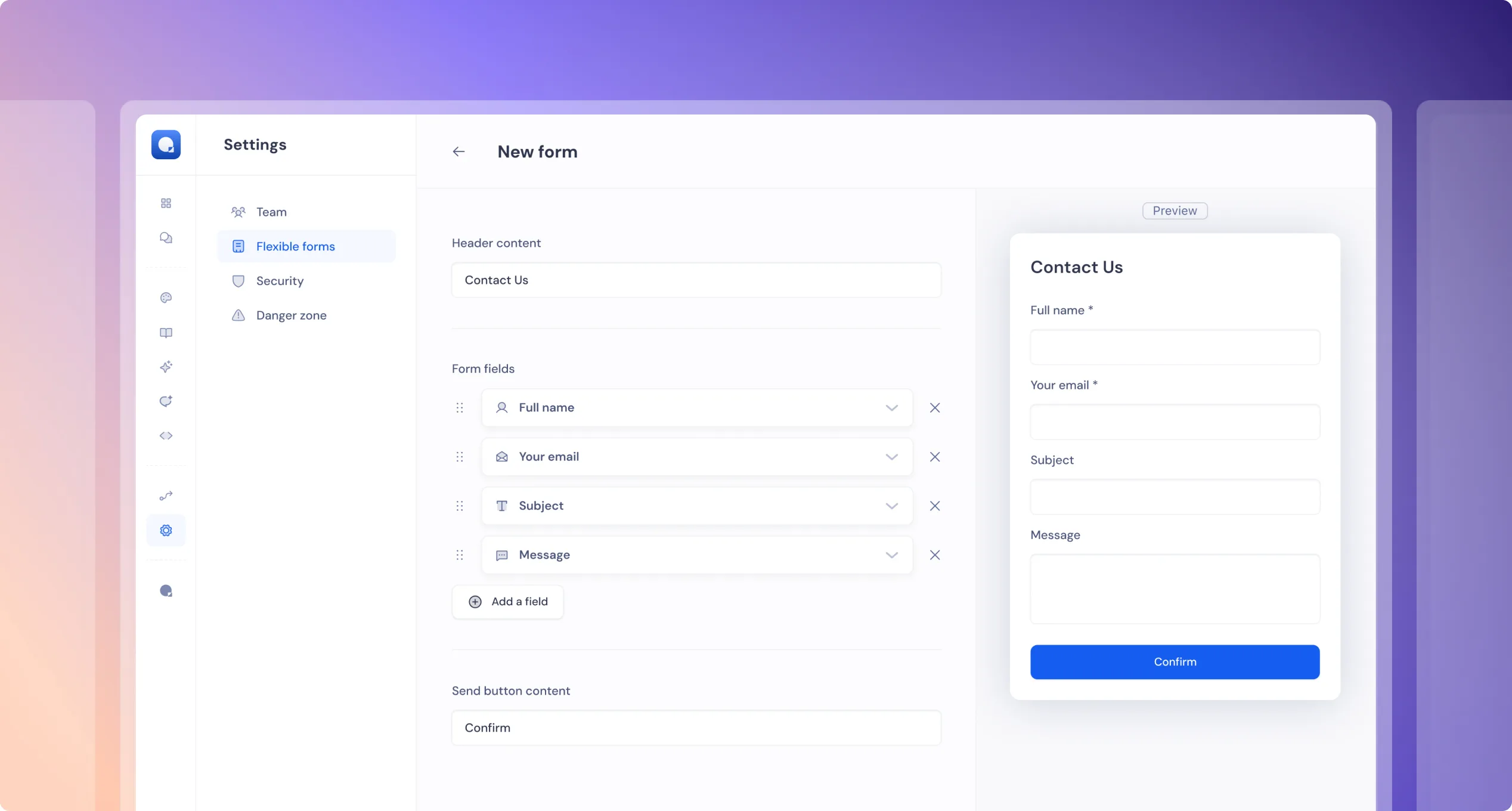
Why it matters: Flexible Forms make it easy to collect and use user data directly within your chatbot — no need for external tools or workarounds.
This helps you:
- Personalize conversations based on user input
- Qualify leads by collecting key details early
- Automate follow-ups using captured data
- Improve support by gathering context up front
It’s a simple feature that unlocks more powerful, dynamic flows — all inside one tool.
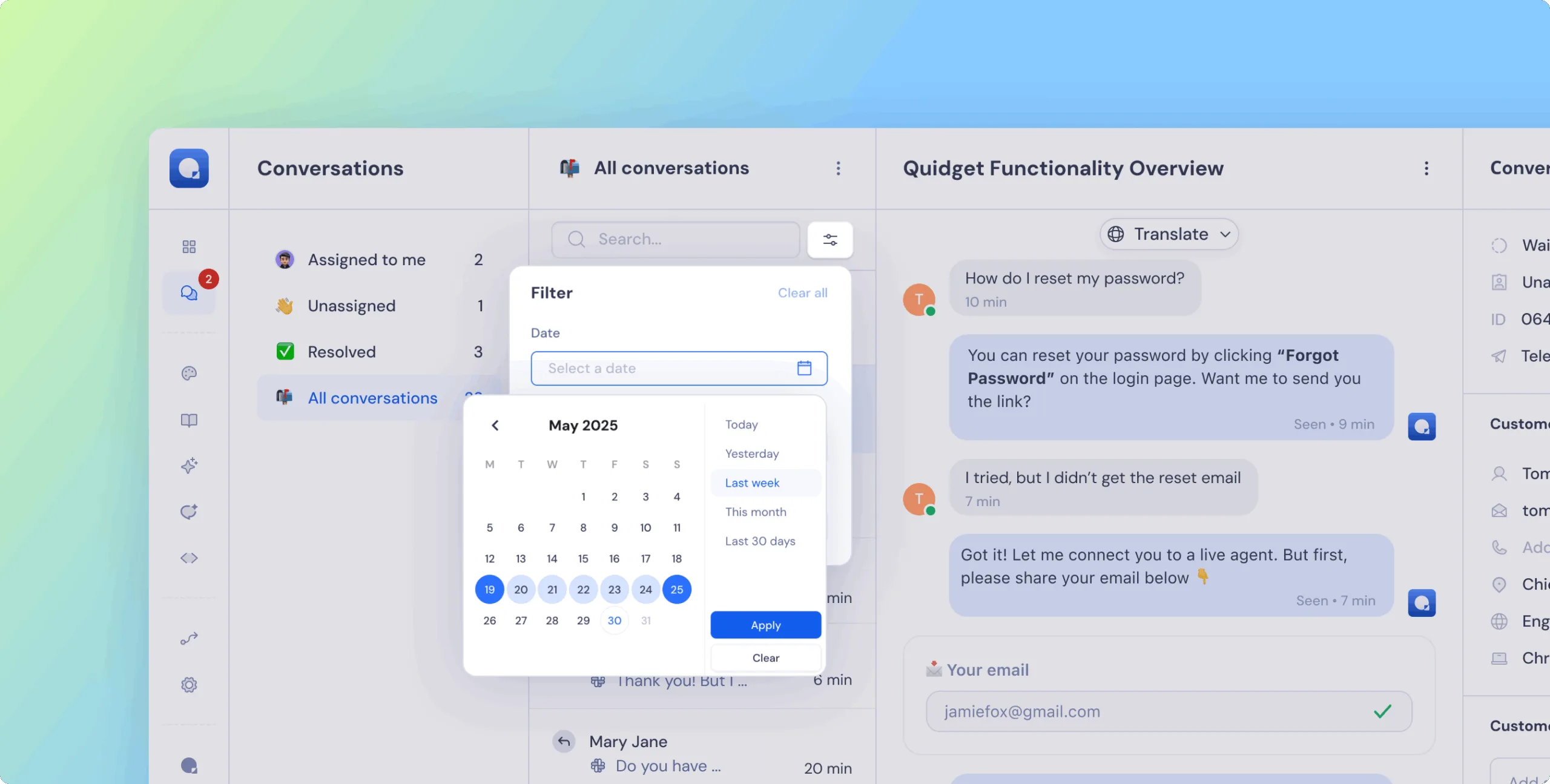
Now you can filter and export chats by time range:
- Today
- Yesterday
- Last Week
- This Month
- Last 30 Days
- Custom date range
Why it matters: Easier to review recent activity, find specific chats, and analyze trends over time — especially helpful for support reviews and training improvements.
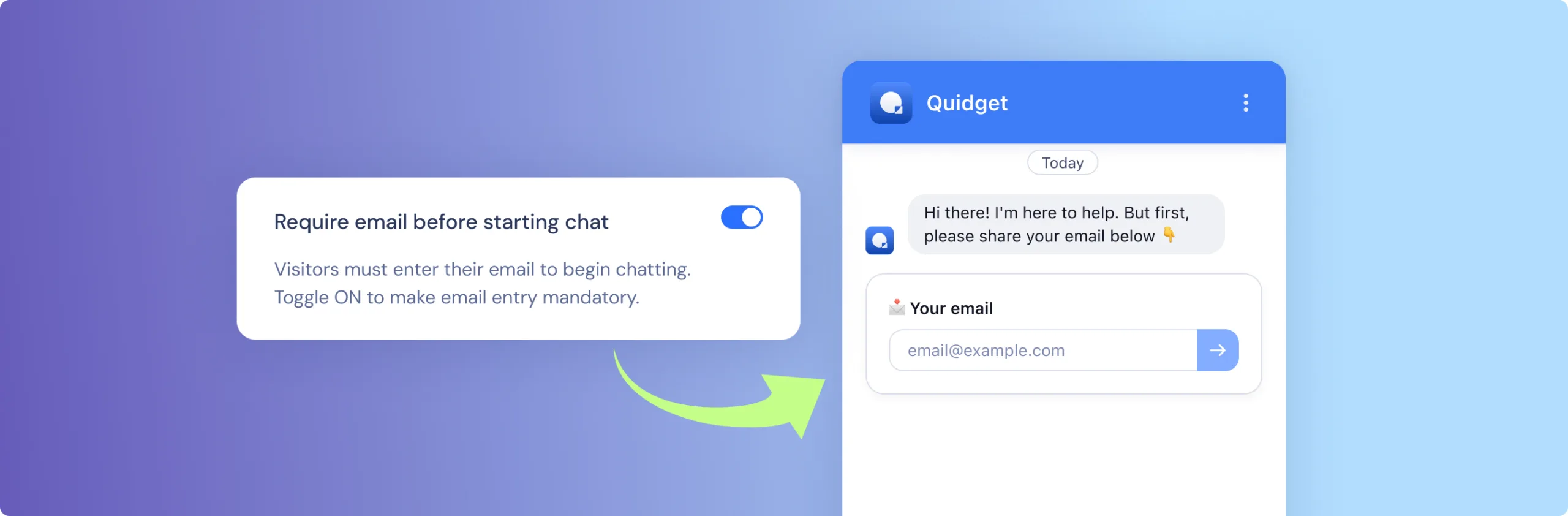
You can now require users to provide their email before starting a chat.
- New checkbox in
Appearence tab → Chat→Require email before starting chat - And in the backed magic will happen auto-create email request will be enabled
Why it matters:
Collecting emails upfront helps you follow up, support better, and avoid anonymous chat drops. Also perfect for Leadgen flows.
 Previous

Quidget keeps getting better—
stay tuned for more updates!
Log in to your Quidget dashboard and start optimizing your AI chatbot today!